
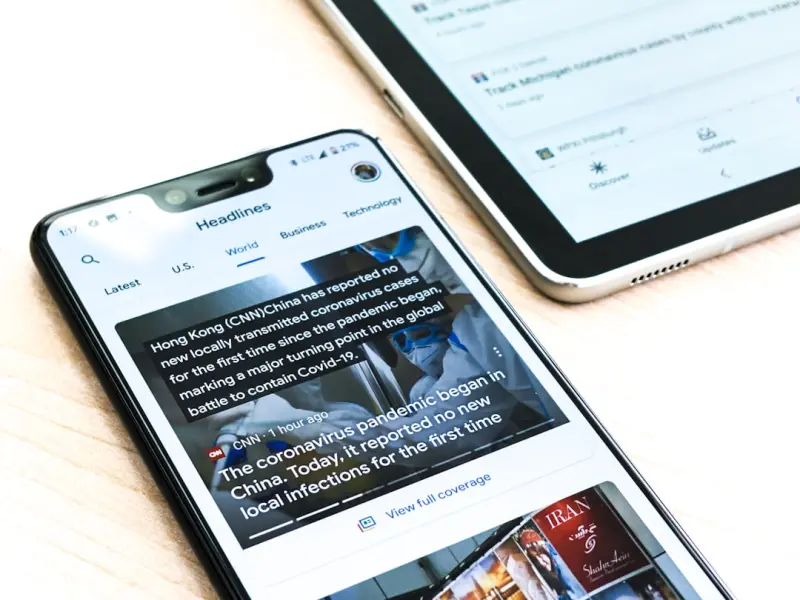
When I first started optimizing mobile experiences for SaaS products, the conversation always boiled down to “mobile‑first” web pages, responsive design, and the occasional PWA. That was a solid foundation, but I kept hearing the same frustrated sigh from product managers: “Our app is getting downloads, yet we’re invisible in the organic search world.” It hit me that we were treating mobile web SEO and app store optimization (ASO) as two completely separate universes. In reality, they’re two sides of the same coin—both aim to surface the right content to the right user at the right moment, whether that user is typing a query into Google or tapping a result in an app store.
Why Mobile App SEO Matters for SaaS
Most SaaS companies think of SEO as a purely web‑centric discipline. That mindset is shifting, however, as more users discover solutions directly through app stores. Here’s why bridging the gap is no longer optional:
- App stores have become search engines. Google Play and the Apple App Store process over 5 billion searches each month. Users often start their buying journey there, especially for productivity tools that promise on‑the‑go efficiency.
- Organic app traffic drives higher‑quality leads. Studies show that users who discover an app via search are 30 % more likely to convert to paid plans than those who arrive through ads.
- Search rankings influence brand credibility. Just as a top‑ranking blog post signals authority, a top‑spot in the App Store’s “Business” category signals trustworthiness.
In short, ignoring Mobile App SEO means leaving a huge, high‑intent traffic source on the table.
Mapping the Mobile SEO Landscape to the App Store
Think of the app store as a specialized search engine with its own ranking signals. Below is a quick side‑by‑side comparison of classic mobile SEO factors and their ASO equivalents:
| Mobile SEO (Web) | App Store SEO (ASO) |
|---|---|
| Keyword‑rich page titles | App name and subtitle |
| Meta description | App description (short and long) |
| Header tags (H1‑H3) | Feature bullet points |
| Structured data markup | In‑app content indexing (Apple’s App Store Connect, Google’s Indexing API) |
| Backlinks & citations | Ratings, reviews, and social mentions |
| Page load speed | App performance metrics (crash rate, load time) |
By translating each web‑centric tactic into its ASO counterpart, you can construct a unified strategy that amplifies visibility across both ecosystems.
Step‑by‑Step Blueprint to Align Mobile SEO & ASO
1. Conduct Unified Keyword Research
Start with a master list of keywords that describe your SaaS solution—think “project management,” “team collaboration,” “CRM on the go.” Use tools like Google Keyword Planner, Ahrefs, and the App Store’s autocomplete suggestions. Consolidate the data into three buckets:
- High‑volume web queries. These power your traditional mobile SEO content.
- App‑store intent queries. Phrases users type directly into the Play Store or App Store, e.g., “best time‑tracking app.”
- Long‑tail hybrid queries. Phrases that blend both worlds, such as “cloud‑based invoicing app for freelancers.”
Prioritize the overlap—keywords that rank well on Google and have strong app‑store search volume become the foundation of your cross‑platform messaging.
2. Optimize Your App’s Metadata with SEO Principles
Now that you have your keyword set, embed them thoughtfully:
- App Name & Subtitle. Keep the primary keyword within the first 30 characters. For a SaaS time‑tracking tool, a name like “TrackPro: Time‑Tracking & Billing” leverages the core term while staying brand‑centric.
- Short Description. This is the app store’s version of a meta description—aim for 150 characters that deliver a clear value proposition and include one secondary keyword.
- Long Description. Use the first three sentences to repeat the primary keyword naturally, then expand with features, benefits, and a call‑to‑action. Break up text with bullet points for readability—just as you would use header tags on a web page.
Remember, the same semantic relevance that drives Google rankings applies here. Don’t stuff keywords; instead, weave them into compelling copy that mirrors the voice of your landing pages.
3. Leverage Structured Data for In‑App Search
Google’s structured data guidelines aren’t just for web pages. Apple now supports App Indexing and Google offers the Firebase App Indexing API. By annotating key in‑app content—like help articles, feature pages, and pricing tables—you enable deep linking from search results straight into the app.
Implementation steps:
- Identify high‑value content pieces that users often search for (e.g., “how to set up automated invoices”).
- Add
JSON‑LDmarkup to the corresponding web view or use the native SDK’s indexing calls. - Test with Google’s Rich Results Test and Apple’s Search Console to confirm proper indexing.
When executed correctly, a user typing “automated invoices” into Google can land directly on the specific screen inside your app, bypassing the website altogether.
4. Sync Content Strategies Across Platforms
Don’t treat your blog and app documentation as siloed assets. Create a content matrix that maps each blog post to an in‑app help article or feature walkthrough. For example, a post about “mobile‑first invoicing dashboards” can be repurposed as an onboarding screen in the app, complete with screenshots and short video loops.
This approach yields two major benefits:
- Consistent messaging. Users see the same value proposition whether they land on your site or inside the app.
- Cross‑linking power. Include deep links from the web to the app (and vice versa) to boost both SEO signals and user engagement metrics.
5. Encourage Reviews & Ratings as Backlinks
Backlinks remain a cornerstone of SEO, and in the app ecosystem, reviews and ratings function as authoritative citations. Proactively solicit feedback after key milestones (e.g., after a user completes a first invoice). Use in‑app prompts that lead directly to the store’s review page.
To maximize impact:
- Respond to every review—both positive and negative. Search engines interpret active engagement as a sign of credibility.
- Highlight top reviews in your web landing pages. Embedding a
blockquotewith a star rating can act as a social proof signal for Google.
6. Monitor Performance with Unified Dashboards
Track both web and app metrics side by side. Google Search Console now surfaces “App Indexing” reports, while Firebase provides real‑time crash analytics and conversion funnels. Combine these data streams in a single BI tool (Looker, Tableau, or even Google Data Studio) to answer questions like:
- Which keyword drives the most app installs versus web sign‑ups?
- Do deep‑linked app pages reduce bounce rate compared to traditional web landing pages?
- How do app store rankings correlate with organic search visibility over time?
Data‑driven insights will reveal where to double down—whether that’s refining your app description, tweaking in‑app SEO markup, or boosting page speed on the mobile site.
Case Study: Turning Mobile App Discovery into a SaaS Growth Engine
One of our clients, a collaborative whiteboard SaaS, faced a plateau in web‑only traffic. By applying the framework above, they achieved the following results in six months:
- App store keyword ranking moved from page 3 to page 1 for “online whiteboard app”.
- Organic app installs grew 185 % YoY.
- Cross‑linked deep links from blog posts increased in‑app activation rates by 42 %.
- Overall MRR rose 12 % thanks to the higher‑quality leads generated through app‑store discovery.
Key tactics they borrowed from the broader mobile SEO playbook (yes, the Mobile SEO Playbook) included optimizing page speed, leveraging schema, and creating a mobile‑first content hub. The twist? They repurposed those tactics for the app store, turning “pocket‑sized traffic” into “download‑sized growth.”
Future‑Proofing: Voice Search Meets Mobile App SEO
Voice assistants are rapidly becoming the default search interface on smartphones. Imagine a user saying, “Hey Siri, open my project tracker.” The assistant must understand both the brand name and the intent to open the app. To stay ahead:
- Register your app’s App Intent URL scheme with Apple’s SiriKit and Google’s Assistant.
- Include natural‑language variations of your core keywords in your app’s metadata and in‑app help content.
- Test voice queries with tools like Google Assistant Simulator to ensure accurate routing.
By aligning voice search optimization with your broader Mobile App SEO strategy, you’ll capture the next wave of hands‑free discovery.
Wrapping It All Together
Mobile SEO is no longer just about responsive pages and lightning‑fast load times. For SaaS companies, the real frontier lies in treating the app store as a search engine and weaving its optimization tightly with traditional web SEO. When you map keyword research, metadata, structured data, and content across both channels, you create a synergistic ecosystem where each touchpoint reinforces the other.
Take the next step: audit your app’s listing against the checklist above, align your web content with in‑app experiences, and set up a unified dashboard to watch the numbers rise. The payoff isn’t just higher rankings—it’s a steady stream of qualified users who discover your solution exactly where they’re already looking.
And if you’re curious about how PWA advantage can further blur the lines between web and app, that’s a conversation worth having. The future of Mobile SEO is convergent, and the first movers will be the ones who master both worlds.

Related Posts
How Edge Computing and PWAs Are Redefining Mobile SEO
Learn how combining edge computing with progressive web apps creates lightning‑fast, app‑like ex... Read More

Mobile SEO Mastery: From Speed to AI‑Ready Experiences
A deep dive into mobile‑first SEO, covering performance, progressive web apps, structured data, an... Read More

Mobile SEO Mastery: Structured Data, Core Web Vitals, and Headless Strategies
Discover how to boost mobile rankings using structured data, Core Web Vitals, and headless tech—pr... Read More
Top Posts

How to Turn Your Team’s LinkedIn Activity into an SEO Asset
Learn a practical framework to transform your staff’s LinkedIn profiles into powerful SEO signals, improving search rankings and generating inbound leads for ...Read More

Server Log Secrets: Boost Technical SEO Performance
Learn to turn raw server logs into actionable SEO insights, from uncovering crawl budget inefficiencies to fixing TTFB issues and prioritizing structured data....Read More

Leveraging LinkedIn Articles for Organic Search Domination
Learn to optimize LinkedIn profiles, publish keyword‑rich articles, and build authentic backlinks that rank on Google, creating a sustainable SEO engine....Read More

Turning Social Media Into a Living Narrative: A Blueprint for Brands
Learn how to build a Social Media Narrative Engine that aligns personas, content arcs, and real‑time listening to turn scattered platforms into a unified bran...Read More
0 Comments
Post Comment
You will need to Login or Register to comment on this post!