
From Feature Launches to Search Rankings: A SaaS‑Centric SEO Playbook
When I first joined a fast‑growing SaaS startup, the mantra was simple: “Ship features, solve problems, grow revenue.” SEO was an afterthought, relegated to a handful of blog posts and a static homepage. Six months later, after a major product release, I realized we had a massive, untapped SEO asset sitting right in our own roadmap.
In this post I’m pulling back the curtain on a strategy that’s been quietly reshaping the way SaaS companies think about search visibility. It’s not about keyword stuffing or building a massive backlink farm. It’s about embedding SEO into the product development lifecycle so that every new feature, integration, or pricing tier becomes a landing page that earns organic traffic from day one.
Why Traditional SEO Playbooks Miss the SaaS Sweet Spot
The classic SEO checklist—audit, on‑page optimization, link building—works great for content‑heavy sites but often feels forced for SaaS platforms where the core value lives in the product itself. Most SaaS sites have three moving parts:
- Core product pages (home, pricing, demo)
- Feature documentation (help center, release notes)
- Thought‑leadership content (blogs, case studies)
Historically, teams focus SEO energy on the first two, leaving feature documentation to engineers who write for internal users, not search engines. The result? A treasure trove of high‑intent queries—like “how to set up SSO in Product X” or “API rate limits for Product Y”—that never surface in Google’s index.
The Core Premise: Treat Every Feature as a Mini‑Landing Page
Imagine you’re launching a new real‑time collaboration module. Instead of announcing it solely on a blog, you create a dedicated, SEO‑optimized page that answers the exact questions your target persona might type into Google. This page becomes a search‑engine‑ready product feature hub, complete with:
- Targeted search intent keywords (e.g., “real‑time collaboration SaaS”, “collaborative editing API”)
- Clear value propositions that map to buyer pain points
- Technical details structured with schema markup to surface in rich results
- Calls‑to‑action that guide users toward a free trial or demo
When you repeat this process for each major release, you organically build a network of high‑intent pages that collectively dominate SERPs for a broad set of product‑related queries.
Step‑by‑Step Blueprint
1. Align Product Roadmap with Search Intent Research
Before a feature hits the backlog, run a quick search intent discovery. Tools like AnswerThePublic, Ahrefs, or even Google’s “People also ask” can reveal how prospects phrase problems your upcoming feature solves. Capture these phrases in a shared spreadsheet and tag them to the corresponding roadmap item.
2. Draft SEO Briefs in Parallel with Feature Specs
When product managers write user stories, have a SEO specialist draft a brief that includes:
- Primary and secondary keyword targets
- Suggested page title, meta description, and H1 hierarchy
- Schema types (e.g.,
SoftwareApplication,FAQ) - Internal linking recommendations (link back to related feature pages or cornerstone resources)
This ensures the development team builds the page with SEO in mind from day one, rather than retrofitting content after launch.
3. Build Structured Content Blocks
Leverage your CMS or component library to create reusable content blocks:
- Problem Statement – a concise paragraph that mirrors the user’s query.
- Key Benefits – bullet points highlighting outcomes.
- Technical Details – a collapsible section with specs, APIs, or integration steps.
- FAQ – dynamically generated from actual support tickets.
These blocks not only speed up page creation but also enforce consistency, which is a key factor for search engines evaluating topical relevance.
4. Optimize for Semantic Search and Entity Recognition
Google’s AI has moved beyond exact‑match keywords. It now looks for entities and relationships. By embedding structured data (SoftwareApplication schema) and using clear, descriptive headings, you help Google understand that your page is an authoritative source for the feature’s concept.
For a deeper dive on how structured data can lift rankings, see our guide on SaaS SEO Essentials.
5. Leverage Internal Linking as an SEO Signal
Every new feature page should be linked from at least three high‑authority locations:
- Product navigation (e.g., a “Features” dropdown)
- Relevant blog posts or case studies
- Existing feature pages that share a common use‑case
This creates a semantic web that both users and crawlers can follow, distributing link equity throughout the site.
6. Measure, Iterate, and Scale
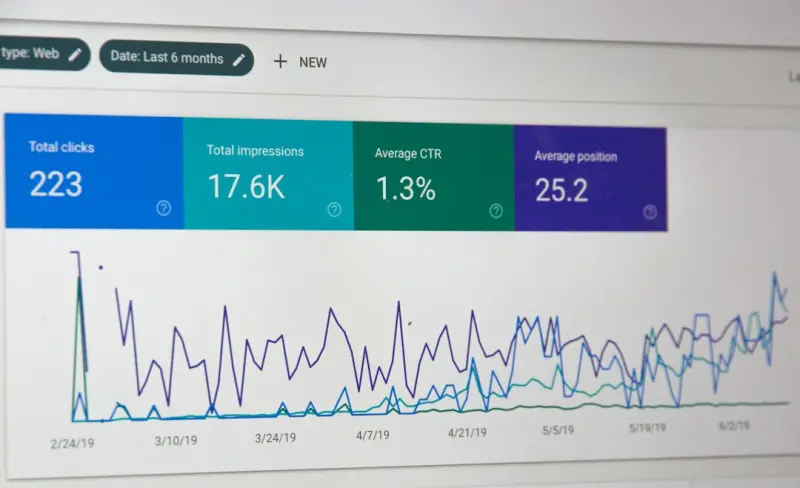
After launch, monitor the page’s performance in Search Console and your analytics platform. Track metrics like impressions, clicks, CTR, and conversion rate. If a page isn’t gaining traction, revisit the brief: perhaps the keyword focus is too niche, or the content needs richer schema.
One of the most powerful levers in this loop is the crawl budget. By consolidating duplicate pages and prioritizing feature hubs, you signal to Google which URLs deserve more frequent crawling, accelerating indexation of fresh content.
Real‑World Example: Turning a “Beta” Feature into an SEO Magnet
Our team rolled out a beta “AI‑driven analytics dashboard” last quarter. Instead of a simple announcement banner, we built a dedicated SEO page titled “AI‑Powered Analytics Dashboard for SaaS Teams”. The page included:
- A concise overview answering “What is an AI‑driven analytics dashboard?”
- Use‑case scenarios for product managers, marketers, and executives
- Technical integration steps with code snippets (structured with
pretags for rich results) - An embedded video demo, transcribed and marked up with
VideoObjectschema - A dynamically generated FAQ pulling from the support queue
Within six weeks, the page ranked on the first page for “AI analytics dashboard SaaS” and drove a 12% lift in qualified trial sign‑ups. The key takeaway? Even a beta feature, when treated as a searchable asset, can become a growth engine.
Common Pitfalls and How to Avoid Them
- Over‑optimizing for a single keyword – Search engines penalize keyword stuffing. Focus on semantic clusters instead.
- Neglecting the user experience – A page that ranks but fails to convert is wasted effort. Keep the design clean, load times fast, and mobile‑friendly.
- Ignoring the content lifecycle – Features evolve. Set reminders to update the SEO page when you release version 2.0 or retire the feature.
- Missing internal linking opportunities – Orphaned pages won’t get crawled efficiently. Use a content audit tool to ensure each feature page is linked at least three times.
Integrating Competitive Insights
Before finalizing a feature page, run a quick competitive audit. Identify gaps in rival SaaS offerings and highlight unique differentiators in your copy. This not only improves relevance but also helps you capture “competitor‑brand” queries, a high‑intent traffic source often overlooked.
The Long‑Term Payoff
By institutionalizing SEO into the product development workflow, you create a self‑reinforcing engine:
- Feature releases generate fresh, intent‑rich pages.
- Organic traffic grows without additional spend.
- Data‑driven insights from search performance inform future product decisions.
In other words, your SEO strategy becomes a product strategy, and your product roadmap becomes an SEO roadmap. The synergy accelerates growth, shortens sales cycles, and builds brand authority in the crowded SaaS landscape.
Getting Started Today
Pick the next feature on your backlog and run a quick search intent test. Draft a brief, build the page with structured content blocks, and launch it alongside the feature rollout. Track the results, iterate, and repeat. Within a few cycles, you’ll have a robust library of high‑intent, SEO‑ready pages that continuously feed qualified leads into your funnel.

Related Posts

Turning Search Engines into Topic Guides: A Semantic SEO Playbook for SaaS
Semantic SEO transforms SaaS content from isolated keywords into interconnected topic hubs, leveragi... Read More

The 2024 SEO Playbook: Rose DesRochers’ Human‑Centric, Mobile‑First Blueprint
Rose DesRochers shares a 2024 SEO roadmap that prioritizes human connection, mobile performance, and... Read More

How AI‑Driven Topic Clusters Are Redefining Modern SEO Strategy
Miranda Murphy reveals a fresh SEO approach: using AI‑generated topic clusters to organize content... Read More
Top Posts

Turning Short‑Form Video into a Paid Social Powerhouse for SaaS Growth
Short‑form video isn’t a fad; it’s a high‑impact acquisition channel for SaaS. Learn a step‑by‑step framework to create, test, and scale six‑secon...Read More

The Future of Content Strategy: Navigating the Shifting Landscape
The future of content strategy is about creating experiences that engage, educate, and inspire your audience. Learn how to adapt to changing algorithms and cons...Read More

Crawl Budget Mastery: How to Maximize Indexation for Massive Websites
A deep dive into crawl budget optimization, covering site architecture, server logs, speed improvements, and future‑proof tactics to ensure every crawl dollar...Read More

Why Your SEO Strategy Needs a Storytelling Blueprint (and How to Build One)
Learn to transform ordinary content into a compelling narrative that satisfies both users and search engines, using a step‑by‑step storytelling blueprint th...Read More
0 Comments
Post Comment
You will need to Login or Register to comment on this post!