
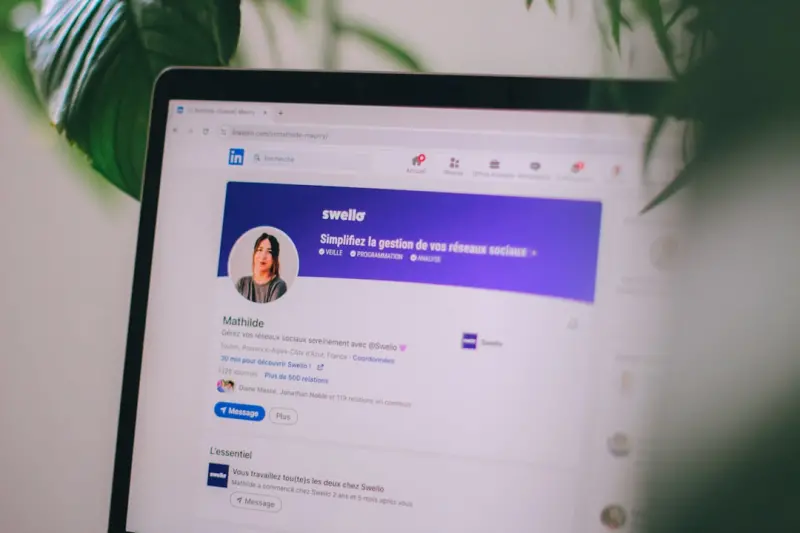
Why LinkedIn Is Your Next SEO Powerhouse
When I first started treating my LinkedIn profile like a mini‑website, the traffic spike was impossible to ignore. The platform indexes profiles alongside traditional web pages, meaning the right keywords can push you up both LinkedIn’s internal search and Google’s SERPs. Seeing my name appear on the first page of Google for niche industry terms convinced me that LinkedIn deserves a dedicated SEO strategy, not just casual networking.
Start with Intent‑Focused Keyword Research
The foundation of any SEO effort is understanding what people type into the search bar, and LinkedIn is no exception. I begin by mining the “People also searched for” suggestions on Google and LinkedIn, then narrow down to long‑tail phrases that reflect my exact role and expertise, such as “B2B SaaS growth strategist” or “enterprise content‑first marketer”. Aligning these terms with your professional brand ensures you attract the right audience, not just generic traffic.
Craft a Keyword‑Rich Headline and Custom URL
Your headline is the most prominent text Google and LinkedIn both scan, so I embed primary keywords while keeping it readable—e.g., “Growth Marketing Leader | B2B SaaS & Content Strategy”. Next, I claim a custom LinkedIn URL that mirrors that headline, like linkedin.com/in/b2b‑growth‑leader, which not only looks clean on business cards but also sends a clear relevance signal to search crawlers. This simple tweak can improve click‑through rates by up to 30 %.
Build an SEO‑Optimized “About” Section
The “About” paragraph is your chance to tell a story that doubles as a keyword‑dense landing page. I open with a concise, keyword‑laden sentence, then expand on achievements using bullet points to break up text and improve readability. Including a brief call‑to‑action with a link to my personal site creates a natural backlink, reinforcing authority for both LinkedIn and my own domain.
- Start with a hook that includes your primary keyword.
- Use bullet points for key skills and measurable results.
- End with a link to an external resource or portfolio.
Leverage the Featured Section for Link Building
LinkedIn’s Featured area is often overlooked, yet it acts like a real‑estate hotspot for SEO‑friendly links. I pin articles, case studies, and slide decks that contain inbound links to my website, which Google treats as credible endorsements because they originate from a high‑authority domain. Pair this with a short, keyword‑rich description for each asset to maximize relevance.
Turn Posts, Articles, and Native Video Into SEO Assets
Every piece of content you publish on LinkedIn can rank on both the platform and Google if you optimize it correctly. I follow a three‑step formula: choose a target keyword, embed it in the title and first 100 words, and sprinkle related terms throughout. Linking back to a deeper blog post or podcast episode—like the insights I share in Podcast Guesting: The Underrated Link‑Building Powerhouse—creates a content network that drives traffic in both directions.
Measure, Iterate, and Scale Your LinkedIn SEO
Data drives refinement, so I regularly export LinkedIn’s “Who viewed your profile” and post‑performance reports to spot trends. I also set up UTM parameters on every external link to track referrals in Google Analytics, allowing me to see which keywords and content types generate the most qualified traffic. Over time, I adjust my keyword list and content cadence, a process similar to the iterative testing described in From Data to Rankings: A Blueprint for Intent‑First SEO.
Future‑Proof Your LinkedIn Presence
LinkedIn continues to roll out new formats—polls, newsletters, and carousel posts—that each offer fresh SEO opportunities. By staying ahead of these features and consistently applying keyword best practices, you turn your profile into an evergreen traffic hub that supports broader brand goals. Remember, the goal isn’t just visibility; it’s to attract the right connections, opportunities, and inbound links that amplify your professional impact.

Related Posts
LinkedIn Search Mastery: Turning Keywords into Professional Opportunities
Discover a step‑by‑step strategy to optimize your LinkedIn profile for search, using Boolean ope... Read More
Unleashing LinkedIn’s Search Power for B2B Visibility
A deep dive into LinkedIn’s search algorithm, profile optimization, content tactics, and network s... Read More
LinkedIn Skills & URL Hacks: A Fresh SEO Playbook
Unlock hidden LinkedIn SEO potential with custom URLs, targeted skill endorsements, and strategic co... Read More
Top Posts
Content Trends 2024: Laura Wilson’s Insider Take on the Future of Storytelling
In 2024, content is shifting toward authentic narratives, bite‑sized video, and interactive community experiences. Laura Wilson breaks down what creators need...Read More

Real‑Time On‑Page SEO: Turning Every Visit Into a Ranking Signal
Mei Chen shares a fresh, agile approach to on‑page SEO, showing how real‑time user signals, adaptive content blocks, and dynamic schema can transform SaaS p...Read More

Technical SEO Trends 2024: Jessica Gills’ Insider Playbook
Jessica Gills shares her 2024 technical SEO playbook, covering speed, schema, AI tools, and future‑proof strategies to dominate search rankings....Read More

Mobile-First Indexing: The Key to Unlocking Your Website's Full Potential
Mobile-first indexing is here to stay. Learn how to optimize your website for mobile search and improve your website's visibility, drive more traffic, and incre...Read More
0 Comments
Post Comment
You will need to Login or Register to comment on this post!