
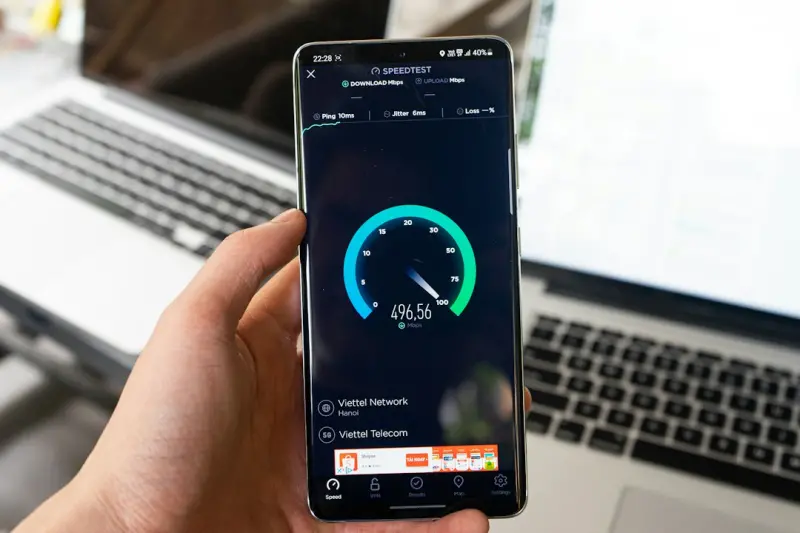
Understanding Mobile Core Web Vitals and Their Impact on SaaS Rankings
When I first started digging into Google’s Core Web Vitals, I was fascinated by the sheer amount of data that Google ships to its index. Fast forward a few months, and I realized that while many of us obsess over page speed and mobile‑first indexing, we often overlook the nuanced metrics that truly shape the mobile search experience for SaaS buyers. This isn’t a “nice‑to‑have” tweak; it’s a ranking lever that can swing organic traffic by double‑digit percentages.
What Are Mobile Core Web Vitals?
Google broke down its performance expectations into three core metrics that apply equally to desktop and mobile, but the mobile context adds layers of complexity:
- LCP (Largest Contentful Paint) – Measures the time it takes for the largest visible element (often a hero image or a headline) to load. On a 4G network, the target is under 2.5 seconds.
- FID (First Input Delay) – Captures the latency between a user’s first interaction (tap, click, or key press) and the browser’s response. A good score is under 100 ms.
- CLS (Cumulative Layout Shift) – Quantifies unexpected layout movements that can cause accidental taps. The acceptable threshold is 0.1 or lower.
For SaaS sites, these numbers matter more than they do for a static blog. A potential buyer on a mobile device is usually on a tight schedule, and any hiccup can push them straight to a competitor’s pricing page. Moreover, Google explicitly signals that sites consistently delivering strong Core Web Vitals can earn a “fast” badge in search results, which in turn influences click‑through rates.
Why Mobile Core Web Vitals Matter More for SaaS Than for E‑Commerce
Think about the buyer journey. An e‑commerce shopper typically scrolls, compares, and decides within a few minutes. A SaaS prospect, however, is often researching a solution while commuting, waiting for a meeting, or juggling multiple tabs. That means:
- Higher Expectation for Immediate Value – SaaS pages must convey product value within the first few seconds. A sluggish LCP can drown the headline that tells a prospect why your solution solves their problem.
- Interactive Demos Need Speed – Many SaaS sites embed live demos or interactive calculators. A poor FID can make these tools feel unresponsive, eroding trust before the prospect even signs up for a trial.
- Complex UI = Higher CLS Risk – Feature‑rich pricing tables, dynamic FAQs, and progressive disclosure sections are prone to layout shifts. A stable layout is crucial for preventing accidental clicks on “Contact Sales” or “Subscribe” buttons.
Diagnosing Mobile Core Web Vitals: The Tools You Can’t Skip
Before you start “optimizing,” you need a solid baseline. Here are the tools I rely on daily:
- Google Search Console – Core Web Vitals Report: Gives you a field‑level view of URLs that are “Good,” “Needs Improvement,” or “Poor.” Filter by mobile to isolate the problematic pages.
- Lighthouse (Chrome DevTools): Run an audit on a single URL and get a detailed breakdown of each metric, complete with actionable suggestions.
- WebPageTest (Mobile Emulation): Perfect for testing on real 4G/5G conditions and identifying server‑side bottlenecks like slow TTFB (Time to First Byte).
- PageSpeed Insights (Mobile): Combines field data (CrUX) with lab data for a holistic picture.
Once you have the data, prioritize the URLs with the highest traffic potential—often your product landing pages, pricing pages, and demo sign‑up forms. This aligns with the advice from our Mobile SEO strategies SaaS teams overlook guide, where we stress targeting high‑value pages first.
Practical Ways to Boost LCP on Mobile
Improving LCP is often a matter of streamlining the “above‑the‑fold” experience. Here’s a checklist that has saved my clients up to 40% in load time:
- Serve Optimized Images: Convert JPEGs to WebP or AVIF, leverage
srcsetfor responsive images, and ensure images are compressed to 70 % quality or better. - Implement Server‑Side Rendering (SSR) for Critical Content: If you’re using React or Vue, pre‑render the hero section so the browser receives ready‑to‑paint HTML.
- Prioritize Critical CSS: Inline the CSS required for the above‑the‑fold area and defer the rest with
loadCSSorrel="preload". - Use a Content Delivery Network (CDN): Serve static assets from edge locations closest to the user’s IP.
- Reduce TTFB: Move to HTTP/2 or HTTP/3, enable keep‑alive connections, and fine‑tune your server cache headers.
For SaaS sites that heavily rely on dynamic content, I recommend a hybrid approach: SSR for the initial view, then hydrate the page with JavaScript for interactive components. This gives the best of both worlds—fast LCP and a rich, dynamic experience.
Winning the FID Battle: Making First Interactions Lightning‑Fast
FID is all about how quickly a page responds to user input. The main culprit for high FID is heavy JavaScript execution. Here’s how to tame it:
- Code Splitting: Break your JavaScript bundles into smaller chunks and load only what’s needed for the initial view.
- Defer Non‑Critical Scripts: Use
deferorasyncattributes on script tags that aren’t essential for the first interaction. - Eliminate Long‑Running Tasks: Profile with Chrome’s Performance panel. Anything that blocks the main thread for > 50 ms should be optimized or moved to a Web Worker.
- Prioritize Interaction‑Ready Elements: If you have a “Get Started” button, make sure it’s rendered early and isn’t wrapped in a heavy component that delays its event listener.
In one case study, a SaaS platform cut its FID from 210 ms to 68 ms simply by lazy‑loading a third‑party analytics script. The result? A 12% lift in mobile conversion rate within two weeks.
Keeping CLS Low: Stability Is the New Speed
CLS feels intangible until a user’s finger lands on the wrong button because a banner ad suddenly pushes the layout down. The fix is straightforward but requires vigilance:
- Set Explicit Width and Height on Media: Every
img,video, andiframeshould have defined dimensions or an aspect‑ratio box. - Avoid Insertion of Content Above Existing Content: If you must add a promotional banner, place it at the top of the page or reserve space for it with a placeholder.
- Use CSS Transformations for Animations: Transform and opacity changes don’t trigger layout recalculations.
- Reserve Space for Dynamic UI Elements: For example, an expanding FAQ section should have a max‑height container that grows smoothly without shifting surrounding elements.
These tactics align with the advice in our mobile search intent article, which stresses that a stable page directly influences user intent fulfillment.
How Core Web Vitals Interact With Crawl Budget
Google allocates a finite crawl budget per domain. When your pages are slow or error‑prone, Googlebot spends more time fetching resources, reducing the number of pages it can index. By improving LCP, you lower the time Googlebot spends on each page, effectively freeing up crawl budget for deeper site exploration. This synergy is a subtle yet powerful way to boost overall site visibility without any manual link building.
Monitoring Progress: From Data to Decision‑Making
Optimization isn’t a one‑off project; it’s an ongoing sprint. Here’s my monitoring framework:
- Weekly Core Web Vitals Dashboard: Pull the latest Mobile data from Search Console API and visualize trends for LCP, FID, and CLS.
- Alert Thresholds: Set alerts for any URL crossing the “Needs Improvement” threshold for more than three consecutive days.
- Quarterly Deep Dive: Re‑run Lighthouse audits on top‑traffic pages and compare against previous quarters to gauge ROI.
When you see a consistent upward trend across all three metrics, you’ll notice a parallel rise in mobile click‑through rates and, ultimately, conversions. The numbers speak for themselves.
Future‑Proofing: Core Web Vitals and the Upcoming Google Updates
Google’s roadmap indicates that Core Web Vitals will become a stronger component of the ranking algorithm in the coming months. While they already influence “page experience” signals, the next update will likely weigh them more heavily for “mobile‑first” queries. In practical terms, a SaaS site that nails LCP, FID, and CLS today will have a competitive edge when the algorithm shift lands.
To stay ahead, embed performance checks into your CI/CD pipeline. Automate Lighthouse tests, fail builds that regress beyond a set threshold, and treat performance as a first‑class citizen alongside feature development.
Takeaway Checklist
- Audit mobile Core Web Vitals with Search Console and Lighthouse.
- Prioritize high‑traffic SaaS pages for LCP, FID, and CLS improvements.
- Optimize images, enable SSR, and serve critical CSS to boost LCP.
- Split code, defer non‑essential scripts, and use Web Workers for FID.
- Reserve space for media, avoid layout shifts, and use transform‑based animations for CLS.
- Monitor metrics weekly, set alert thresholds, and integrate performance testing into your deployment workflow.
When you treat Mobile Core Web Vitals as a strategic pillar—not just a technical checkbox—you unlock a silent growth engine that propels SaaS rankings, speeds up conversions, and future‑proofs your digital presence.

Related Posts

Mobile SEO: The Key to Unlocking Your Website's Full Potential
Mobile SEO is critical for businesses that want to stay ahead of the competition. Learn how to optim... Read More

Mobile SEO Mastery: Context, Rich Features, and Future‑Ready Strategies
A deep dive into mobile‑first SEO: harness contextual cues, progressive web apps, rich schema, vis... Read More

The PWA Advantage: Supercharging Mobile SEO for SaaS Growth
Progressive Web Apps blend web discoverability with app‑like experiences, unlocking hidden mobile ... Read More
Top Posts

SEO‑Friendly SaaS Documentation: A Technical Guide
A comprehensive technical SEO guide for SaaS documentation, covering clean URLs, canonical tags, structured data, JavaScript rendering, performance, internation...Read More

Elevating LinkedIn’s Hidden SEO Potential for Business Growth
Learn fresh tactics to boost your brand’s search visibility on LinkedIn, from optimizing company pages to leveraging employee shares, without repeating common...Read More

How Neighborhood Partnerships Supercharge Your Local SEO
Learn why building authentic community partnerships is the secret weapon for local SEO success, and how to turn neighborhood events into powerful ranking assets...Read More

The Next Wave of Social Media Ads: Hyper‑Personalization Meets Privacy‑First Tactics
Social media advertising is evolving from broad outreach to laser‑focused, privacy‑centric tactics. Learn how hyper‑personalized audience segmentation, sh...Read More
0 Comments
Post Comment
You will need to Login or Register to comment on this post!