

Why Mobile Is No Longer an Afterthought for SaaS
Every SaaS decision-maker has felt the pressure of the “mobile‑first” mantra, but most still treat it as a checklist item rather than a growth engine. The truth is that mobile users now account for the majority of organic search sessions, and they behave differently from desktop visitors. Their intent is often on‑the‑go, their attention spans are shorter, and the devices they use come equipped with voice assistants, visual search lenses, and in‑app browsers that rewrite how a search result is consumed.
In this playbook, we’ll go beyond the usual speed‑test checklist and explore the nuanced tactics that transform a mobile search experience into a qualified SaaS lead pipeline. Expect a mix of data‑driven insights, actionable steps, and a few forward‑looking experiments that can give you an edge before the next algorithm update lands.
The Mobile Search Landscape Is Evolving Faster Than You Think
Google’s mobile‑first indexing rolled out several years ago, but the evolution hasn’t stopped there. Today’s SERP is a mash‑up of traditional blue links, instant answers, voice snippets, visual cards, and even in‑app previews. Each of these formats is built to satisfy a specific mobile user need, and the ranking signals that influence them differ from the classic on‑page factors.
- Voice Search – Queries are longer, conversational, and often framed as questions.
- Visual Search – Images are parsed for context, meaning alt‑text and structured image data matter more than ever.
- In‑App Browsers – Links opened inside apps (e.g., Facebook, Twitter) bypass traditional referrer data, affecting how we measure engagement.
Understanding these sub‑segments is the first step toward a mobile SEO strategy that feels less like a reaction to Google’s whims and more like a proactive, user‑centric roadmap.
Core Web Vitals on Mobile: The Baseline for Trust
If you haven’t yet nailed Largest Contentful Paint (LCP), First Input Delay (FID), and Cumulative Layout Shift (CLS) on mobile, you’re essentially telling prospects “we can’t even load fast enough to be helpful.” While the technical community often discusses these metrics in the context of desktop, mobile performance is the real litmus test for user experience.
Here are three quick wins:
- Serve images in next‑gen formats (WebP, AVIF) and size them appropriately for typical mobile viewports.
- Leverage resource hints like
preloadandprefetchfor critical CSS and JavaScript that power above‑the‑fold content. - Audit third‑party scripts with a focus on mobile impact; a single analytics snippet can add 200 ms to LCP on a 3G connection.
Once you hit the Google Web Vitals threshold, you’ll notice a measurable uptick in mobile click‑through rates (CTR) and lower bounce rates.
Responsive Design Is Not Enough – Think Mobile‑First Content Architecture
Responsive CSS grids make your pages look good on any screen, but they don’t guarantee that the content itself aligns with mobile intent. A SaaS product page that crams a feature matrix into a single column on a phone will still suffer from “information overload.” Instead, adopt a mobile‑first content hierarchy that surfaces the most compelling value proposition within the first two viewport heights.
Practical steps:
- Prioritize the headline and a single, clear CTA above the fold. Use concise copy—aim for under 15 words.
- Break long paragraphs into bite‑size bullet points that can be scanned in seconds.
- Leverage collapsible sections (accordions) for secondary details, ensuring they are crawlable by search engines (use proper heading tags inside).
Voice Search: The Conversational Frontier for SaaS
When users ask their phones “what’s the best project management tool for remote teams?” they’re looking for a concise, authoritative answer. To capture that space, you need to embed question‑based content that mirrors natural language patterns.
Start by mining your existing help center and community forums for the most frequent “how‑to” queries. Then, create dedicated voice‑optimized pages that answer those questions in 40‑50 words, using the exact phrasing users are likely to speak.
Don’t forget to mark up these answers with structured data best practices—specifically the FAQPage and HowTo schema types. While you might think schema is a “desktop” tactic, it’s equally critical for voice, as the assistant reads directly from the markup.
Visual Search: Optimizing Images for the Mobile Eye
Google Lens and similar tools are turning images into searchable assets. For SaaS, this opens a pathway to showcase product screenshots, UI mockups, and even infographics in a way that can appear in visual SERPs.
Key actions:
- Give each image a descriptive, keyword‑rich
altattribute that also reflects the context (e.g., “dashboard view of analytics module for marketing teams”). - Implement
ImageObjectschema to provide metadata like dimensions, caption, and licensing. - Compress images without sacrificing clarity—mobile users demand crisp visuals even on slower networks.
By treating images as first‑class SEO assets, you’ll capture traffic that bypasses text entirely.
In‑App Browsers and Web Views: A Hidden Funnel
When a user clicks a link inside a social app, the URL often opens in an in‑app browser, which can strip away referral data and alter page rendering. This environment is less forgiving of heavy scripts and can trigger “lazy‑load” fallbacks that delay content visibility.
To mitigate friction:
- Serve a lightweight “app‑preview” version of your landing page that loads critical content in under 1 second.
- Use the
rel="canonical"tag to point back to the full version, ensuring you don’t split link equity. - Track in‑app engagement with the
navigator.userAgentdetection and fire a dedicated analytics event for subsequent funnel analysis.
Understanding the drop‑off points in these micro‑journeys can reveal untapped conversion opportunities.
Structured Navigation for Mobile: Breadcrumbs, Sitemaps, and the “Tap‑Tree”
While desktop sites often rely on expansive menus, mobile users benefit from a clear, linear navigation path. Implementing a tap‑tree—a hierarchy that reveals sub‑pages only after a user taps—reduces cognitive load and improves dwell time.
Combine this with semantic authority tactics by ensuring each level of the tap‑tree is anchored by a concise, keyword‑optimized heading. This not only helps users but also gives crawlers a clearer signal about page importance and topical relevance.
Don’t overlook mobile XML sitemaps. Submitting a sitemap that references only mobile‑optimized URLs (or includes the mobile attribute) tells search engines that you’ve taken extra steps to cater to handheld devices.
Data‑Driven Iteration: Measuring What Matters on Mobile
Traditional SEO metrics—organic impressions and average position—are still relevant, but mobile adds a layer of nuance. Track these additional KPIs:
- Mobile CTR by SERP feature (voice, visual cards, in‑app preview).
- Page Load Time on 3G/4G (use Chrome DevTools’ throttling to simulate).
- Engagement depth—how many scroll depth percentages users achieve before bouncing.
- Conversion path length for mobile sessions versus desktop.
Use a combination of Google Search Console’s “Mobile Usability” report and your own analytics platform to set baselines, then run A/B tests on page variants (e.g., headline length, CTA placement) to identify the most effective tweaks.
A Practical Mobile SEO Checklist for SaaS Teams
- Audit Core Web Vitals on real‑device labs; prioritize LCP under 2.5 seconds.
- Map Mobile Intent by extracting conversational queries from voice assistants and creating dedicated answer pages.
- Optimize Images for visual search with descriptive
alttags andImageObjectschema. - Implement Mobile‑First Navigation using tap‑trees, concise breadcrumbs, and a mobile‑only XML sitemap.
- Leverage Structured Data for voice and visual results, especially
FAQPageandHowToschemas. - Test In‑App Experience by simulating links from major social apps and measuring load times.
- Monitor Mobile‑Specific KPIs and iterate every 30 days based on data.
Looking Ahead: AI‑Driven Mobile SERP Features
Artificial intelligence is already shaping how Google surfaces mobile results. Predictive snippets that auto‑populate based on user history, dynamic “search‑as‑you‑type” cards, and real‑time translation layers are all on the horizon. To stay ahead, consider embedding machine‑readable content blocks (JSON‑LD) that anticipate these future formats.
For example, a SaaS pricing page could expose a Offer schema with fields like priceCurrency, price, and availability. When AI interprets a query such as “affordable CRM for small teams,” it can pull that data directly into a rich mobile card, bypassing the need for the user to click through.
Conclusion: Turn Mobile From a Requirement Into a Revenue Engine
Mobile SEO is no longer a box to tick; it’s a multi‑dimensional growth lever. By aligning technical performance, conversational content, visual assets, and in‑app experiences, SaaS companies can capture high‑intent mobile traffic that translates directly into qualified leads. The strategies outlined here are designed to be actionable today, while also laying the groundwork for the AI‑driven mobile SERP of tomorrow. Start with the checklist, measure relentlessly, and let the data guide your next iteration.

Related Posts

The Mobile-First Revolution: How to Optimize Your Website for Mobile SEO
Optimize your website for mobile SEO with expert tips from Karen Edwards. Learn how to prioritize mo... Read More

Mobile SEO in 2024: Lauren Miller’s Human‑Centric Playbook for Mobile‑First Success
In 2024, mobile SEO isn’t a side project—it’s the core of every ranking strategy. Lauren Mille... Read More

Beyond Borders: Mastering International Mobile SEO
Discover the essential strategies for international mobile SEO, from language‑specific sitemaps to... Read More
Top Posts

Real‑Time Trend Integration: A Dynamic Blueprint for Content Strategy
Discover a flexible, real‑time content framework that maps trends, speeds up production, and amplifies across platforms, turning fleeting moments into lasting...Read More
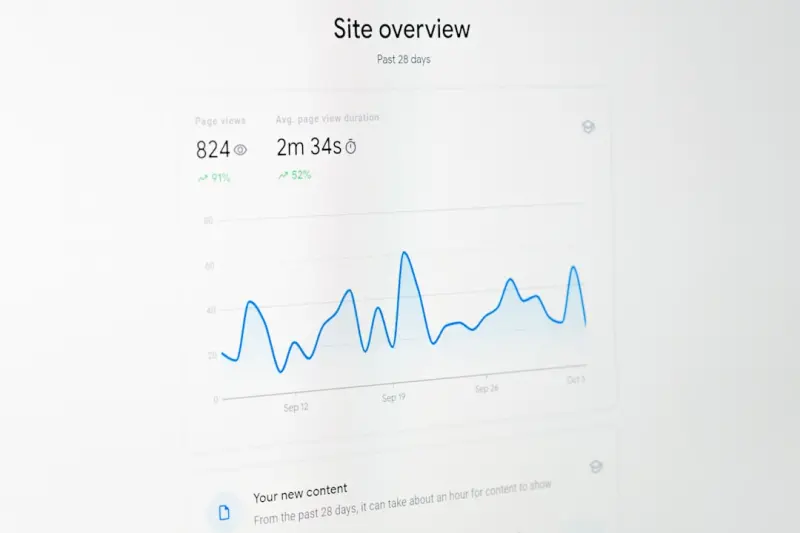
Mobile‑First SEO for SaaS: Turning Tiny Screens into Big Wins
A comprehensive guide that shows SaaS marketers how to redesign their SEO strategy around mobile‑first indexing, improve page speed, leverage structured data,...Read More

Turning Interactive Tools Into Powerful Link Building Engines
Interactive content isn’t just engaging—it's a link‑building powerhouse. Learn how to craft data‑driven calculators, quizzes, and co‑created tools tha...Read More

Mobile-First Indexing: The Future of SEO
Mobile-first indexing is here to stay, and it's essential for businesses and website owners to prioritize mobile optimization to stay ahead of the curve. Learn ...Read More
0 Comments
Post Comment
You will need to Login or Register to comment on this post!