
Why Your SaaS Help Center Is the Missing Piece in Your SEO Puzzle
Most SaaS marketers obsess over blog posts, landing pages, and backlink campaigns, yet they overlook a gold‑mine that lives right inside their product: the help center. When customers search for solutions, Google often surfaces knowledge‑base articles before a brand’s marketing pages. If those articles aren’t optimized, you’re handing traffic—and potential revenue—over to the competition.
In this post, I’ll walk you through a systematic approach to turning your SaaS documentation into a high‑impact SEO engine. We’ll cover everything from content architecture and schema markup to internal linking strategies that align support with acquisition. By the end, you’ll have a clear roadmap for making every help article work harder for you.
1. Treat Your Help Center Like a Mini‑Website
Search engines view a help center as a collection of pages, not just a support silo. The first step is to give it the same strategic treatment you give a blog or product page.
- Define core topics. Map the most common customer pain points to high‑level categories (e.g., “Billing,” “Integration,” “User Management”).
- Assign keyword intent. For each category, identify primary and secondary keywords that reflect informational, navigational, and transactional intent.
- Build a logical URL hierarchy. Use clean, descriptive URLs like
/help/billing/upgrade-errorsinstead of auto‑generated IDs.
Think of this structure as the foundation of a support‑centric SEO funnel. When users land on a specific article, the surrounding taxonomy guides them deeper into your ecosystem, increasing the chance of conversion.
2. Optimize Content for Both Humans and Bots
Help articles need to be readable for your customers and understandable for crawlers. Here’s how to strike that balance:
2.1 Start with the User Question
Every article should answer a precise question. Use the question as the <h1> and repeat it naturally in the first paragraph. This mirrors the “People also ask” format Google loves.
2.2 Leverage Structured Data
Schema.org offers FAQPage and HowTo types that let you mark up Q&A pairs and step‑by‑step instructions. Implementing these rich snippets can earn you coveted position‑zero slots.
When you’re already using a block editor, consider the structured content with Gutenberg to inject schema without a developer’s touch.
2.3 Keep the Language Conversational
Google’s AI models favor natural language. Write in a tone that matches your brand voice, use bulleted steps, and embed screenshots or short GIFs to break up the text.
3. Internal Linking: The Bridge Between Support and Acquisition
Internal links are the highways that move link equity and guide users through the conversion journey. In a help center, they serve two critical purposes:
- SEO benefit: Distribute authority from high‑traffic articles to newer or niche pages.
- Conversion benefit: Direct readers to product pages, pricing, or free‑trial sign‑ups at the right moment.
Adopt a “hub‑and‑spoke” model: the most popular articles act as hubs, linking out to related sub‑topics (spokes) and, where appropriate, to your core marketing pages. Use descriptive anchor text—avoid generic “click here”—so both users and crawlers understand the context.
For a deeper dive on turning page authority into revenue, check out the principles in turning on‑page SEO into a conversion engine.
4. Harness Data‑Driven Link Acquisition
Even the best‑optimized help articles need external signals to rank. Traditional outreach can feel out of place for documentation, but you can earn backlinks by positioning your knowledge base as an industry resource.
- Identify reference opportunities. Scan competitor blogs, industry forums, and Q&A sites for questions your articles already answer.
- Offer value‑first outreach. Instead of a sales pitch, share a direct link to the exact article that resolves the asker’s problem.
- Leverage data‑driven link acquisition. Use tools that surface high‑authority pages lacking answers and propose your content as the missing piece.
Read more about this approach in the post on data‑driven link acquisition, which outlines how to turn raw search data into high‑quality backlinks.
5. Measure Success Beyond Rankings
Traditional SEO metrics—organic traffic and keyword positions—still matter, but help‑center SEO demands a broader lens. Track these additional KPIs:
- Resolution Rate. The percentage of support tickets that are closed after a user reads a knowledge‑base article.
- Time‑to‑Resolution. How quickly users find the answer they need.
- Conversion Lift. Compare sign‑up or upgrade rates for visitors who entered via a help‑center landing page versus other channels.
- Search Intent Alignment. Use query‑level data to see if users are finding the exact answer they searched for.
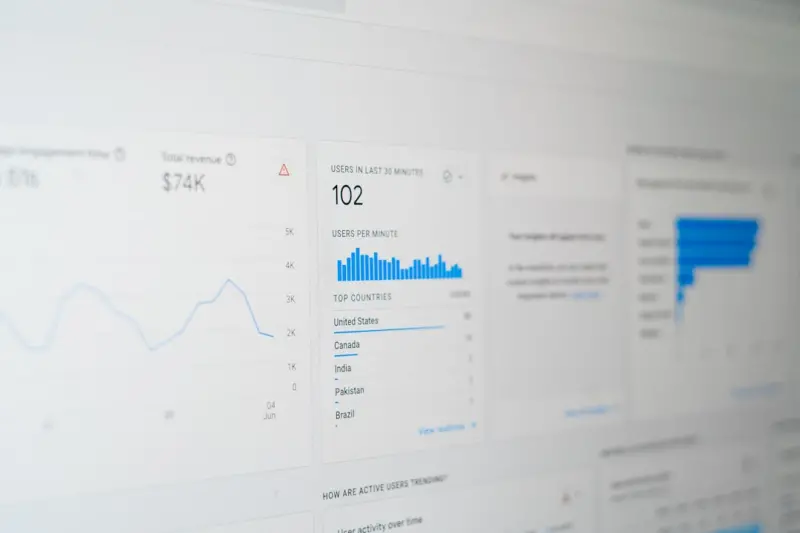
Set up a custom dashboard in your analytics platform that ties these metrics to the underlying content, allowing you to iterate quickly.
6. Scaling the Process: Documentation as a Living Asset
As your SaaS product evolves, so should your help center. Implement a content governance loop:
- Audit. Quarterly review of top‑performing and underperforming articles based on traffic, bounce rate, and resolution metrics.
- Refresh. Update stale content, add new screenshots, and tweak schema where needed.
- Expand. Identify gaps from search queries that currently return no results and create new articles.
- Promote. Push newly optimized articles through internal newsletters, in‑app tooltips, and outbound outreach.
By treating documentation as a dynamic SEO asset, you create a virtuous cycle where better content drives more traffic, which in turn provides richer data for further optimization.
7. Real‑World Example: Turning Support Queries into Organic Leads
Consider a SaaS company that offers a project‑management platform. Their most frequent support question was “How do I import tasks from Excel?” They created a comprehensive guide, added FAQPage schema, and linked it from the “Import/Export” hub page.
Within three months, the article ranked on the first page for the query “import tasks Excel SaaS.” Organic visits to the guide grew 250%, and the CTA embedded at the bottom—offering a free 30‑day trial—converted 12% of those visitors, a 3‑fold increase over the standard landing page conversion rate.
This single piece of content became a traffic acquisition engine without any additional ad spend, demonstrating the power of a well‑optimized help article.
8. Common Pitfalls to Avoid
- Duplicate Content. Avoid copying marketing copy verbatim into help articles. Search engines may treat them as duplicate and split ranking signals.
- Over‑Optimization. Stuffing keywords into headings or meta tags can trigger penalties. Keep it natural.
- Neglecting Mobile UX. A clunky mobile help experience drives users to bounce, hurting dwell time signals.
- Ignoring Analytics. Without tracking the right metrics, you’ll never know which articles truly drive business impact.
9. The Bottom Line
Your SaaS help center is more than a customer‑service tool—it’s a strategic SEO asset that can capture high‑intent traffic, shorten the buyer’s journey, and reduce support costs. By applying the same rigor you use for your marketing sites—structured content, schema, internal linking, and data‑driven outreach—you unlock a sustainable, low‑cost growth channel.
Start today by auditing one high‑traffic support article, add the appropriate schema, and insert a strategic internal link to a relevant product page. Measure the impact, iterate, and watch your help center become a cornerstone of your overall SEO strategy.

Related Posts
User Journey Mapping: A Fresh SEO Power Play
Learn how to map your visitor’s path, align content hubs, and use technical SEO to guide users fro... Read More

Turning API Documentation into a High‑Impact SEO Engine for SaaS
Discover why API reference pages are an untapped SEO goldmine for SaaS, and follow a step‑by‑ste... Read More

Harnessing First‑Party Data for a Resilient SEO Strategy
Learn why first‑party data is the new SEO backbone and how to build an agile, intent‑driven stra... Read More
Top Posts

Immersive AR: Redefining Content Strategy for Modern Audiences
Explore how augmented reality is transforming content creation, driving deeper engagement, and unlocking new SEO benefits. Practical tips guide marketers to int...Read More

Semantic Clustering: The Next Evolution of On‑Page SEO
Learn why grouping related concepts with semantic HTML, leveraging structured data, and designing purposeful content clusters on a single page can dramatically ...Read More

Mastering Visual Search: A Strategic Blueprint for Image‑First SEO
Learn how to dominate visual search with a step‑by‑step SEO blueprint that covers image fundamentals, schema, content clusters, and future‑proof tactics f...Read More

The New Frontier of Content Strategy: AI‑Driven Human Connections
Explore a fresh content strategy that merges AI insights with human storytelling, delivering deeper engagement and ethical, data‑backed narratives....Read More
0 Comments
Post Comment
You will need to Login or Register to comment on this post!