
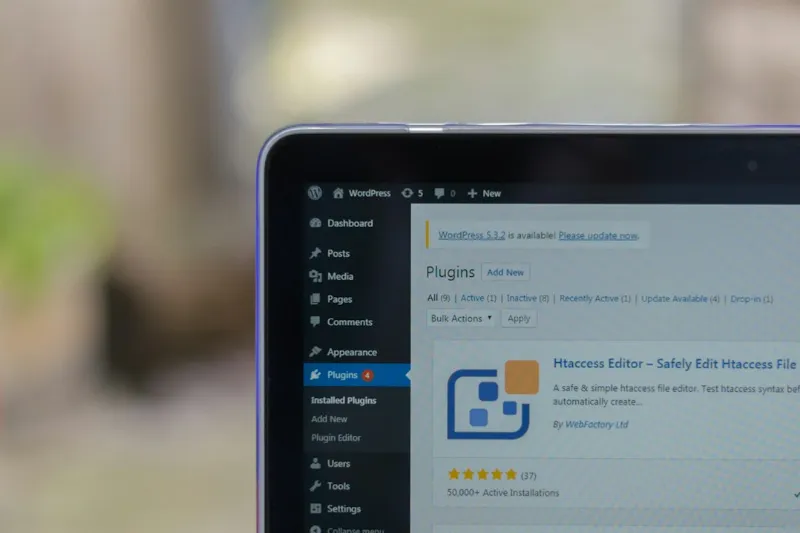
When I first started juggling dozens of plugins on a client site back in the early days of my WordPress journey, I quickly learned that more isn't always better. A bloated plugin stack can turn a sleek, fast-loading blog into a sluggish, error‑prone monster that scares away visitors and frustrates developers alike. In 2026, the ecosystem is richer than ever, with tools that can supercharge SEO, lock down security, and turn casual browsers into loyal customers. Yet the paradox remains: the sheer volume of choices makes decision‑making feel like navigating a maze blindfolded. That's why I'm sharing my personal playbook for cutting through the noise, focusing on the plugins that have stood the test of time, and revealing the hidden gems that align with today's performance standards. By the end of this post, you'll have a clear roadmap for building a lean, resilient WordPress site that scales without breaking a sweat.
Why a Strategic Plugin Audit Is Your First Line of Defense
Before you rush to install the latest "must‑have" plugin, I always start with a disciplined audit of what's already on the server. I ask myself: does this plugin solve a real problem, or is it a convenience that can be handled with a snippet of code? In my experience, a clean audit saves hours of troubleshooting down the line and prevents the dreaded "plugin conflict" nightmare. I recommend using a checklist approach, similar to the one I detailed in The Ultimate Checklist for Choosing a WordPress Host That Delivers Speed, Security, and Scale, but adapted for plugins. Look for redundancy, outdated code, and low‑frequency updates. If a plugin hasn't been updated in the past year, it's a red flag - especially with PHP 8.2 becoming the norm. By pruning the excess, you create a lighter codebase that's easier to debug and more welcoming to future enhancements.
Core Essentials: The Three Pillars of Every Site
The foundation of any high‑performing WordPress site rests on three core pillars: SEO, caching, and backups. For SEO, I still trust Yoast SEO for its comprehensive analysis and user‑friendly interface, though I occasionally supplement it with Rank Math for advanced schema support. When it comes to speed, WP Rocket remains my go‑to caching solution; its automatic minification, lazy loading, and CDN integration have saved me countless milliseconds on load time. And no site is complete without a reliable backup strategy - UpdraftPlus offers scheduled backups to remote storage, ensuring you can roll back with a single click. If you're looking for a curated list that covers these and more, check out Essential WordPress Plugins That Boost Performance, Security, and Conversions. Each of those plugins has a proven track record, robust support forums, and regular updates that keep them compatible with the latest WordPress core releases.
Fortifying Your Site with Security‑First Plugins
Security isn't an afterthought; it's a non‑negotiable layer that protects your brand and your visitors' data. In 2026, threats have become more sophisticated, making it essential to pair a firewall with real‑time malware scanning. Wordfence provides a powerful endpoint firewall, login security, and live traffic monitoring, while Sucuri offers a cloud‑based web application firewall that blocks attacks before they even reach your server. I also rely on iThemes Security for its two‑factor authentication and file change detection capabilities. The key is not to overload your site with overlapping security tools - choose one comprehensive solution and configure it properly. Regularly audit your security logs, and consider integrating a security header plugin like HTTP Headers to enforce CSP and HSTS policies. By consolidating your defenses, you reduce the risk of plugin conflicts that could otherwise crash your site.
Performance Boosters Beyond Caching
While caching is a game‑changer, true performance optimization goes deeper. Image handling, for instance, can consume a large portion of bandwidth if left unchecked. Smush and ShortPixel automatically compress and serve next‑gen formats, dramatically shrinking file sizes without perceptible loss in quality. For database hygiene, I trust WP‑Optimize to clean post revisions, transients, and orphaned metadata, keeping the MySQL tables lean. If you're using a visual builder, consider a lightweight alternative like GenerateBlocks to avoid the bloat that can come with feature‑heavy page builders. And don't forget to enable HTTP/2 or HTTP/3 on your server - most modern hosts support it, but you need to verify. Pairing these performance plugins with a robust CDN such as Cloudflare ensures that static assets are delivered from the edge, shaving off precious milliseconds for users across the globe.
Conversion‑Focused Plugins That Actually Move the Needle
Driving traffic is only half the battle; converting that traffic into leads or sales is where the real ROI lives. Elementor has evolved into a full‑fledged design system, letting you craft high‑converting landing pages without touching code. Pair it with WPForms for intuitive form building, and you have a seamless pipeline from click to capture. For e‑commerce, WooCommerce remains the gold standard, but supplement it with extensions like CartFlows to create optimized checkout funnels. If you need to add urgency, a plugin like Countdown Timer Ultimate can inject scarcity tactics that boost conversion rates. Remember to A/B test each element - plugins such as Nelio A/B Testing integrate directly with WordPress, allowing you to experiment with headlines, button colors, and form placements without leaving the dashboard. The right combination of conversion tools can increase your lead capture by double digits, turning a modest blog into a revenue engine.
Common Pitfalls: When Plugins Collide
Even the most reputable plugins can clash, leading to the dreaded "white screen of death" or intermittent errors that are hard to trace. In my own practice, I've seen conflicts arise when two plugins try to enqueue the same script or when a theme's functions.php file overrides a plugin's hook. The article Why WordPress Plugin Errors Keep Crashing Your Site (And How to Fix Them) outlines a systematic approach to diagnosing these issues, but I'll add a personal tip: always test new plugins in a staging environment first. Use a tool like WP Staging to clone your site, activate the plugin, and run a quick health check. If you notice duplicate jQuery loads or conflicting CSS, disable one of the culprits and look for an alternative. Keeping a log of plugin versions and change dates also helps you pinpoint when a problem was introduced, making rollback decisions faster and less stressful.
Maintenance Routines That Keep Your Site Healthy
Maintenance isn't a one‑time checklist; it's an ongoing ritual that protects your investment. I schedule weekly scans with my security plugin, monthly database cleanups, and quarterly reviews of plugin performance using the built‑in Site Health tool. When a plugin releases a major update, I first read the changelog and test it on a staging copy - this habit has saved me from countless site outages. Additionally, I enable automatic updates for minor releases while keeping major version upgrades manual, striking a balance between security and stability. If you ever feel overwhelmed, the guide How to Tame WordPress Errors Before They Crash Your Site provides a step‑by‑step workflow for error monitoring and rollback. By treating maintenance as a non‑negotiable part of your workflow, you ensure that your plugins remain a source of strength rather than a liability.
Looking Ahead: AI, Headless, and the Future of Plugins
The WordPress landscape is evolving rapidly, with AI‑driven plugins and headless architectures reshaping how we build sites. Tools like Bertha.ai now generate content on the fly, while WP Engine's integration with Next.js enables developers to serve React‑based front ends without sacrificing the familiar WordPress backend. These innovations promise faster load times and personalized experiences, but they also demand a new level of technical proficiency. When evaluating cutting‑edge plugins, ask whether they support the REST API, have proper documentation, and are backed by an active development team. Early adoption can give you a competitive edge, but only if you're prepared to handle the learning curve. Keep an eye on the WordPress Plugin Directory's "Featured" section for emerging tools that align with these trends, and consider beta‑testing them in a controlled environment before full deployment.
Wrapping Up: Your Blueprint for a Lean, Powerful Site
In the end, the secret to a thriving WordPress site isn't about loading every shiny new plugin you can find; it's about curating a focused set that aligns with your goals, maintains performance, and stays secure. By conducting a thorough audit, investing in core essentials, bolstering security, optimizing performance, and leveraging conversion‑focused tools, you create a robust foundation that can adapt to future trends. Remember to test, document, and maintain - these habits turn a collection of plugins into a cohesive ecosystem that powers growth. If you're ready to dive deeper, explore the resources linked throughout this article, and feel free to share your own plugin success stories in the comments. Here's to building faster, safer, and more conversion‑rich WordPress sites in 2026 and beyond.