

Why On‑Page SEO Should Be Treated Like a Product Design Sprint
When most marketers hear “on‑page SEO,” they picture a checklist of title tags, meta descriptions, and a handful of keyword‑rich headings. That mental model works for quick wins, but it fails when you want sustainable growth for a SaaS product that lives in a hyper‑competitive search ecosystem.
I’ve spent the last decade turning technical roadmaps into revenue‑generating engines. The insight that reshaped my approach? On‑page SEO isn’t a static set of rules; it’s a product experience that users (and search bots) interact with in real time. In this post, I’m going to walk you through a fresh framework that treats every page like a design sprint—from discovery and ideation to validation and iteration.
1. Start with the User Journey, Not the Keyword List
Traditional SEO training tells you to start with a list of target keywords. I say flip the script: begin with the user journey map. Ask yourself:
- What problem is the visitor trying to solve at this exact moment?
- Which stage of the funnel are they in—awareness, consideration, or decision?
- What mental model are they using to evaluate solutions?
When you anchor your page to a concrete intent, the rest of the on‑page elements fall into place naturally. For example, a prospect in the consideration stage might be hunting for “SaaS billing automation case studies.” Instead of stuffing “billing automation” into every header, craft a narrative that answers why those case studies matter, how they solve the prospect’s pain, and what the next step looks like.
2. Translate Intent Into a Structured Layout
Design sprints use user flows to outline how a user should move through a product. Apply the same logic to your HTML hierarchy:
- Primary Intent (H1) – A clear, benefit‑focused headline that mirrors the search query’s language.
- Supporting Questions (H2) – Break the main intent into sub‑questions that a user might ask. This mirrors the “people also ask” box and gives you natural places for semantic clusters.
- Deep Dives (H3‑H4) – Offer data, screenshots, or mini‑case studies that answer each sub‑question.
This hierarchy does two things simultaneously: it signals relevance to crawlers and guides readers through a logical, conversion‑optimized path.
3. Build “Micro‑Conversion” Triggers Into Every Section
Think of each heading as a mini‑landing page. What’s the micro‑conversion you want the reader to take?
- Download a one‑pager?
- Watch a 30‑second explainer video?
- Start a free trial directly from the copy?
Embedding these calls‑to‑action (CTAs) in context—not at the bottom of the page—boosts engagement metrics that search engines love (time on page, scroll depth, reduced bounce). Use button elements with clear, action‑oriented text and ensure they’re keyboard‑accessible for a smoother UX.
4. Leverage Structured Data as the “Blueprint” for Bots
Schema markup is often treated as an afterthought, but in a design‑first approach it becomes the blueprint that tells Google how to render your page in SERPs. Here’s a quick checklist:
- FAQ Schema for each H2 question—helps you appear in the “People also ask” section.
- Product or SaaS Service Schema with
offers,price, andreviewfields—great for “rich snippets.” - BreadcrumbList to reinforce site architecture and improve click‑through rates.
When you tie schema directly to the user‑intent flow, you’re not just ticking a box; you’re providing a richer, more actionable result for the searcher.
5. Content Hygiene: The “Design Review” Phase
Every design sprint ends with a review session. In the SEO world, this translates to a content hygiene audit. Ask yourself:
- Are there duplicate meta descriptions across product pages?
- Do internal links follow a logical hierarchy, or are they scattered?
- Is the page loading under two seconds on mobile? (Yes, page speed is still a ranking factor.)
Tools like Google Search Console and Lighthouse can surface issues quickly, but the real insight comes from a human eye checking for “message fatigue.” If two paragraphs convey the same benefit, merge them. Less is more.
6. Iterate With Data, Not Assumptions
After launch, the work isn’t done. Pull data from:
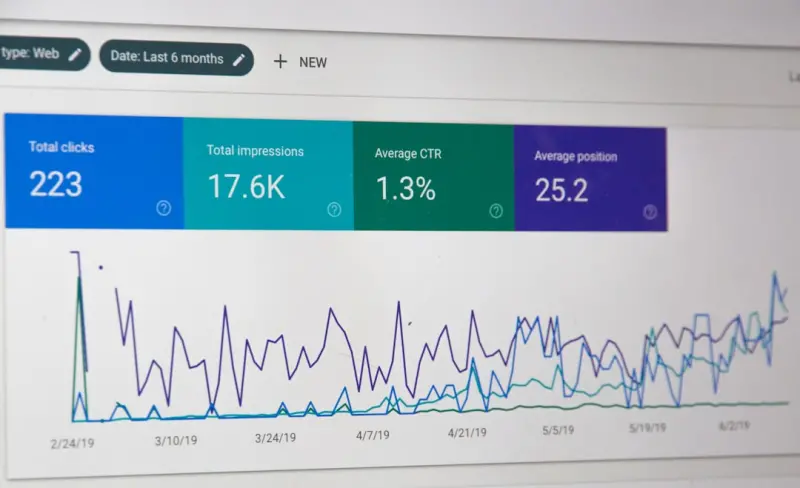
- Search Console (impressions, clicks, CTR)
- Heatmaps (scroll depth, click hotspots)
- Conversion funnels (which micro‑CTAs are converting?)
Use these signals to prioritize the next “sprint.” For instance, if a specific H2 question has high impressions but low clicks, rewrite the headline to be more compelling. If a CTA under a H3 is under‑performing, test a new copy or button style.
One of my favorite frameworks for rapid iteration is the real‑time micro‑moment tactics playbook. It reminds us that users’ intents shift in milliseconds, and our pages must adapt just as quickly.
7. Scaling the Sprint Method Across a SaaS Site
Large SaaS platforms have dozens—sometimes hundreds—of landing pages. Scaling a sprint‑based approach sounds daunting, but here’s a proven method:
- Template Library: Build a master HTML/CSS template that mirrors the sprint structure (H1 → H2 → H3 + micro‑CTAs). This ensures consistency.
- Intent Buckets: Group pages by core intent clusters (e.g., “billing automation,” “customer onboarding,” “security compliance”). Assign a dedicated owner for each bucket.
- Quarterly Review Cadence: Schedule a 2‑hour “SEO Sprint Review” for each bucket. Bring together product, design, and SEO leads to assess performance and plan tweaks.
When you treat each bucket as its own product line, you can allocate resources efficiently and avoid the chaos of “one‑off” optimizations.
8. The Human Touch: Storytelling Meets SEO
Data and design are critical, but the final layer is storytelling. Users remember narratives far better than bullet points. Here’s how to weave a story into your on‑page experience:
- Problem → Solution → Outcome format for each case study or testimonial.
- Use customer quotes that echo the exact language of search queries.
- Include visual cues (charts, GIFs) that illustrate the outcome in a glance.
When the story aligns with the search intent, Google’s AI models recognize the page as highly relevant, which can improve rankings and featured snippet eligibility.
9. A Quick Checklist to Kick Off Your First SEO Sprint
Grab a notepad and run through these items before you publish:
- Define the primary user intent (one sentence).
- Draft an H1 that mirrors the search query and includes the core benefit.
- Outline 3–5 H2 questions that cover the intent’s sub‑topics.
- Add FAQ schema for each H2.
- Place a micro‑CTA after each H3 section.
- Run a page speed audit (target < 2s on mobile).
- Check for duplicate meta tags and internal linking gaps.
- Publish, then schedule a data review after 7 days.
Follow this checklist, and you’ll see a measurable lift in both engagement metrics and rankings within a few weeks.
10. Looking Ahead: On‑Page SEO as a Living Product
SEO isn’t a set‑and‑forget tactic; it’s a living product that evolves with user behavior, search engine algorithms, and market shifts. By applying a design‑sprint mindset, you turn each page into a dynamic asset that continuously delivers value.
If you want to dive deeper into how semantic strategies can amplify this approach, check out this piece on semantic on‑page strategies. It expands on the importance of entity mapping and contextual relevance—perfect next steps after you’ve built your sprint framework.
Remember: great on‑page SEO isn’t about chasing the next algorithm tweak; it’s about crafting experiences that satisfy human curiosity and guide prospects toward a decision—one well‑structured, data‑backed page at a time.

Related Posts

Optimizing for the Future: The Evolution of On-Page SEO
Discover the latest trends and strategies for on-page SEO. Learn how to optimize your website for su... Read More

Decoding Cognitive Load: A Fresh On‑Page SEO Playbook
Learn to redesign your pages for lower cognitive load, using visual hierarchy, micro‑interactions,... Read More

Semantic On‑Page SEO: Turning Page Elements into Ranking Engines
The post explains why semantic HTML, structured data, and a strategic internal linking framework are... Read More
Top Posts
Unlocking SERP Real Estate: How Structured Data Supercharges On‑Page SEO for SaaS
Structured data is the missing link between your SaaS content and rich Google SERP features. This guide explains the top schemas, semantic HTML best practices, ...Read More
Beyond Guest Posts: Data‑Driven Link Building for SaaS Growth
A modern, hypothesis‑driven approach to link building that aligns with SaaS user behavior, leverages customer success assets, and integrates internal linking ...Read More

Schema‑Driven On‑Page SEO: Turning Data into Rankings for SaaS
Structured data lets SaaS sites speak directly to search engines, unlocking rich results that drive clicks and qualified leads. Learn which schema types matter ...Read More

Rethinking SEO Strategy in 2024: From Mobile‑First to Human‑Centric Authority
Mei Chen shares a 2024 SEO playbook that blends mobile‑first performance, authority‑driven content, and social engagement, delivering a future‑proof strat...Read More
0 Comments
Post Comment
You will need to Login or Register to comment on this post!