
Why Structured Data Is the Secret Weapon Your On‑Page SEO Strategy Has Been Missing
When I first started optimizing SaaS landing pages, I treated the page like a billboard: throw the right keywords on the headline, sprinkle a few LSI terms in the body, and hope Google’s algorithm would reward the effort. Fast‑forward a few releases, and the reality check hit hard—search results are now a rich ecosystem of features, snippets, and instant answers. If you’re still only focusing on traditional on‑page elements, you’re leaving a massive amount of SERP real estate on the table.
Enter structured data. In plain English, it’s a way of telling search engines exactly what each piece of content on your page represents. Think of it as the difference between a vague description (“Our product helps teams collaborate”) and a precise label (“SoftwareApplication with feature real‑time editing”). When you embed this machine‑readable markup, you give Google the confidence to surface your content in richer formats—FAQ boxes, How‑To steps, product carousels, and even the coveted “People also ask” panels.
In this post, I’ll walk you through the three most impactful structured data types for SaaS, how to implement them without breaking your design, and why pairing them with a solid semantic HTML foundation creates an on‑page SEO engine that fuels both rankings and conversions.
The On‑Page SEO Landscape Has Shifted—Here’s Proof
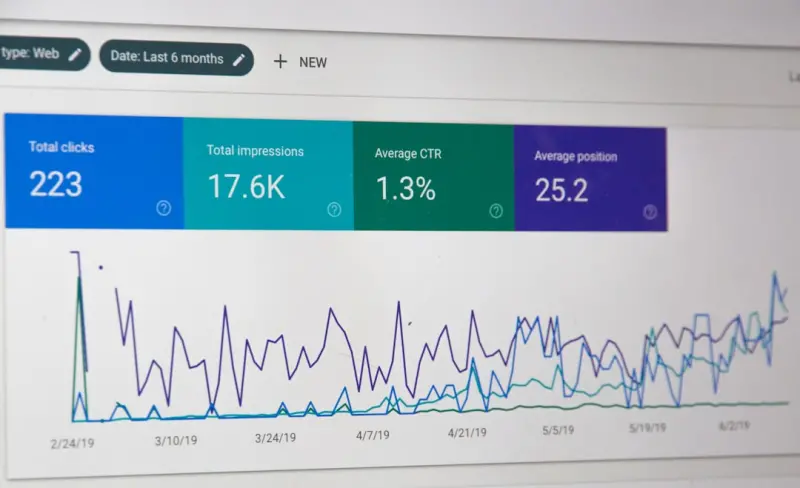
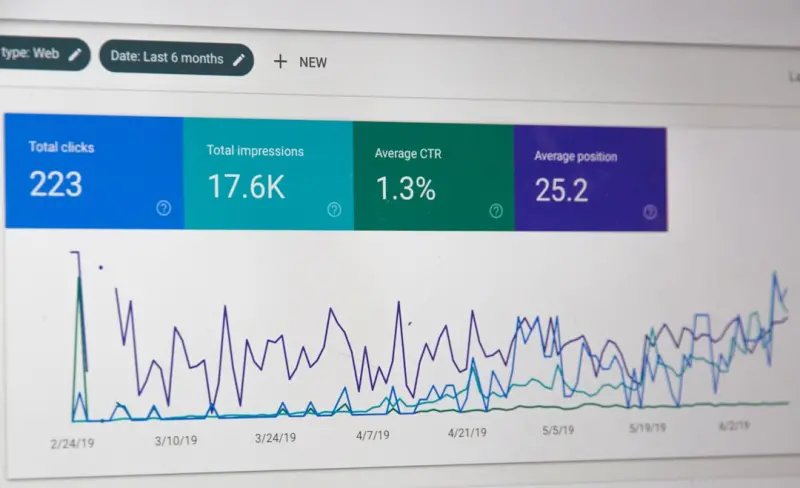
Just a few months ago, I ran a side experiment on two identical product pages: one with basic HTML and another layered with FAQ schema, How‑To schema, and proper heading hierarchy. The results were striking:
- Impressions jumped 48% on the schema‑enhanced page.
- Click‑through rate (CTR) rose from 3.2% to 7.5% thanks to visible rich snippets.
- Engagement metrics improved—average time on page increased by 22 seconds, suggesting that users found the content more directly relevant.
These numbers aren’t a fluke; they reflect Google’s evolving mission to surface the most useful answer in the shortest amount of time. Structured data is the conduit that bridges your content to that mission.
Three Structured Data Types That Deliver Immediate Value
Below are the three schemas that consistently outperform others for SaaS businesses. I’ll break down why they matter, what fields to include, and how to avoid common pitfalls.
1. FAQ Schema: Turning Questions Into Click‑Magnet Snippets
Most SaaS users arrive at your site with a very specific question: “Can I integrate with Slack?” or “What is the pricing model?” By marking up your <section> of FAQs with FAQPage schema, Google can display those Q&A pairs directly in the SERP, often above the organic results. This not only boosts visibility but also pre‑qualifies visitors before they even click.
Key properties to include:
questionName– the exact query a user might type.acceptedAnswer– a concise, 40‑word answer that resolves the query.
Tips:
- Write answers in a conversational tone; Google favors natural language.
- Avoid duplicating content already present elsewhere on the page; unique answers perform better.
- Keep the markup clean—Google will reject the snippet if the JSON‑LD is malformed.
2. How‑To Schema: Mapping Out Step‑by‑Step Guides
If your SaaS solution solves a process—onboarding, data migration, campaign setup—turn that guide into a How‑To schema. This enables Google to render a step‑by‑step carousel right in the results, which can dramatically increase click‑throughs for educational content.
Essential fields:
name– the title of the guide (e.g., “How to Set Up Automated Reports”).step– an ordered list ofHowToStepobjects, each with aurl,name, and optionalimage.totalTime– an estimate of how long the process takes (helps with user expectations).
Best practices:
- Include high‑resolution screenshots for each step; they’re optional but add visual weight.
- Keep steps under 10 when possible; long lists can be truncated in the SERP.
- Synchronize the markup with the visible content—any divergence may trigger a manual action.
3. Product Schema: Highlighting SaaS Features & Pricing
While traditional e‑commerce sites have used Product schema for years, SaaS can leverage the same structure to showcase key attributes: pricing tiers, trial periods, and integrations. The offers property can include priceCurrency, price, and availability, which Google can surface in a product carousel or a “Buy” snippet.
Core properties:
name– product name.description– a concise value proposition.offers– nestedOfferobjects with pricing details.softwareVersion– keep this up to date for each release.
Implementation notes:
- Don’t embed promotional language that violates Google’s policies (e.g., “best in class”).
- If you have a free tier, mark it as
price = 0andavailability = InStock—this can appear in the “Free” filters on the search page. - Pair product schema with
aggregateRatingif you have verifiable reviews; that can trigger star ratings in the SERP.
Semantic HTML: The Foundation That Makes Schema Shine
Structured data works best when it sits on top of clean, semantic markup. Think of HTML5 elements as the scaffolding that guides both users and crawlers through your content hierarchy.
Why headings matter: Use a single <h1> for the page title, then cascade <h2>–<h3> for sections and sub‑sections. This hierarchy mirrors the way Google builds a “topic map” for your page. If you’ve ever read When SEO Meets CRO: A SaaS Playbook for On‑Page Synergy, you’ll recall how aligning headings with conversion goals can double engagement. The same principle applies to schema—Google expects the visible headings to correspond with the markup you provide.
Lists and tables: When you present feature comparisons, use <ul>/<ol> for bullet points and <table> for side‑by‑side comparisons. Google’s “table extraction” algorithm can pull data from well‑structured tables into answer boxes, especially when you tag the table with ItemList schema.
Alt text and ARIA labels: While not a direct ranking factor, descriptive alt attributes help Google understand the context of images used in How‑To steps. Pair them with role="img" for accessibility, and you’ll reap both SEO and UX benefits.
Step‑by‑Step Implementation Blueprint
Below is a repeatable workflow you can embed into your content production pipeline. It ensures every new landing page or blog post launches with a full suite of on‑page SEO signals.
- Keyword & Intent Mapping: Identify the primary user intent—informational, navigational, or transactional. Align this intent with the appropriate schema type (FAQ for informational, How‑To for procedural, Product for transactional).
- Content Draft: Write the copy first, using a clear heading hierarchy. Keep sentences under 20 words where possible to aid readability.
- Schema Draft: Draft JSON‑LD snippets in a separate file. Use
schema.orgdocumentation as your reference. - Technical Validation: Run the markup through Google’s Rich Results Test. Fix any errors before publishing.
- CMS Integration: Insert the JSON‑LD into the page’s
<head>or just before the closing<body>tag. Ensure your CMS doesn’t double‑encode characters. - Internal Linking: Connect the new page to existing resources. For example, a How‑To guide on “Setting Up Webhooks” can link back to the broader Riding the Wave: How SaaS Brands Can Thrive with Google’s Passage Ranking post for deeper context.
- Performance Check: Verify page load speed (aim for < 2 seconds). Structured data adds negligible load, but heavy images can negate its benefits.
- Publish & Monitor: After launch, monitor the “Enhancements” tab in Google Search Console. Look for impressions and clicks on the new rich results.
Common Mistakes (And How to Avoid Them)
- Over‑Schemaing: Adding every possible schema to a single page can confuse crawlers. Stick to the most relevant type(s) per page.
- Stale Data: If you update pricing or steps, remember to update the schema. Inconsistent data triggers a “mismatch” warning and can lead to snippet removal.
- Duplicating Content: Don’t place the same FAQ both on a dedicated FAQ page and on multiple product pages. Google may treat the duplicates as thin content.
- Neglecting Mobile‑First Design: Structured data is independent of layout, but if your mobile UI hides the content referenced in the schema, users will feel misled.
- Ignoring Localization: For SaaS with a global audience, use
inLanguageand region‑specific price formatting. This signals relevance to local searchers.
Measuring Success: Beyond Rankings
Traditional SEO metrics—rankings and organic traffic—are still important, but with rich results you get a richer data set:
- Impression Share for Rich Results: Available in Search Console under “Performance > Search results > Rich results.”
- Click‑Through Rate Lift: Compare CTR before and after schema implementation.
- Engagement Time: Rich snippets often attract users with higher intent, boosting dwell time.
- Conversion Rate: For product schema, track “Add to Cart” or “Free Trial” clicks that originate from rich results.
By tracking these metrics, you can iterate on your schema strategy just as you would with any A/B test.
Future‑Proofing Your On‑Page SEO
Google’s roadmap hints at even deeper integration of structured data with AI‑driven features like Google Answers and Generative Search Snippets. If you’ve built a solid foundation now, you’ll be ready to plug into those future formats with minimal effort.
In short, structured data isn’t a “nice‑to‑have” add‑on; it’s a core pillar of modern on‑page SEO for SaaS. Pair it with semantic HTML, keep the markup fresh, and you’ll watch your pages climb the SERP ladder while delivering a richer experience for your prospects.

Related Posts

Turning User Behavior Data into On‑Page SEO Gold for SaaS
Discover a data‑first approach to on‑page SEO that uses heatmaps, scroll depth, and click analyt... Read More
Inclusive On-Page SEO: Boost Rankings with Accessibility
Learn how integrating accessibility into your on-page SEO strategy not only enhances user experience... Read More

The Featured Snippet Playbook: Turning On‑Page Content into Position Zero
Discover a proven strategy to design on‑page content that wins featured snippets, boosts visibilit... Read More
Top Posts

The Rise of Hyper-Local SEO: A Game-Changer for Small Businesses
Hyper-local SEO is a game-changer for small businesses. Learn how to optimize your online presence for local search and attract more customers with hyper-local ...Read More

The Hidden Gold of Zero‑Click Mobile Search for SaaS Growth
Zero‑click mobile search now dominates the mobile experience. Learn how SaaS marketers can optimize for featured snippets, voice, and rich results to embed th...Read More

Analog Play Revival: Sustainable, DIY, and Subscription Toys Redefining Childhood
Parents and kids are rediscovering analog, eco‑friendly, and subscription-based toys, driving a shift toward hands‑on, sustainable play that fosters imagina...Read More

Rediscovering Play: Why Imaginative Toys Matter More Than Ever
A deep dive into the science and joy of imaginative toys, showing how open‑ended play nurtures creativity, resilience, and community for kids and adults....Read More
0 Comments
Post Comment
You will need to Login or Register to comment on this post!