
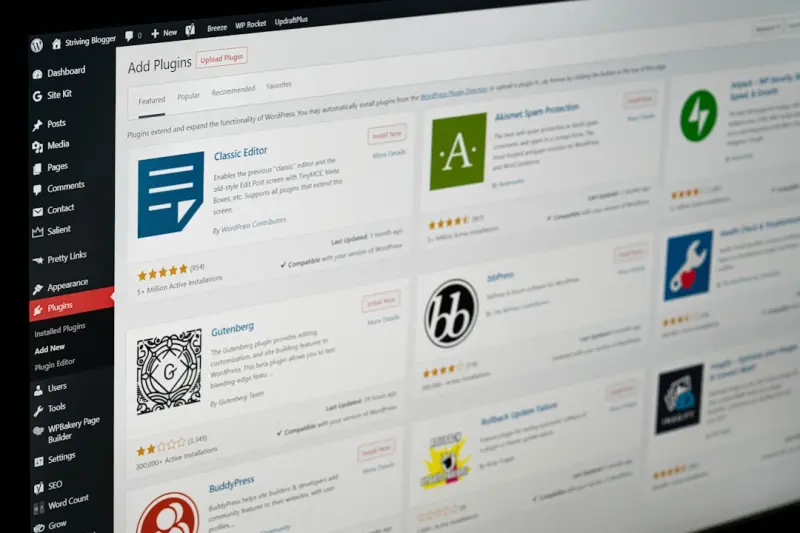
When I first migrated a legacy blog onto WordPress, I quickly learned that the platform’s flexibility can be both a blessing and a trap. You can launch a beautiful site in minutes, but without a disciplined SEO strategy, that site can disappear into the digital abyss. In this post I’m pulling back the curtain on the tactics that keep WordPress sites thriving in search, even as algorithms evolve and user expectations shift.
Why “Future‑Proof” Matters More Than Ever
Search engines are moving away from static signals—like a single keyword density score—and toward a holistic view of relevance, speed, and intent. If you’re still treating SEO as a one‑off checklist, you’ll find yourself constantly playing catch‑up. The goal is to embed SEO into the very DNA of your WordPress site so that new content, design tweaks, or plugin updates don’t break your rankings.
1. Adopt a Structured Data Strategy From Day One
Schema markup is no longer an optional enhancement; it’s a core component of how Google understands your pages. WordPress makes it easy to add structured data via plugins, but the real power comes from planning what you’ll mark up and why.
- Identify core content types. Most WordPress sites revolve around posts, pages, products (if you’re using WooCommerce), and events. Map each to the appropriate schema (Article, WebPage, Product, Event).
- Leverage JSON‑LD. While microdata can be embedded directly in HTML, JSON‑LD keeps your markup clean and decoupled from presentation. Many plugins inject it automatically, but review the output to ensure accuracy.
- Stay ahead with emerging types. Look out for newer schemas like “FAQPage” or “HowTo”. Adding these can unlock rich results that dramatically increase click‑through rates.
Pro tip: Use Google’s Rich Results Test after each major content rollout to verify that your markup is parsed correctly.
2. Optimize Core Web Vitals Without Compromising Design
Page experience signals—Largest Contentful Paint (LCP), First Input Delay (FID), and Cumulative Layout Shift (CLS)—are now ranking factors. WordPress themes vary wildly in performance, so you need a systematic approach:
- Choose a lightweight theme. Themes built with modern CSS Grid and minimal JavaScript tend to score better out of the box.
- Lazy‑load non‑essential assets. Native lazy‑loading for images is built into WordPress 5.5+, but you’ll still want to defer off‑screen scripts and use “async” where possible.
- Serve images in next‑gen formats. WebP and AVIF reduce file size without sacrificing quality. Many optimization plugins can automatically convert uploads.
- Implement a CDN. Content Delivery Networks shave milliseconds off load times for global audiences and often include built‑in HTTP/2 support.
Remember, a fast site isn’t just good for rankings; it improves user satisfaction, reduces bounce rates, and boosts conversion potential.
3. Harness Gutenberg Blocks for SEO‑Friendly Content
Since Gutenberg’s debut, editors have more control over content hierarchy. Use this to your advantage:
- Set proper heading structures. Begin with an H2 for each major section and nest H3s for sub‑points. Avoid skipping heading levels.
- Utilize the “Cover” block for hero images with descriptive alt text. This not only enhances accessibility but also gives search engines context.
- Embed internal links naturally. Gutenberg’s link tool makes it easy to add contextual anchors that keep users moving through your site.
- Leverage reusable blocks for recurring SEO elements. For example, a “FAQ” block with schema can be dropped into any post that addresses common questions.
By treating each block as a micro‑piece of SEO, you maintain consistency across the site while still delivering rich, engaging content.
4. Build a Topic‑Cluster Architecture Within WordPress
Rather than chasing isolated keywords, organize your content into clusters that revolve around a pillar page. This mirrors how search engines view authority and helps users discover related resources.
- Identify pillar topics. Choose broad subjects that align with your business goals and have enough depth for multiple supporting articles.
- Create a dedicated pillar page. Use a clean layout, include a brief overview, and list links to each cluster article.
- Interlink strategically. Each supporting article should link back to the pillar and to other related pieces. This creates a web of relevance that search engines love.
For a deeper dive into building topic‑driven SEO, check out the topic‑guided SEO playbook that walks through the process step‑by‑step.
5. Embrace Headless WordPress for Advanced SEO Scenarios
Headless architecture separates the front‑end presentation layer from WordPress’s back‑end content repository. While it adds complexity, it opens doors for SEO innovations:
- Fine‑tuned rendering. Serve pre‑rendered HTML to crawlers while delivering a dynamic SPA experience to users.
- Custom meta handling. Use a dedicated API endpoint to inject precise meta tags, canonical URLs, and Open Graph data on a per‑request basis.
- Performance gains. By stripping away unnecessary WordPress core scripts on the front end, you can achieve rock‑solid Core Web Vitals scores.
If you’re considering a headless migration, start with a hybrid approach—keep WordPress as the CMS but serve critical landing pages via a static site generator like Next.js. This gives you the best of both worlds while you test the SEO impact.
6. Leverage AI‑Assisted Content Creation Wisely
AI writing assistants are now integrated into many WordPress plugins, offering suggestions for meta descriptions, image alt text, and even full‑length drafts. Use them as a springboard, not a crutch. Human oversight ensures the content remains authentic and aligns with brand voice.
When you combine AI suggestions with a robust editorial workflow, you can scale content production without sacrificing quality—a balance that’s essential for maintaining SEO momentum over time.
7. Prioritize Mobile‑First Indexing with Responsive Design
Google predominantly uses the mobile version of your site for indexing and ranking. Ensure your theme is truly responsive:
- Test breakpoints. Use Chrome DevTools to simulate a range of devices, from smartphones to tablets.
- Avoid hidden content. Elements that appear only on desktop can be penalized if they hide valuable information from mobile users.
- Implement touch‑friendly navigation. Large tap targets and clear hierarchies improve both SEO signals and user experience.
8. Conduct Regular SEO Audits Using WordPress‑Specific Tools
Even the best‑planned site can drift over time. Schedule quarterly audits that cover:
- Broken links. Use a plugin or external crawler to find 404s and fix them with redirects.
- Duplicate content. Identify posts that share identical titles or meta descriptions and consolidate them.
- Schema validation. Re‑run the Rich Results Test to catch any markup errors introduced by updates.
Automation can handle much of the heavy lifting, but a manual review ensures you catch nuanced issues that tools might miss.
9. Integrate Structured Navigation for Crawl Efficiency
Search bots follow your site’s navigation to discover and index pages. A clear, hierarchical menu reduces crawl waste and distributes link equity effectively.
- Limit deep nesting. Keep important pages within three clicks from the homepage.
- Use breadcrumb trails. They provide additional context to both users and crawlers.
- Submit an XML sitemap. WordPress SEO plugins can auto‑generate sitemaps; keep them updated after major changes.
10. Stay Informed About Emerging Search Trends
Search is an ever‑changing landscape. A few trends worth monitoring:
- Voice queries. People ask questions in natural language. Structure your content to answer “who, what, when, where, why, how” succinctly. For insights on adapting content for voice, see the voice‑first content strategies guide.
- Visual search. Optimized image alt text and descriptive filenames can surface your content in image‑based queries.
- Zero‑click results. Featured snippets pull directly from well‑structured content. Aim for concise, bullet‑point answers in your posts.
Wrapping Up: A Continuous Mindset
Future‑proofing WordPress SEO isn’t a one‑time project; it’s a mindset. By embedding structured data, optimizing performance, leveraging modern block editing, and staying agile with emerging trends, you create a resilient foundation that can weather algorithm updates and user behavior shifts alike.
Remember, every tweak you make should serve both search engines and real humans. When those two worlds align, your WordPress site will not only rank higher but also deliver genuine value to visitors—exactly the outcome every savvy marketer strives for.

Related Posts
Unlocking WordPress Block Patterns for a Smarter SEO Strategy
Discover how to use WordPress’s block editor, reusable schema blocks, and strategic CPTs to create... Read More
Structured Data Mastery: Elevate WordPress SEO with Rich Snippets
A practical guide showing how WordPress sites can use structured data to earn rich snippets, improve... Read More
A Taxonomy‑First Blueprint for Scalable WordPress SEO
Discover how a taxonomy‑first approach can turn a chaotic WordPress blog into a scalable SEO power... Read More
Top Posts

AI-Generated Visuals: The Next Frontier for SaaS Content
AI‑generated visuals are transforming SaaS storytelling, offering scalable, brand‑consistent images and videos that drive higher engagement while slashing p...Read More

Lauren Miller’s 2024 WordPress SEO Playbook: From Core Settings to Agile Link Building
Lauren Miller breaks down the 2024 WordPress SEO playbook, covering core technical tweaks, content clusters, agile optimization cycles, and strategic link build...Read More
Technical SEO in 2026: Mastering the Foundations That Power Modern Rankings
Explore the 2026 technical SEO playbook: from crawl budget mastery and Core Web Vitals to edge computing and security signals, all through a human‑centric len...Read More

Why Social Media Advertising Is the Heartbeat of 2024 Brands
Social media ads are now conversations, not broadcasts. Steph Sanderson shares human‑centric strategies, budget tips, and future trends to turn every impressi...Read More
0 Comments
Post Comment
You will need to Login or Register to comment on this post!