

Why Topic Clusters Matter for WordPress SEO
In the crowded WordPress ecosystem, simply publishing isolated posts no longer guarantees visibility; Google now rewards sites that demonstrate expertise through interconnected content ecosystems. Topic clusters achieve this by centering a comprehensive pillar page around a core keyword and surrounding it with tightly related sub‑pages that dive into specific facets of the theme. When executed on WordPress, this architecture not only clarifies relevance for search engines but also guides visitors through a logical learning journey, increasing dwell time and reducing bounce rates.
Designing a Pillar Page That Commands Authority
The first step is to identify a high‑search‑volume, yet manageable, seed topic that aligns with your brand’s niche and audience intent. Draft a long‑form pillar page—ideally 2,500 to 4,000 words—that serves as the ultimate reference, weaving together definitions, use cases, and actionable insights while naturally incorporating target keywords. Use WordPress’s block editor to segment the page with clear headings, tables of contents, and multimedia, ensuring the content is both skimmable for humans and parsable for crawlers.
Mapping Sub‑Pages with Strategic Taxonomies
WordPress’s built‑in taxonomy system—categories and tags—offers a powerful way to organize sub‑pages without resorting to a labyrinth of custom post types. Assign each supporting article a precise category that mirrors the pillar’s main sections, and use tags to capture nuanced variations of the primary keyword. This taxonomy not only streamlines internal navigation but also generates contextual breadcrumbs that reinforce topical relevance in the eyes of Google.
Crafting an Internal Linking Blueprint
An effective cluster hinges on deliberate internal linking: every sub‑page must link back to the pillar, and the pillar should reference each sub‑page with descriptive anchor text. Rather than using generic phrases like “click here,” embed keyword‑rich anchors such as “learn how to optimize WordPress permalinks for SEO.” To automate this at scale, consider plugins that suggest related posts, but always audit the links to avoid over‑optimization. For deeper schema integration, see Semantic HTML & Structured Data: A Fresh Playbook for On‑Page SEO for best practices.
Leveraging Gutenberg Blocks for SEO‑Friendly Layouts
Gutenberg’s reusable blocks let you standardize SEO elements across all cluster pages, from meta description snippets to FAQ schemas. Create a “Cluster Header” block that includes a concise H1, a brief summary, and a call‑to‑action linking back to the pillar. Similarly, a “Related Resources” block can dynamically pull in the latest sub‑pages based on category, ensuring every article stays fresh and interconnected without manual updates.
Measuring Cluster Performance with Core Metrics
Once your clusters are live, monitor three key indicators: organic traffic to the pillar, average session duration across the cluster, and the click‑through rate of internal links. Google Search Console’s “Performance” report can be filtered by URL pattern to isolate pillar traffic, while heat‑map tools reveal how users interact with internal navigation elements. If you notice a drop in link CTR, revisit anchor text relevance or adjust the placement of your “Related Resources” block.
Common Pitfalls and How to Avoid Them
One frequent mistake is overloading the pillar with too many sub‑pages, which dilutes focus and confuses both users and crawlers. Aim for a sweet spot of 8‑12 supporting articles per pillar, each covering a distinct sub‑topic. Another trap is neglecting mobile optimization; a pillar that loads slowly on smartphones will lose rankings despite solid content. For a quick performance boost, refer to Unlocking WordPress SEO Through Core Web Vitals Mastery for actionable speed‑enhancement tactics.
Future‑Proofing Your Cluster Strategy
As search evolves, clusters should adapt by incorporating emerging formats such as video transcripts, podcast snippets, and AI‑generated Q&A sections that address new user queries. Regularly audit keyword trends using tools like Google Trends and update sub‑pages to reflect shifting intent, keeping the pillar as the evergreen anchor. Additionally, consider leveraging schema.org’s “Article” and “FAQPage” types to signal rich results, which can dramatically increase click‑through rates in SERPs.
Final Takeaways: Building Authority One Cluster at a Time
By treating each pillar as a knowledge hub and meticulously linking a network of focused sub‑pages, WordPress sites can signal deep expertise to search engines while delivering a seamless reader experience. Start small—pick a single high‑value topic, map out supporting articles, and implement the internal linking blueprint described above. As you scale, the cumulative effect of multiple clusters will compound, driving sustainable organic growth and cementing your site’s authority within its niche.

Related Posts

WordPress Multisite: The Secret Weapon for Scaling SaaS SEO Authority
Learn why WordPress Multisite is the underused strategy SaaS marketers need to dominate niche SERPs,... Read More

WordPress SEO 2026: A Human‑Centric Playbook for Ranking Success
A human‑centric WordPress SEO guide for 2026: performance, intent, local tactics, and clean plugin... Read More

WordPress SEO in 2024: David Moore’s Proven Playbook for Ranking Success
David Moore shares his 2024 WordPress SEO playbook, covering core web vitals, structured data, AI‑... Read More
Top Posts
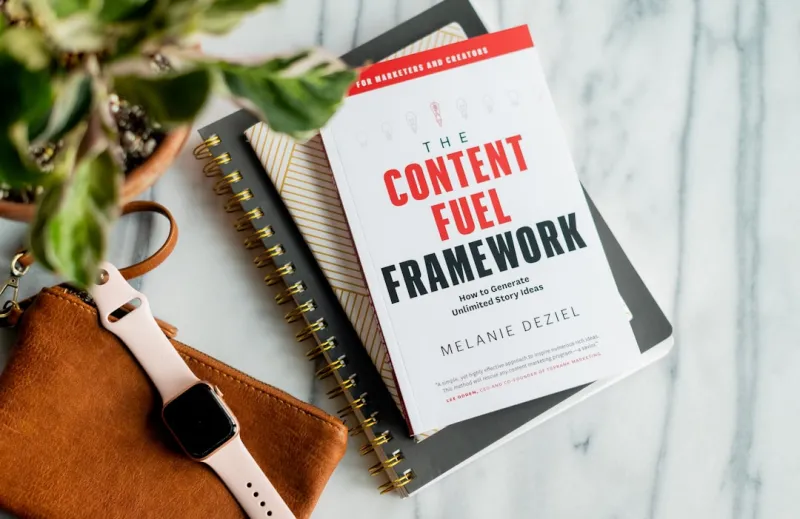
Content Trends 2024: Laura Wilson’s Insider Take on the Future of Storytelling
In 2024, content is shifting toward authentic narratives, bite‑sized video, and interactive community experiences. Laura Wilson breaks down what creators need...Read More

How Neighborhood Storytelling Turns Your Local SEO Into a Community Magnet
Discover a fresh approach to local SEO that leverages authentic neighborhood stories, micro‑location signals, and structured data to turn your business into a...Read More

Decoding Google’s Latest Algorithmic Shifts: A Marketer’s Survival Guide
Discover a marketer’s playbook for surviving Google’s algorithm changes, from understanding user intent to leveraging E‑A‑T and implicit signals....Read More

Beyond the Blog: Crafting a Voice‑First Content Strategy That Learns
A fresh look at content strategy that embraces voice assistants, modular content, and data‑driven insights to stay ahead in the age of conversational AI....Read More
0 Comments
Post Comment
You will need to Login or Register to comment on this post!