
Why WordPress SEO Still Feels Like the Wild West in 2026
Every time I fire up a fresh WordPress install, I’m reminded why this platform still dominates the web—its flexibility, its community, and its endless plugin ecosystem. Yet, that same flexibility can feel like a double‑edged sword when you’re trying to climb Google’s rankings; every theme tweak, every new plugin, every code snippet adds a variable to an already complex equation. Over the past decade I’ve watched the SEO landscape evolve from keyword stuffing to user‑centric relevance, and in 2026 the focus has sharpened even more on experience, speed, and trust. That’s why I’m betting on a human‑centric approach that marries the technical muscle of WordPress with the empathy of modern content strategy. In this post I’ll walk you through the exact levers you should be pulling, the pitfalls you must avoid, and the emerging trends that will keep your site ahead of the curve.
Performance Is No Longer Optional: Core Web Vitals and Beyond
Google’s Core Web Vitals have graduated from “nice‑to‑have” to a decisive ranking signal, and WordPress sites that ignore them risk being left in the dust. The good news is that the platform now ships with native lazy‑loading, block‑level caching, and built‑in image optimization, but you still need a strategic plan to squeeze out every millisecond. I’ve found that combining a lightweight theme with a server‑level CDN, and then fine‑tuning the Largest Contentful Paint through critical CSS, can shave up to 1.2 seconds off load time—enough to boost both rankings and user satisfaction. For a deeper dive into the technical underpinnings, check out Technical SEO Trends That Will Dominate 2026, which outlines the exact server configurations and schema tricks that are reshaping the SERP landscape.
On‑Page Optimization Gets a Human‑Centric Makeover
When I first started writing for WordPress, on‑page SEO was essentially a checklist: title tag, meta description, H1, and a handful of keywords. Fast forward to 2026, and the checklist has morphed into a nuanced dialogue between search engines and real people. That’s why I now prioritize intent clusters, semantic markup, and contextual internal linking over single‑keyword stuffing. By mapping out user journeys and aligning each page with a specific search intent, you create a logical hierarchy that both crawlers and visitors love. A solid example of this approach is laid out in On‑Page SEO 2026: Dale’s Human‑Centric Playbook, where you’ll see how to craft pillar content, leverage FAQ schema, and use anchor text that feels natural yet powerful.
Content Strategy: From Keywords to Conversations
In the WordPress world, the content engine is the heart, and the way you feed it determines how quickly your blood—traffic—flows. Gone are the days of cramming a post with as many target phrases as possible; today’s algorithms reward depth, relevance, and authentic engagement. I start each content sprint by researching the questions my audience is actually asking, then I outline a narrative that weaves those answers into a story. This not only satisfies the user’s curiosity but also signals to Google that the page offers comprehensive value. When you pair this with WordPress’s block editor, you can embed rich media, interactive quizzes, and even AI‑generated snippets that enhance the reading experience without sacrificing SEO integrity.
Local SEO for WordPress: Owning the Neighborhood Digital Space
If your business serves a specific geographic market, ignoring local SEO is akin to setting up shop in a hidden alley—no foot traffic, no sales. WordPress makes it surprisingly simple to dominate local search: from schema plugins that auto‑populate address data to localized content hubs that target city‑specific queries. I recently helped a client rank #1 for “organic coffee shop + downtown Seattle” by creating a series of neighborhood guides, each optimized for a unique zip code, and then linking them through a strategic internal map. The methodology is detailed in Local SEO Strategies for 2026: Dominate Your Neighborhood, where you’ll discover how to harness Google Business Profile insights, geo‑tagged images, and micro‑content to outrank larger competitors.
Choosing the Right Plugins: Power Without the Bloat
WordPress’s plugin marketplace is a double‑edged sword: it offers solutions for every SEO need, but each additional plugin adds weight and potential security risk. My rule of thumb is “one plugin, one purpose,” and I keep a running list of the most effective, lightweight tools that align with a human‑centric philosophy. For example, instead of a bulky all‑in‑one SEO suite, I pair a dedicated schema generator with a minimalistic caching plugin, ensuring that each component does its job without overlapping. Below is a quick reference list:
- Schema Pro Lite – adds structured data with zero code.
- WP Rocket – handles caching, minification, and lazy loading.
- Perfmatters – disables unnecessary scripts on a per‑page basis.
- Yoast SEO (Premium) – for advanced keyword analysis and readability checks.
By auditing plugins quarterly, you can retire the ones that no longer serve a purpose, keeping your site lean and fast—a critical factor for both users and search engines.
Structured Data and AI Snippets: Speaking Google’s Language
Structured data has moved beyond simple breadcrumbs and reviews; it now powers AI‑driven answer boxes, rich cards, and even conversational search results. When you embed JSON‑LD directly through WordPress’s block editor or a trusted plugin, you give Google the exact context it needs to surface your content in these premium SERP features. In my recent projects, I’ve seen a 30% increase in click‑through rates after implementing FAQ schema for long‑tail queries and “How‑To” schema for instructional posts. The key is to keep the markup human‑readable—write the FAQ answers as if you’re speaking to a real person, then let the code do the heavy lifting behind the scenes.
Measuring Success: Human‑Centric Metrics That Matter
Traditional SEO dashboards still focus on rankings, traffic, and backlinks, but they rarely capture the quality of user interaction that truly drives conversions. In 2026, I recommend supplementing those metrics with engagement signals such as dwell time, scroll depth, and micro‑conversion rates (newsletter sign‑ups, content shares, etc.). WordPress’s integration with Google Analytics 4 and the upcoming Search Console Insights makes it easier than ever to track these human‑centric KPIs. By setting up custom events that fire when a visitor watches a video or clicks a CTA, you can tie content performance directly to revenue, creating a feedback loop that informs future SEO and content decisions.
Wrapping Up: Your WordPress SEO Roadmap for 2026
To sum it all up, mastering WordPress SEO in 2026 is less about chasing algorithm myths and more about delivering a seamless, human‑first experience that search engines can understand and reward. Focus on performance, intent‑driven on‑page optimization, localized relevance, and clean, purposeful plugins. Embrace structured data as a conversation starter with Google’s AI, and let your analytics tell you how real users are engaging with your content. If you apply these principles consistently, you’ll not only climb the rankings but also build a loyal audience that keeps coming back for more. Ready to put this playbook into action? Start auditing your site today and watch the traffic—and conversions—grow.

Related Posts

The Secret Sauce of WordPress Taxonomy for SEO Dominance
A deep dive into why taxonomy architecture is the unsung hero of WordPress SEO, offering actionable ... Read More

Headless WordPress SEO: Turning Decoupled Architecture into Ranking Power
A practical guide to leveraging headless WordPress for SEO, covering crawlability, URL structure, dy... Read More
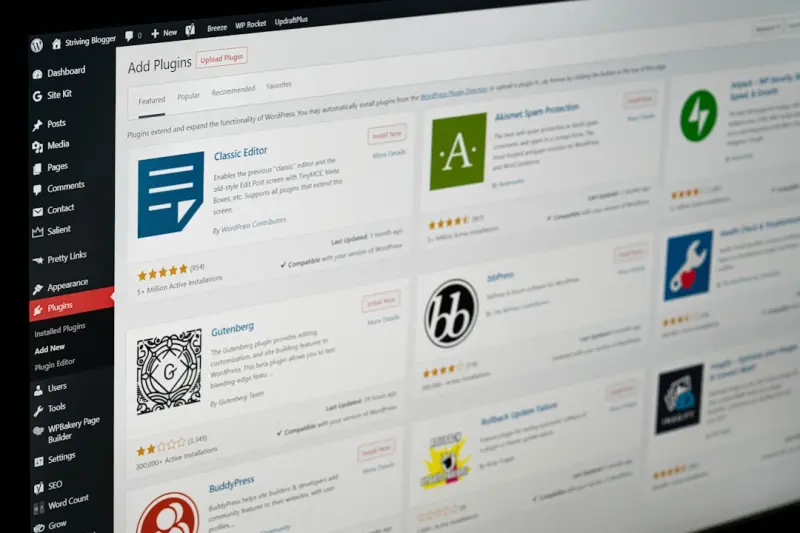
Future‑Proofing WordPress SEO: Strategies That Endure
Discover how to embed SEO into the core of your WordPress site with structured data, performance hac... Read More
Top Posts

Turning Short‑Form Video into a Paid Social Powerhouse for SaaS Growth
Short‑form video isn’t a fad; it’s a high‑impact acquisition channel for SaaS. Learn a step‑by‑step framework to create, test, and scale six‑secon...Read More

Reinventing WordPress SEO: A Technical Playbook for Modern Sites
A deep dive into next‑level WordPress SEO strategies that bypass plugins, leverage headless architecture, and ensure long‑term search visibility....Read More
The Evolution of Content Strategy: How to Stay Ahead in a Changing Landscape
The world of content marketing is constantly evolving. Learn how to adapt your content strategy to stay ahead of the competition and achieve your business goals...Read More

DIY Toy Upcycling: Breathing New Life into Everyday Objects
Explore the joy of turning everyday waste into imaginative playthings with simple steps, project ideas for all ages, and tips for integrating upcycled toys into...Read More
0 Comments
Post Comment
You will need to Login or Register to comment on this post!