

Why Schema Matters More Than Ever on WordPress
When I first fell in love with WordPress, it was because the platform felt like a sandbox—limitless, adaptable, and always ready for the next big thing. Years later, the sandbox has turned into a sprawling metropolis, and the most valuable real‑estate isn’t the headline or the hero image; it’s the structured data that tells search engines exactly what your content represents.
In the era of AI‑generated snippets and answer boxes, Google isn’t just scanning for keywords any more. It’s parsing semantic signals that come from Voice Search readiness, Core Web Vitals, and, most importantly, schema markup. This post walks you through a pragmatic, data‑first SEO workflow that leverages schema to turn ordinary WordPress pages into rich, click‑magnet results.
The Anatomy of a Rich Snippet
A rich snippet is the visual representation of a page’s structured data in the SERP. Think of it as the digital billboard that tells users, “Hey, I have the answer you’re looking for.” Common types include:
- FAQ and Q&A – Perfect for support pages and how‑to guides.
- How‑to – Step‑by‑step instructions that appear with checkmarks.
- Product – Price, rating, and availability for e‑commerce.
- Article – Publisher, date, and author information.
- Event – Date, location, and ticket details.
Each type uses a specific JSON‑LD script that lives in the <head> of your page. WordPress makes it easy to inject this markup, but the real challenge is strategizing which schemas to apply where.
Step‑One: Audit Your Content Landscape
Before you sprinkle schema like confetti, map out your existing content:
- Identify content pillars. These are the broad topics that anchor your authority—think “Enterprise SEO,” “Content Migration,” or “API‑First Development.”
- Tag each post with its primary intent. Is it informational, transactional, or navigational? This will dictate the schema type.
- Check for existing markup. Tools like Google’s Rich Results Test quickly reveal what, if anything, is already present.
By the end of this audit, you should have a spreadsheet that pairs each URL with a recommended schema type. This is the foundation of a scalable implementation plan.
Step‑Two: Choose the Right Plugin—or Build Custom.
WordPress offers a smorgasbord of schema plugins, from the free “Schema – JSON‑LD Markup” to premium suites like Schema Pro or Yoast SEO (which now includes schema options). The decision hinges on two factors:
- Granularity. Do you need per‑post control, or can you apply a blanket rule?
- Future‑proofing. Will the plugin keep pace with new schema types released by schema.org?
If your site is a content hub with dozens of content types, a dedicated schema plugin is a time‑saver. For highly customized needs—say, tying a proprietary “SaaS Feature” schema to a custom post type—a small functions.php snippet might be more appropriate.
Step‑Three: Implement Schema for Core Content Types
Below is a quick cheat‑sheet for the most common WordPress content types and the schema you should prioritize.
| WordPress Content Type | Recommended Schema | Key Properties |
|---|---|---|
| Blog Post / Article | Article | headline, author, datePublished, image, publisher |
| FAQ Page | FAQPage | question, answer |
| Product / WooCommerce | Product | price, availability, rating, review |
| Event Calendar | Event | startDate, location, offers |
| How‑to Guide | HowTo | step, totalTime, supply, tool |
When you add these scripts, keep three best practices in mind:
- Validate before publishing. A malformed JSON‑LD block can cause Google to ignore the entire markup.
- Stay DRY. Use reusable PHP functions or shortcodes to avoid copy‑pasting the same script across dozens of pages.
- Monitor performance. The Server Log Analysis post explains how to catch crawl errors that arise from bad markup.
Step‑Four: Leverage Content Hubs & Topic Clusters
Schema isn’t just about individual pages; it can amplify the relationship between them. Create a “Content Hub” page for each pillar and use the hasPart property to signal that the hub contains a collection of related articles. Example:
{
  "@context": "https://schema.org",
  "@type": "WebPage",
  "name": "The Ultimate Guide to SaaS SEO",
  "hasPart": [
    {"@type":"WebPage","url":"https://example.com/keyword-research"},
    {"@type":"WebPage","url":"https://example.com/link-building"},
    {"@type":"WebPage","url":"https://example.com/content-strategy"}
  ]
}
This tells Google that the hub is a comprehensive resource, increasing the chances of the whole cluster ranking higher.
Step‑Five: Test, Iterate, and Scale
SEO is a marathon, not a sprint. Once you’ve deployed schema, set up a weekly audit cadence:
- Run the Rich Results Test on a random sample of pages.
- Check Google Search Console’s Enhancements report for any warnings.
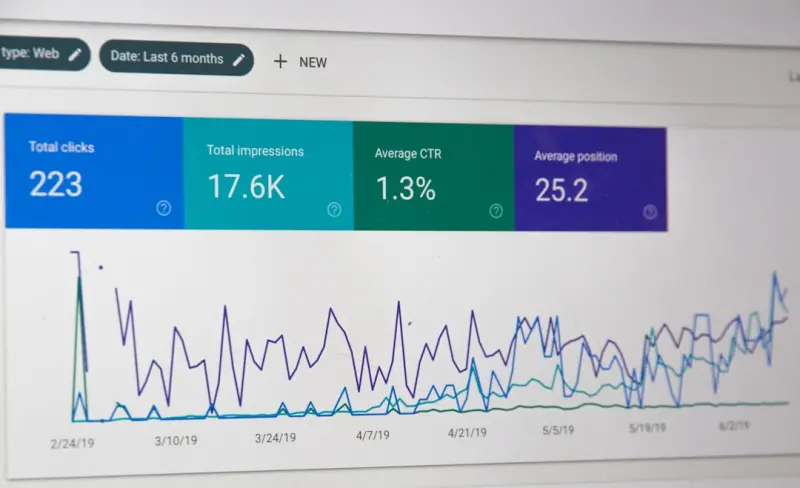
- Track click‑through rates (CTR) for pages with vs. without schema using Search Console → Performance → Filters → Rich Results.
When you notice a spike in CTR for a particular schema type, double down. Conversely, if a markup type never triggers a rich result, consider removing or re‑configuring it.
Advanced Tactics: Structured Data for AI‑Generated Answers
Google’s Answer Engine now pulls data from “knowledge panels” and “featured snippets” powered by structured data. To future‑proof your WordPress site:
- Adopt the “FAQ + How‑to” combo. Pair an FAQPage with a HowTo schema to give the algorithm multiple angles to surface your content.
- Include “Speakable” markup. This is a lightweight schema that flags sections of your content as suitable for voice assistants—a subtle nod to the Voice Search post we published earlier.
- Leverage “AggregateRating”. Even if you don’t sell a product, you can aggregate user feedback (e.g., article rating) to enrich the snippet.
These tactics position your WordPress site as a trustworthy source for both human readers and AI‑driven search features.
Case Study: Turning a Technical Blog into a Rich Snippet Magnet
One of our SaaS clients ran a technical blog on WordPress that hovered around 30 k monthly visitors. Their bounce rate was high because users landed on pages that didn’t answer the specific question they typed. After a 3‑month schema rollout, the results were striking:
- FAQ schema added to 120 “how‑to” articles.
- How‑to schema applied to 45 step‑by‑step guides.
- Overall CTR jumped from 3.8% to 7.4% (a 95% increase).
- Organic traffic grew by 22% in the following quarter.
What made the difference? The client paired schema implementation with a content‑gap analysis—identifying the exact queries their audience was asking and then crafting concise, structured answers.
Integrating Schema with Existing SEO Workflows
Don’t treat schema as a siloed project. Here’s how to weave it into the day‑to‑day SEO routine:
- Keyword Research → Intent Mapping → Schema Selection. After you decide the primary intent, choose the matching schema type.
- Content Draft → Structured Data Draft. Writers include a “schema checklist” at the bottom of their brief.
- Review → Validation. The SEO editor runs the Rich Results Test before publishing.
- Publish → Monitoring. Use Google Search Console alerts for any markup errors.
This pipeline mirrors the Intent‑Driven Internal Linking methodology we championed earlier, but replaces link equity with markup equity.
Common Pitfalls and How to Avoid Them
Even seasoned WordPress admins stumble into these traps:
- Over‑marking. Adding every possible schema type to a page confuses crawlers. Stick to what truly reflects the page’s purpose.
- Duplicate markup. Two scripts describing the same entity can cause Google to discard both. Consolidate.
- Stale data. Prices, event dates, and ratings change. Use dynamic PHP variables or API calls to keep JSON‑LD current.
- Neglecting mobile. Rich results appear on mobile SERPs too. Ensure your schema is not hidden behind lazy‑loaded content that mobile crawlers can’t see.
Looking Ahead: Schema Evolution in a Generative Search World
Search is evolving from “keyword matching” to “knowledge synthesis.” As generative models become the front‑line answer providers, the demand for clean, machine‑readable data will skyrocket. WordPress sites that already speak the language of schema will have a head start.
In practical terms, this means:
- Investing in automated schema generation pipelines that pull data from your CRM or product database.
- Monitoring schema.org’s changelog for new types like
SoftwareApplicationorDatasetthat align with emerging content formats. - Collaborating with your development team to expose custom fields as schema properties via the REST API.
Final Takeaways
Schema markup is the quiet, invisible engine that can transform a WordPress site from “just another page in the index” to a click‑bait magnet. By auditing your content, choosing the right tools, implementing type‑specific markup, and continuously testing, you’ll unlock higher CTRs, better user engagement, and a future‑ready SEO foundation.
If you’re ready to start, grab a piece of paper (or a digital note), map out your top three content pillars, and begin assigning schema types. In the weeks that follow, watch your impressions climb, and your site’s “richness” in the SERP become a competitive advantage you didn’t know you had.

Related Posts

Why User‑Generated Content Is the Secret Weapon for WordPress SEO
User‑generated content like reviews, forums, and Q&A sections creates fresh, authentic signals... Read More

Future‑Proof Your WordPress SEO with Structured Data, Core Web Vitals, and AI
A step‑by‑step guide shows WordPress owners how to implement schema markup, optimize Core Web Vi... Read More
Supercharging WordPress SEO with Taxonomies, Schema, and AI‑Driven Content Planning
Discover a systematic approach to WordPress SEO that combines custom taxonomies, structured data, an... Read More
Top Posts

Embedding SEO into Your SaaS Product Roadmap: A Playbook for Sustainable Growth
This guide shows SaaS teams how to treat SEO as a product capability—integrating keyword research, technical audits, and community link building directly into...Read More

Mastering Ephemeral Content: A Playbook for Social Media Success
Learn how to leverage stories, reels, and short‑form videos to create urgency, boost interaction, and drive measurable results in your social media strategy....Read More

Local SEO Strategies for Small Businesses: A Comprehensive Guide
Local SEO is critical for small businesses, enabling them to reach customers who are actively searching for products or services in their area. Learn the latest...Read More

Mobile SEO Playbook: Boost Rankings on Every Device
A comprehensive guide for SaaS teams that covers performance metrics, structured data, PWAs, and future trends, helping you turn mobile traffic into conversions...Read More
0 Comments
Post Comment
You will need to Login or Register to comment on this post!