

Why Mobile Crawlability Is the Quiet Engine Behind Your Rankings
When I first started dissecting Google’s mobile‑first index, I realized most SaaS marketers treat “mobile SEO” as a checklist of responsive design + Core Web Vitals. That’s useful, but it misses the deeper question: Can Googlebot actually crawl and understand the mobile version of your site? If the answer is “no,” every effort you make on content, link building, or schema is building on sand.
The Mobile‑First Index Isn’t Just a Label
Since Google shifted to mobile‑first indexing, the search engine’s primary source of content is the version it renders for a smartphone. This means the crawler evaluates HTML, JavaScript, CSS, and even the order of DOM elements exactly as a user would see them on a 5‑inch screen. If your desktop markup differs dramatically from the mobile markup, you risk:
- Indexing errors where Google stores the desktop version but serves the mobile one to users.
- Reduced crawl budget because the bot spends extra time parsing duplicate or conflicting resources.
- Unexpected ranking volatility when Google’s mobile rendering engine can’t access critical content.
In short, crawlability is the foundation; without it, all other SEO tactics wobble.
Audit Your Mobile Sitemap – It’s Not a “nice‑to‑have”
Most SaaS sites have a single XML sitemap that lists every URL. However, Google recommends a mobile‑specific sitemap when the mobile version lives on a separate subdomain or path (e.g., m.example.com or /mobile/). Here’s a quick audit checklist:
- Verify that every mobile URL appears in the sitemap with the
rel="alternate"andrel="canonical"annotations correctly pointing to the desktop counterpart. - Use
robots.txtto block unnecessary resources (large PDFs, admin panels) from mobile crawls while keeping them accessible to desktop bots if needed. - Submit the mobile sitemap in Google Search Console under “Sitemaps” and monitor the “Crawl Stats” tab for any spikes in errors.
By giving Google a clean, dedicated map of your mobile pages, you signal that the mobile version is the primary source of truth.
JavaScript Rendering: The Silent Show‑stopper
Many SaaS platforms rely heavily on React, Vue, or Angular to render dynamic content. While Google’s rendering engine has improved, it still fails to execute complex JavaScript on the first pass for many mobile pages. This can leave key headings, CTA text, or product descriptions invisible to the crawler.
Two pragmatic steps can dramatically improve success:
- Server‑Side Rendering (SSR) for critical pages – Render the initial HTML on the server for pages like pricing, feature overviews, and blog posts. The mobile crawler will see the full content without waiting for JavaScript execution.
- Dynamic Rendering as a fallback – Detect Googlebot’s user‑agent on the server and serve a pre‑rendered version only for that request. This approach is Google‑approved and prevents the need for a full SSR overhaul.
When you combine SSR with a mobile‑first sitemap, you eliminate the “invisible content” problem that haunts many SaaS sites.
Mobile‑Optimized Structured Data (JSON‑LD)
Structured data helps Google understand the context of your SaaS offering, but it must be present in the mobile HTML payload. If you inject JSON‑LD via a script tag that’s loaded asynchronously, Google may miss it during the initial crawl.
Best practice: embed the JSON‑LD directly in the <head> of the mobile page, or at the very least, ensure it’s part of the server‑rendered markup. This guarantees that search features like rich snippets and FAQ blocks appear consistently across devices.
Image Formats and Adaptive Loading
Large, uncompressed images are the single biggest mobile‑speed culprit. SaaS sites often showcase screenshots, dashboards, or UI mockups that are unnecessarily heavy.
- Convert legacy PNGs to WebP or AVIF. Both deliver up to 30% smaller file sizes with negligible quality loss.
- Implement
srcsetandsizesattributes to serve device‑appropriate image dimensions. - Leverage lazy loading for images below the fold, but ensure critical “above‑the‑fold” visuals are loaded immediately.
These tweaks shave seconds off your mobile SEO performance and directly influence the page‑experience signals Google rewards.
Browser Caching and HTTP Headers for Mobile
Desktop browsers are forgiving; mobile browsers often terminate connections early due to bandwidth constraints. Set aggressive caching headers for static assets:
Cache-Control: public, max-age=31536000
For HTML, a shorter max‑age (e.g., 5 minutes) ensures that updates to pricing or feature lists propagate quickly without sacrificing performance. Pair this with ETag validation to let the server confirm whether a resource has changed.
Mobile Page Experience Signals Beyond Core Web Vitals
Google’s Core Web Vitals (LCP, FID, CLS) dominate the conversation, but there are two additional mobile‑specific signals worth tracking:
- Tap Target Size – Buttons smaller than 48×48 px may trigger a “poor usability” warning in Search Console, impacting mobile rankings.
- Viewport Stability – Sudden layout shifts caused by late‑loading ads or interstitials increase CLS, but on mobile they also raise bounce rates because users lose their place.
Addressing these signals often requires CSS tweaks (e.g., min-height on containers) and careful placement of third‑party scripts.
Testing, Monitoring, and Iteration
Even after you’ve implemented the above tactics, continuous validation is essential. Here’s a repeatable workflow:
- Google Search Console – Mobile Usability: Review any “blocked resources” or “invalid redirects” flagged for mobile.
- Lighthouse Mobile Audits: Run the audit weekly, focusing on “Opportunities” rather than “Diagnostics.”
- WebPageTest Mobile: Use the “Chrome – Mobile” profile to capture waterfall charts and identify bottlenecks.
- Log File Analysis: Pull mobile‑specific crawl logs to see which URLs Googlebot struggles with and why.
When a pattern emerges—say, a particular JavaScript bundle always times out—you have a concrete target for optimization.
Integrating Mobile Crawlability With the Bigger SEO Picture
Now that you’ve fortified the mobile foundation, the rest of your SEO strategy can work without friction:
- Content teams can focus on high‑intent keywords, knowing the pages will be indexed reliably.
- Link‑building initiatives can target the mobile URLs directly, avoiding duplicate‑content pitfalls.
- Conversion‑rate experiments can be rolled out on mobile first, ensuring that any performance gains translate to higher organic traffic.
In practice, I’ve seen SaaS companies that “fixed” their mobile crawlability and witnessed a 15‑30% lift in organic sessions within weeks—purely from Google finally being able to read the pages they’d painstakingly optimized for users.
Bonus: Voice Search Isn’t the Endgame—It’s a Side‑Effect
If you’ve already read mastering voice search for mobile SEO, you know that voice queries are often mobile‑originated. By improving mobile crawlability, you automatically boost the chances that your answers appear in voice results. Think of it as a “free bonus” for the work you’re already doing.
Takeaway Checklist
- Create and submit a dedicated mobile sitemap with correct
rel="alternate"/rel="canonical"tags. - Implement server‑side rendering or dynamic rendering for JavaScript‑heavy pages.
- Embed JSON‑LD directly in mobile HTML.
- Convert images to WebP/AVIF, use
srcset, and lazy load responsibly. - Set long cache lifetimes for static assets and short lifetimes for HTML.
- Audit tap target sizes and viewport stability.
- Monitor via Search Console, Lighthouse, WebPageTest, and log analysis.
By treating mobile crawlability as a strategic SEO pillar rather than a technical afterthought, you unlock a hidden reserve of ranking power that many SaaS competitors overlook.

Related Posts
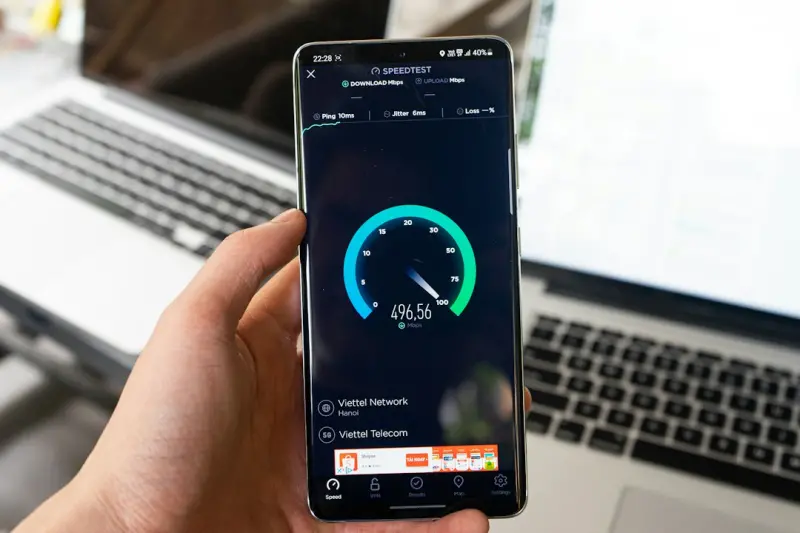
Mobile Core Web Vitals: The Engine Powering SaaS Rankings
This post dives deep into Mobile Core Web Vitals—LCP, FID, and CLS—explaining why they matter fo... Read More

Mobile SEO: Why PWAs Are the Game‑Changer for Search Visibility
Explore the rise of Progressive Web Apps in mobile SEO, learn practical steps to implement them, and... Read More

How SaaS Companies Can Conquer Mobile Search with Deep Linking and App Indexing
This guide reveals a step‑by‑step approach for SaaS businesses to dominate mobile search, coveri... Read More
Top Posts

Turning Social Ad Fatigue into Fresh Conversions
Creative fatigue is killing paid social performance. Learn a three‑step framework—data‑driven sequencing, community‑powered creative, and micro‑audien...Read More

Uncovering Hidden SEO Gold: A Deep Dive into Server Log Analysis
Learn how to harness server log analysis to identify crawl budget waste, fix indexing errors, and prioritize technical SEO fixes that drive real ranking improve...Read More

Mastering a Human‑Centric Social Media Strategy in 2026
Learn the 2026 secrets to human‑centric social media strategy—blend empathy, data, and emerging tech for authentic audience connections....Read More

The Evolution of Google Algorithms: A Comprehensive Guide to Staying Ahead
Learn how to adapt your SEO strategy to Google's evolving algorithms and stay ahead in the digital landscape with our expert guide....Read More
0 Comments
Post Comment
You will need to Login or Register to comment on this post!