
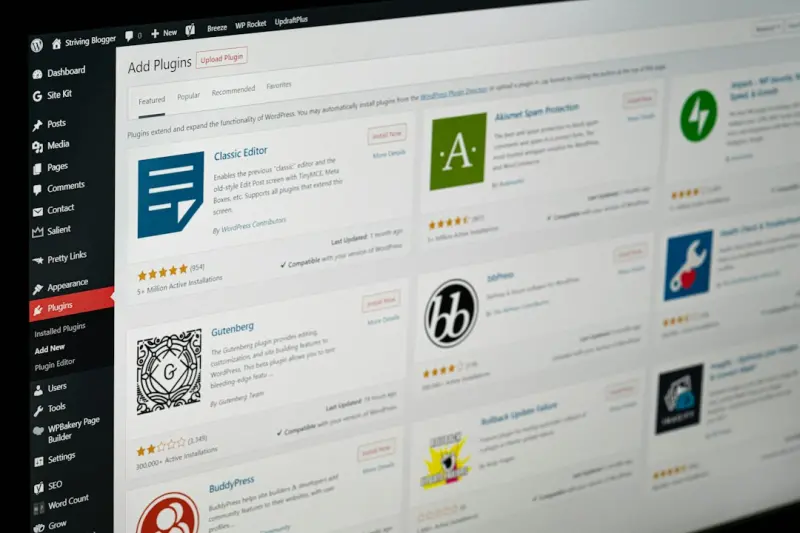
When I first migrated a legacy site onto WordPress, the excitement of a fresh theme and a sleek dashboard quickly gave way to a sobering realization: the platform’s out‑of‑the‑box SEO is decent, but there’s a whole under‑the‑hood playground that most marketers never even see. If you’ve ever felt that your WordPress pages rank well enough to stay visible but never break into the coveted top‑three, you’re probably missing a suite of technical levers that can transform “good enough” into “dominant.” In this post I’ll walk you through the hidden, often‑overlooked tweaks that can supercharge your rankings without adding a mountain of plugins or breaking your site’s design.
Why Technical SEO Still Matters in a Content‑First World
Everyone talks about killer headlines, killer content, and killer backlinks. Those are undeniably critical, but they sit on a foundation that is purely technical. Think of it like building a house: no amount of beautiful décor will compensate for a leaky roof. In the WordPress ecosystem, that roof includes site speed, structured data, crawl efficiency, and a handful of server‑side settings that search engines love to reward.
What’s more, Google’s ranking algorithms have become increasingly sophisticated at interpreting site health signals. Core Web Vitals, for instance, are now a ranking factor. Structured data helps Google understand context, leading to rich results that dramatically improve click‑through rates. If you ignore these levers, you’re essentially leaving money on the table—money that your competitors are already capturing.
1. Master Core Web Vitals Without a Plugin Overload
Core Web Vitals—Largest Contentful Paint (LCP), First Input Delay (FID), and Cumulative Layout Shift (CLS)—measure user‑centric performance. WordPress makes it tempting to install a plugin that promises to “fix everything,” but those can bloat your site. Instead, take a three‑step approach:
- Audit with Real‑User Data: Use Chrome’s Performance tab or the free Web Vitals report to see how your pages perform in the wild.
- Serve Optimized Images: Leverage WordPress’s built‑in
srcsetfunctionality, but go a step further by converting images to modern formats (WebP, AVIF) using a server‑level tool likecwebp. This avoids the overhead of image‑compression plugins. - Implement Critical CSS: Identify the CSS needed for above‑the‑fold content and inline it directly in the
<head>. Tools like Critical can automate this as part of your build process.
By tackling each metric directly, you retain full control over performance and avoid the “one‑size‑fits‑all” trap that many WordPress plugins fall into.
2. Schema Markup: The Quiet Ranking Multiplier
Structured data is the SEO equivalent of a well‑written résumé: it tells search engines exactly what you’re offering. WordPress core now supports json‑ld via the block editor, but many site owners never enable it. Here’s how to add schema without a heavyweight plugin:
- Use Block‑Level Custom HTML: Insert a
<script type="application/ld+json">block on any page or post. This is perfect for adding Article, FAQ, or Product schema on a per‑page basis. - Leverage Theme Functions: Add a small snippet to your
functions.phpthat automatically injects Organization and Website schema into the<head>. Example:
function add_basic_schema() {
  $schema = [
    "@context" => "https://schema.org",
    "@type" => "Organization",
    "url" => home_url(),
    "logo" => get_theme_mod('custom_logo')
  ];
  echo '<script type="application/ld+json">' . json_encode($schema) . '</script>';
}
add_action('wp_head', 'add_basic_schema');
When you combine these tactics with page‑specific JSON‑LD, you’ll start to see rich snippets appear in SERPs—think star ratings, event dates, and even “how‑to” steps. Those visual cues boost CTR by up to 30% according to several case studies.
3. Crawl Budget Optimization: Let Google Focus on What Matters
Google allocates a crawl budget to each domain. If you have a large WordPress site with thousands of low‑value pages (archives, tag pages, or auto‑generated PDFs), you might be wasting that budget on content that adds little SEO value.
Here’s how to trim the fat:
- Consolidate Tag Archives: If tags are more for internal organization than user navigation, set
noindex, followin the header for those taxonomies. A quick snippet infunctions.phpcan handle this site‑wide. - Use
robots.txtWisely: Disallow crawling of admin paths,/wp-json/endpoints, and any low‑value query strings. Example entry:
User-agent: *
Disallow: /wp-admin/
Disallow: /?s=*
Disallow: /category/
By keeping Google’s spider focused on high‑value pages, you improve index freshness for the content that truly drives traffic.
4. Leverage the Gutenberg Block Editor for SEO‑Friendly Content Structure
Gutenberg isn’t just a visual editor; it’s a semantic engine. Each block you add translates to meaningful HTML tags—headings, lists, quotes—that search engines can parse more effectively than a monolithic div dump.
To maximize this benefit:
- Use Heading Blocks Strategically: Ensure a single H1 per page (the title block) and then a logical H2‑H3 hierarchy that mirrors the article outline.
- Employ the “Table of Contents” Block: This auto‑generates anchor links that improve user navigation and give crawlers clear signals about page structure.
- Integrate “Cover” Blocks with Optimized Alt Text: The visual hero image is an SEO opportunity—add descriptive alt text that includes target keywords without sounding forced.
These subtle practices improve on‑page relevance and reduce the chance of “thin” content penalties.
5. Server‑Side Caching Without a Plugin
While caching plugins like WP Rocket or W3 Total Cache are popular, you can achieve similar results by configuring server‑level caching. If you’re on a managed host (Kinsta, Flywheel, SiteGround), they often provide built‑in page and object caching. Here’s what to verify:
- Enable HTTP/2 or HTTP/3: These protocols multiplex requests, dramatically cutting load times for assets served from the same domain.
- Set Expiry Headers: In your
.htaccessor Nginx config, add directives to tell browsers how long to cache static assets like CSS, JS, and images. - Leverage Edge Caching: Use a CDN (Cloudflare, Fastly) that caches entire HTML pages at the edge. The key is to purge the cache only when content changes, not on every visit.
When combined with the Core Web Vitals tactics above, server‑side caching delivers a performance boost that’s both measurable and sustainable.
6. International SEO for Multilingual WordPress Sites
If your audience spans multiple languages or regions, a single English‑only WordPress install won’t cut it. Instead of relying on massive translation plugins, consider a leaner approach:
- Separate Sub‑Directories: Create
/fr/,/es/, etc., and install language‑specific page templates. This keeps the URL structure clean and signals geography to search engines. - Implement hreflang Tags Manually: Add a small function that outputs the correct
hreflanglinks in the<head>based on the current locale. - Translate Core Meta Elements: Use
wp_titlefilters andmeta_descriptionhooks to provide language‑specific titles and descriptions without duplicating content.
This strategy avoids the bloat of all‑in‑one multilingual plugins while delivering the precise signals Google needs to serve the right language to the right user.
7. Structured Internal Linking with the Block Editor
Internal linking remains one of the most powerful SEO tools, yet many WordPress sites treat it as an after‑thought. Gutenberg’s “Link” block lets you embed contextual links directly while you write, ensuring they’re natural and relevant.
Take it further:
- Automate Related Posts: Insert a reusable block that pulls in the three most relevant posts based on taxonomy. This keeps link equity flowing and reduces bounce rates.
- Breadcrumbs via Core Block: The “Breadcrumbs” block can be placed in the header or above the content. It provides both a user navigation aid and a crawlable path for search engines.
When internal links are embedded during the drafting phase, you avoid the dreaded “post‑publish link audit” and preserve editorial momentum.
8. Harnessing AI‑Generated Snippets for SERP Visibility
AI isn’t just for content creation; it can help you craft meta titles, descriptions, and even FAQ schema that align with search intent. Use a lightweight script that pulls the first two sentences of a post, trims them to 155 characters, and inserts them as the meta description. Here’s a quick example:
function auto_meta_description() {
  if ( is_singular() ) {
    $content = wp_strip_all_tags( get_the_excerpt() );
    $desc = mb_substr( $content, 0, 155 );
    echo '<meta name="description" content="' . esc_attr( $desc ) . '">';
  }
}
add_action( 'wp_head', 'auto_meta_description' );
This tiny function ensures every page has a unique, intent‑aligned description—something Google still values heavily for ranking and click‑through.
9. Linking to Your Own Knowledge Base: A Hidden Authority Boost
Many SaaS and B2B sites house extensive documentation or help centers on subdomains. If you treat that content as an isolated entity, you miss out on internal authority flow. Bring your WordPress site and knowledge base together:
- Cross‑Link From Blog Posts: When you write a tutorial, link to the corresponding knowledge‑base article using a contextual anchor.
- Use Canonical Tags Wisely: If a knowledge‑base article mirrors a blog post, set the blog post as canonical to preserve link equity.
This synergy not only improves rankings for support content but also signals expertise to Google—a concept explored in Living Playbooks: Real‑Time Content for B2B Knowledge Sharing.
10. Auditing and Iterating: The Ongoing SEO Maintenance Loop
No technical SEO checklist is a set‑and‑forget solution. The web evolves, and so do search engine algorithms. Adopt a quarterly audit rhythm:
- Run a Site Crawl: Tools like Screaming Frog or Sitebulb will surface broken links, duplicate content, and missing meta tags.
- Measure Core Web Vitals: Compare against the previous quarter to gauge improvement or regression.
- Validate Structured Data: Use Google’s Rich Results Test to ensure schema is still valid after WordPress core updates.
- Update Internal Links: Refresh anchor text to align with evolving keyword targets.
By treating SEO as a continuous experiment rather than a one‑time project, you keep your WordPress site adaptable and resilient.
Bringing It All Together
Technical SEO for WordPress isn’t about loading a dozen plugins and hoping for the best. It’s a disciplined, layered approach that starts with performance fundamentals, adds semantic depth through schema, optimizes crawl efficiency, and leverages the power of Gutenberg for clean content architecture. When you combine these hidden levers with your existing content and link‑building strategies, you create a synergistic system that consistently outperforms the competition.
If you’re looking for a concrete case study of turning a non‑technical process into an SEO engine, check out Turning Onboarding into an SEO Engine. The principles there—capturing early user intent and feeding it into your site’s ranking signals—translate directly to the technical tweaks we’ve discussed here.
So, next time you open your WordPress dashboard, resist the urge to jump straight to the visual editor. Dive into the server, the schema, the Core Web Vitals, and the block‑level semantics. You’ll quickly discover that the “hidden” side of SEO is where the real magic happens.

Related Posts

Unlocking WordPress SEO Success with a Practical E‑E‑A‑T Blueprint
A detailed, actionable guide shows how to audit, enrich, and future‑proof your WordPress site usin... Read More

Human‑Centric WordPress SEO: Turning Empathy into Rankings
Learn how to transform your WordPress site with empathy‑first SEO strategies—covering content, t... Read More

Unlocking WordPress SEO: A Human‑Centric Playbook for Modern Marketers
Discover a human‑centric WordPress SEO roadmap that blends technical mastery, compelling storytell... Read More
Top Posts

Embracing the Evolution of SEO: Strategies to Stay Ahead of the Curve
Stay ahead of the competition with the latest SEO trends and strategies. Learn how to adapt to the evolution of SEO and drive more conversions with these expert...Read More

Why LinkedIn Comments Are the Hidden SEO Booster
A fresh look at LinkedIn SEO reveals that thoughtful comments can act as powerful search signals, boosting visibility, engagement, and lead generation when used...Read More
Beyond the Map Pack: Hyperlocal Signals That Supercharge SaaS Local SEO
Learn how to leverage detailed schema markup, location‑specific user content, and geo‑fencing to create a hyperlocal SEO strategy that drives higher convers...Read More

Empathy‑Driven Content Strategy: How Listening Transforms Results
Learn how listening to your audience and integrating empathy into every step of content creation can transform rankings, engagement, and brand loyalty....Read More
0 Comments
Post Comment
You will need to Login or Register to comment on this post!