

Why Your SaaS Help Center Is the Hidden Gold Mine for SEO
Most SaaS marketers obsess over landing pages, blog posts, and product pages, assuming those are the only places Google will look for relevance. What they overlook is the help center – the repository of FAQs, troubleshooting guides, and how‑to articles that already serve real user intent. When structured correctly, this asset can become a self‑sustaining engine that drives qualified traffic, reduces support costs, and reinforces brand authority.
The Core Principles of a Search‑Friendly Help Center
Before diving into tactics, it’s essential to grasp three foundational ideas:
- User intent first: Every article must answer a specific question a potential customer is typing into the search box.
- Content hierarchy matters: Organize topics in a logical tree so both users and crawlers can navigate effortlessly.
- Technical clarity: Use schema, clean URLs, and crawl‑budget‑friendly practices to ensure Google can index your pages quickly.
1. Map Real‑World Queries to Help Articles
Start with a keyword research sprint that focuses on the problems your support team resolves daily. Pull data from ticket tags, chat transcripts, and community forums. Then, cluster similar questions and assign a primary target phrase to each cluster.
For example, if dozens of users ask “how do I integrate X with Y?”, create a pillar article titled “Integrating X with Y: A Step‑by‑Step Guide” and use supporting sub‑articles for edge cases. This approach mirrors a well‑structured on‑page optimization guide but is tailored to support content.
2. Optimize URLs, Titles, and Meta Descriptions for Clarity
Help center URLs should be short, descriptive, and free of session IDs. A good format looks like /help/integrations/x-y. Title tags must include the primary query phrase and a concise benefit, e.g., “Integrate X with Y – Quick Setup Guide”. Keep meta descriptions under 160 characters, emphasizing the solution’s speed or ease.
3. Leverage Structured Data for Rich Snippets
Google loves to surface concise answers directly in the SERP. By adding FAQPage and HowTo schema to your help articles, you increase the chances of appearing in the “People also ask” box and in featured snippets. The implementation is straightforward: embed JSON‑LD blocks that enumerate each question and answer pair.
For deeper insights on schema, check out our rich snippet tactics guide.
4. Turn User‑Generated Content into SEO Signals
Encourage customers to upvote, comment, or suggest edits on help articles. Not only does this improve the content’s relevance, but the interaction data can be harvested as a ranking signal. When a particular article garners high engagement, prioritize it for further optimization and internal linking.
5. Build a Smart Internal Linking Framework
Internal links act as pathways for crawlers to discover and assign value to your pages. In a help center, use a topic‑based linking matrix:
- At the bottom of each article, list related questions with anchor text that mirrors the target query.
- Within the body, embed contextual links where a term is first introduced, pointing to a more detailed guide.
- Use breadcrumb navigation to reinforce the content hierarchy for both users and search bots.
This method amplifies link equity without creating orphan pages, and it mirrors the philosophy behind semantic linking without reusing the exact terminology.
6. Optimize for Crawl Budget and Indexation
SaaS sites often host thousands of help articles, many of which are low‑value. To keep Google’s attention on the most important pages:
- Set
noindexon thin or duplicate articles. - Consolidate outdated content into comprehensive “master” guides.
- Submit an updated XML sitemap whenever you add or retire major sections.
7. Harness Content Freshness as a Ranking Lever
Search engines reward regularly updated content, especially for topics that evolve (e.g., API changes, UI updates). Implement a review calendar:
- Mark each article with a “last reviewed” date.
- Assign ownership to product managers who can flag needed revisions.
- Automate reminders for articles that haven’t been touched in six months.
This systematic approach ensures that your help center stays current, which in turn signals trust to both users and crawlers.
8. Measure Impact with a Dedicated SEO Dashboard
Tracking the performance of help center pages requires a blend of traffic, engagement, and support metrics:
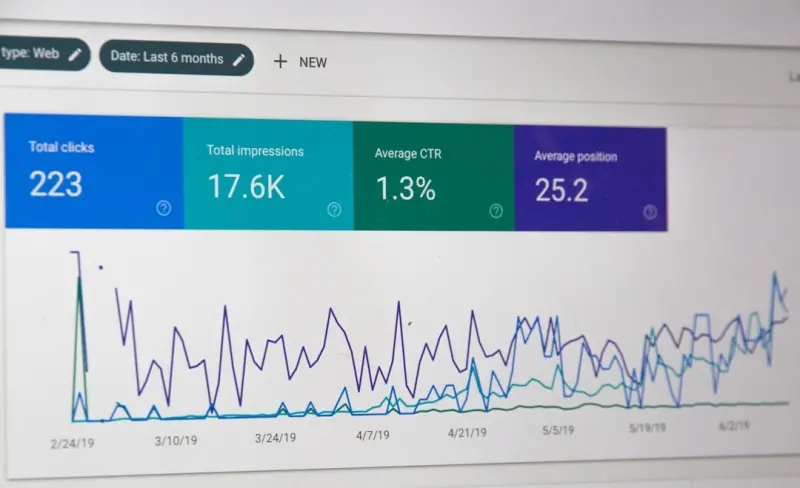
- Organic impressions and clicks from Google Search Console.
- Average time on page and bounce rate from Google Analytics.
- Ticket deflection rate – how many support requests are avoided thanks to the article.
By correlating these data points, you can identify high‑ROI content and allocate resources accordingly.
9. Scale with Automation and AI
Modern AI tools can assist in two key areas:
- Draft generation: Feed a set of FAQs into a language model to produce first‑draft articles that your team can refine.
- Topic suggestion: Use clustering algorithms on support logs to surface emerging issues before they become widespread.
Automation speeds up content creation while maintaining the human touch needed for accuracy.
10. Promote Your Help Content Beyond the Site
Don’t let valuable articles sit hidden in your domain. Share them on social platforms, embed them in onboarding emails, and reference them in webinars. Each external link acts as a vote of confidence, further boosting the page’s authority.
Putting It All Together: A Step‑by‑Step Playbook
- Audit existing help articles – Identify gaps, duplicates, and thin content.
- Gather real‑world queries – Pull data from support tickets, chat logs, and community forums.
- Cluster queries – Assign a primary keyword to each cluster and map to a pillar article.
- Apply on‑page best practices – Optimize URLs, titles, meta descriptions, and add schema.
- Implement internal linking – Create a matrix of related articles using descriptive anchor text.
- Set crawl directives – Use
noindexwhere appropriate and update your sitemap. - Schedule content reviews – Ensure freshness and relevance.
- Track performance – Use a custom SEO dashboard that blends traffic and support metrics.
- Iterate with AI assistance – Generate drafts and discover emerging topics.
- Amplify externally – Promote top‑performing articles across channels.
When executed consistently, your help center transforms from a static support repository into a dynamic SEO powerhouse that drives sustainable growth.

Related Posts

Embracing the Shift: How to Future-Proof Your SEO Strategy
Stay ahead in the ever-changing world of SEO with the latest trends and strategies. Learn how to fut... Read More
Zero‑Click SEO: Winning Visibility for SaaS
Zero‑click search is reshaping the SEO landscape for SaaS. This post outlines why visibility witho... Read More

How AI‑Driven Topic Clusters Are Redefining Modern SEO Strategy
Miranda Murphy reveals a fresh SEO approach: using AI‑generated topic clusters to organize content... Read More
Top Posts

From Followers to Tribe: Redefining Social Media Strategy for the Attention Economy
Learn how to transform followers into an engaged tribe by focusing on micro‑communities, authentic storytelling, and meaningful metrics that drive real busine...Read More

Unlocking LinkedIn SEO: Empathy‑Driven Strategies for Maximum Visibility
A deep dive into empathy‑driven LinkedIn SEO, covering profile optimization, content creation, and engagement tactics that boost search rankings and drive mea...Read More

Content Governance: The Missing Piece for Scalable SaaS
Content governance is the structural glue that lets SaaS teams produce fast, consistent, and compliant assets. This post outlines a four‑pillar model, practic...Read More

Turning WordPress Site Health into SEO Supercharge
A deep dive into WordPress site health reveals performance, security, and code hygiene as powerful SEO signals—plus a practical checklist to turn your site in...Read More
0 Comments
Post Comment
You will need to Login or Register to comment on this post!