

Why Crawl Budget Matters More Than Ever
When I first started digging into server logs, I realized that crawl budget isn’t just a buzzword—it’s the lifeblood of a site’s visibility. Search engines allocate a finite amount of time to each domain, and if they waste that time on low‑value pages, your high‑impact content stays hidden. I’ve watched sites with perfectly crafted content slip down the rankings simply because Google’s bots kept circling endless pagination or duplicate archives. In this article, I’ll walk you through the exact steps I take to reclaim that budget, turning raw log data into a strategic advantage. The goal isn’t just faster indexing; it’s smarter indexing that aligns with business priorities and user intent.
Decoding the Crawl Budget Equation
The crawl budget is essentially the product of two forces: the crawl rate limit (how fast Googlebot wants to crawl) and the crawl demand (how much Google wants to see). Google’s algorithms adjust these based on site health, server response times, and the freshness of content. If a site consistently returns 5xx errors or slow responses, the crawl rate limit drops, shrinking the overall budget. I’ve seen this happen to large e‑commerce platforms that neglected server performance during holiday spikes—Google throttled their bots, and product pages vanished from SERPs. Understanding the balance between these forces lets you make data‑driven decisions, like prioritizing high‑conversion pages for frequent crawls while pruning thin, low‑value URLs.
Getting Started with Log File Analysis
The first practical step is to pull raw server logs from your web server—whether Apache, Nginx, or a cloud‑based load balancer. These logs capture every request, status code, user‑agent, and response time. Tools such as Screaming Frog Log File Analyzer, Botify, or even open‑source options like GoAccess can parse millions of lines into digestible reports. I prefer a hybrid approach: start with a quick glance using GoAccess to spot error spikes, then dive deeper with a paid solution for pattern recognition across weeks. Remember to filter out internal traffic and CDN hits, otherwise you’ll chase noise. Once the data is clean, you can begin to identify which URLs are consuming the most crawl resources and whether they deserve that attention.
Interpreting the Data: Spotting Wasteful Crawls
With a clean log file in hand, the next task is to separate signal from noise. Look for high‑frequency requests to URLs that return 404 or 301 status codes—these are classic crawl budget leaks. Another red flag is excessive crawling of session IDs, faceted navigation, or calendar archives that create infinite URL permutations. In my experience, a single misconfigured filter can generate thousands of duplicate URLs, each one siphoning crawl budget away from core content. By mapping request counts against response codes, you can prioritize fixes that yield the biggest budget recovery. Visualizing the data in a heat map of crawl depth versus frequency often reveals deep‑linking patterns that you never intended to expose to bots.
Robots.txt and Sitemap Tweaks Informed by Logs
Armed with insights from the logs, you can now make precise adjustments to robots.txt and XML sitemaps. For example, if the logs show bots repeatedly hitting a large image directory that offers little SEO value, add a Disallow: /images/ rule. Conversely, if you notice that high‑traffic product pages are only crawled once a month, ensure they’re explicitly listed in your sitemap with the <lastmod> tag updated whenever inventory changes. I’ve also used the crawl-delay directive sparingly to throttle bots on low‑priority sections, freeing up budget for the pages that matter most. These changes are not static—set a quarterly review cadence so your robots.txt evolves alongside your site’s growth.
Architectural Strategies for Crawl Efficiency
Beyond robots.txt, the site’s internal linking structure plays a pivotal role in guiding bots. A shallow hierarchy—ideally no more than three clicks from the homepage—helps crawlers discover valuable pages quickly. I often audit the link depth using Screaming Frog’s crawl tree, pruning orphan pages that sit deep in the archive. Consolidating thin content into pillar pages also reduces the total URL count, concentrating crawl budget where it yields the highest ROI. When you combine a clean architecture with logical breadcrumb trails, you create a natural roadmap for search engines, reducing the need for them to guess which pages deserve attention.
Leveraging HTTP/2 and HTTP/3 for Faster Crawls
Modern protocols like HTTP/2 and HTTP/3 can dramatically improve crawl efficiency by allowing multiple concurrent streams over a single connection. This reduces the overhead of establishing new TCP handshakes, meaning Googlebot can fetch more resources in less time. In my audits, sites that migrated to HTTP/2 saw a 15‑20% reduction in average crawl latency, translating into a modest boost in crawl budget allocation. However, it’s crucial to ensure that your TLS certificates are up to date and that your CDN supports these protocols; otherwise, you risk serving fallback HTTP/1.1 responses that negate the benefits.
Structured Data as a Crawl Prioritization Signal
Schema markup isn’t just for rich snippets; it also signals to crawlers which content is most relevant. Implementing Article, Product, and FAQ schema helps Google understand the hierarchy and intent of your pages, often resulting in more frequent crawls of those marked-up elements. I’ve observed that well‑structured product pages with Product schema and up‑to‑date offers fields receive priority when inventory changes, ensuring that search results reflect the latest pricing. Use Google’s Rich Results Test to validate your markup and monitor the “Coverage” report in Search Console for any indexing issues related to structured data.
AI‑Powered Audits and Automation
Today’s AI tools can accelerate the entire crawl‑budget workflow. Platforms that integrate machine learning can automatically flag anomalous crawl patterns, recommend robots.txt edits, and even generate sitemap updates on the fly. I’ve recently integrated an AI‑driven solution that cross‑references log insights with AI‑first WordPress strategies, allowing me to pre‑emptively adjust content delivery for upcoming algorithm shifts. While automation saves time, always review the suggested changes—human oversight ensures that strategic intent isn’t lost in the data crunch.
Actionable Checklist and Looking Ahead
To wrap up, here’s a quick checklist you can implement this week:
- Export and clean your server logs.
- Identify high‑frequency 404/301 URLs and block them via robots.txt.
- Update your XML sitemap with fresh
<lastmod>tags on priority pages. - Audit internal link depth and flatten the hierarchy where possible.
- Confirm HTTP/2 or HTTP/3 support across your CDN and origin server.
- Add or refine schema markup on high‑value pages.
- Schedule a quarterly log‑file review.
By following these steps, you’ll reclaim wasted crawl budget and give Google the clear signals it needs to prioritize your best content. For those looking to boost page speed further, a deep dive into core web vitals and progressive web apps can complement your crawl‑budget gains, creating a virtuous cycle of performance and visibility.

Related Posts

Future‑Proofing Your Search Index: Architecture, Rendering, and Schema for SaaS
A deep dive into building a resilient search index for SaaS platforms—covering rendering strategie... Read More

The Future of Technical SEO: Trends to Watch
The future of technical SEO is rapidly evolving. Learn how to optimize your website for AI-driven se... Read More

The Evolution of Technical SEO: Staying Ahead in a Changing Landscape
Technical SEO is rapidly evolving, and staying ahead requires a deep understanding of the latest tre... Read More
Top Posts

Why Progressive Web Apps Are the Secret Weapon for Mobile SEO
Progressive Web Apps combine lightning‑fast load times, app‑like interactivity, and SEO-friendly markup, giving SaaS companies a powerful edge in mobile sea...Read More

Rediscovering Play: Why Imaginative Toys Matter More Than Ever
A deep dive into the science and joy of imaginative toys, showing how open‑ended play nurtures creativity, resilience, and community for kids and adults....Read More
Beyond Rankings: How Core Web Vitals Are Becoming the Gatekeepers of SaaS Success
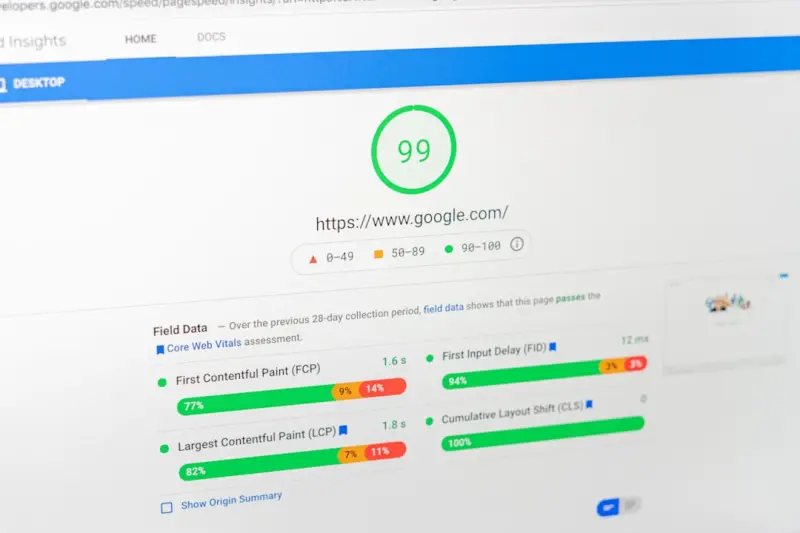
Core Web Vitals now dictate whether a SaaS site climbs or falls in Google’s rankings. This post breaks down the metrics, shows why SaaS pages are vulnerable, ...Read More

Edge‑Powered Mobile SEO: Future‑Proof Your Site
Learn how edge computing can supercharge your mobile SEO, delivering faster load times, AI‑optimized images, and personalized content directly from the networ...Read More
0 Comments
Post Comment
You will need to Login or Register to comment on this post!