
Why WordPress SEO Needs a Content‑First Overhaul, Not Just a Plugin Fix
When I first cut my teeth on WordPress, the mantra was simple: “Install Yoast, set your focus keyword, and you’re good to go.” Fast forward a few releases, and that advice feels as outdated as a legacy theme stuck in the Classic Editor era. WordPress is an ecosystem that evolves faster than most SaaS platforms, and the SEO game has moved from checklist‑driven to strategy‑driven. If you still think SEO is a one‑off task, you’re leaving massive traffic on the table.
The Myth of the “Set‑It‑and‑Forget‑It” Plugin
Plugins are fantastic—they let us add complex functionality without writing a line of code. But relying on a plugin to do the heavy lifting for SEO is a bit like hiring a personal trainer who only watches you lift weights without ever checking your diet. The real work happens in the content, structure, and user experience that surrounds those weights.
Here’s a quick reality check:
- Keyword targeting alone isn’t enough. Search engines now prioritize intent and context, not just the presence of a keyword.
- Site speed and Core Web Vitals are ranking factors. A page that loads in 3 seconds with a smooth interaction score will outrank a slower page, even if both have perfect meta tags.
- Internal linking matters more than ever. It distributes link equity, helps crawlers discover deeper pages, and creates topical relevance.
In short, you need a content‑first SEO overhaul that treats WordPress as a publishing platform, not just a technical vehicle.
Step 1: Redesign Your Site Architecture Around Topics, Not Pages
Instead of thinking “I need a landing page for each product,” think “What are the core topics my audience cares about?” Once you identify 5‑7 pillar topics, build a hub‑and‑spoke model where each pillar page links out to detailed, long‑form posts (the spokes). This structure does three things:
- Signals topical authority to Google, boosting rankings for every related keyword.
- Improves internal linking equity, ensuring deeper pages get crawled more often.
- Creates a natural user journey, keeping visitors on your site longer.
On WordPress, you can implement this without a massive custom development effort. Use intelligent link building principles—think contextual anchor text and varied link destinations—to keep the link graph healthy.
Step 2: Leverage Gutenberg Blocks for SEO‑Friendly Content
Gutenberg isn’t just a pretty editor; it’s a semantic canvas. Each block you add translates to clean HTML, which search engines love. Here’s how to turn blocks into SEO assets:
- Heading blocks (H2–H4) should reflect the logical hierarchy of your content. Avoid skipping levels; it confuses both readers and crawlers.
- Cover and Media & Text blocks can house
altattributes and descriptive file names—great for image SEO. - Table of Contents block automatically generates an anchor‑linked outline, boosting usability and on‑page SEO.
- Reusable blocks allow you to embed schema snippets, FAQs, or call‑to‑action modules across multiple posts without duplication.
When you treat each block as a micro‑content piece, you can repurpose them later. A well‑crafted FAQ block can become a standalone page, a rich result, or even feed into a chatbot. Speaking of repurposing, check out The Content Repurposing Engine for a systematic approach.
Step 3: Optimize for Core Web Vitals Without Breaking the Theme
Core Web Vitals (LCP, CLS, FID) have moved from “nice‑to‑have” to “must‑have.” The good news? Modern WordPress themes, especially those built on block‑based foundations, are already optimized for performance. But if you’re running a legacy theme, here’s a quick audit checklist:
- Lazy‑load off‑screen images. WordPress 5.5+ includes native lazy loading, but you can fine‑tune thresholds with a plugin like Perfmatters.
- Serve images in next‑gen formats. Convert JPEGs/PNGs to WebP using the built‑in
image/webpconversion. - Minify CSS/JS. Use Asset CleanUp to dequeue unnecessary scripts on a per‑page basis.
- Leverage a CDN. A global edge network reduces latency, especially for image‑heavy sites.
- Implement server‑side caching. Plugins like WP Rocket provide page caching, database optimization, and preloading of critical assets.
Each of these steps not only improves user experience but also sends a positive signal to Google’s ranking algorithm.
Step 4: Structured Data—Your Secret Weapon for Rich Results
WordPress makes adding schema less intimidating than ever. The schema.org vocabulary offers dozens of types, but the most valuable for most sites are:
- Article – boosts news and blog visibility.
- FAQ – creates accordion‑style rich snippets directly in SERPs.
- How‑To – perfect for tutorial‑heavy blogs.
- Product – essential if you sell physical or digital goods.
Instead of sprinkling JSON‑LD code manually, use a block‑compatible plugin that injects schema based on your block selections. The key is to keep the data accurate; Google penalizes “spammy” markup.
Step 5: Turn Comments into SEO Assets
Most WordPress sites treat comments as a nuisance—disable them, and you’ve missed an SEO opportunity. When moderated properly, comments can:
- Generate fresh, user‑generated content. This adds keyword variety and signals relevance.
- Increase dwell time. Readers stay longer to read the conversation.
- Provide internal linking opportunities. Encourage users to link to related posts naturally.
Implement a spam‑filter like Akismet, require a name and email, and consider a “comment depth” limit to keep discussions focused. Over time, a vibrant comment section can become a secondary “FAQ” page that Google loves.
Step 6: Content Refresh Strategy—Never Let a Post Stagnate
SEO isn’t a set‑and‑forget game. Search intent evolves, and so should your content. Here’s a repeatable refresh workflow:
- Identify high‑performing but aging posts. Use Google Search Console to find pages with >5 % impression drop over the last 90 days.
- Update the headline and meta. Align with current search intent and include power words without over‑optimizing.
- Enrich the body. Add new stats, embed a relevant video, or expand sections that were thin.
- Re‑publish with a “last updated” note. This signals freshness to both users and crawlers.
- Promote the refreshed post. Share on socials, include in your newsletter, and consider a quick internal link audit to boost its equity.
Because you already have a hub‑and‑spoke architecture, updating a pillar page sends a ripple effect through its spokes, lifting the entire cluster.
Step 7: Measure, Iterate, and Celebrate Wins
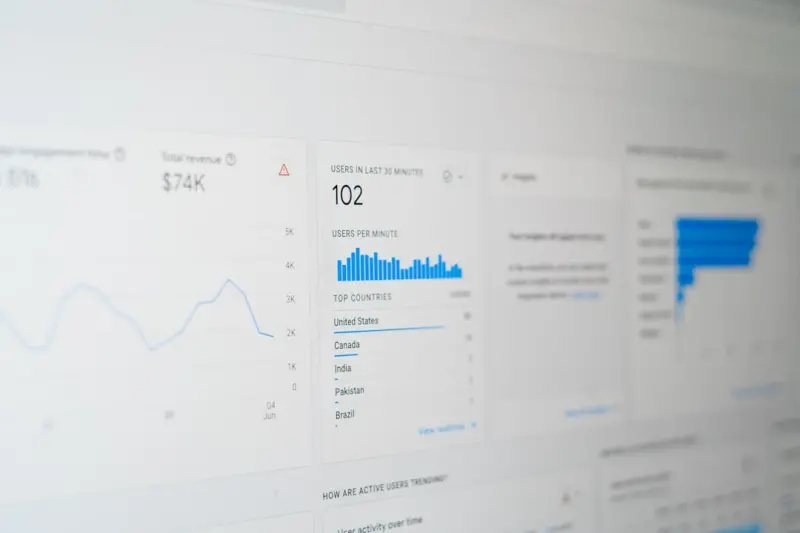
Data drives decisions. Set up a dashboard that tracks:
- Organic traffic per pillar and spoke.
- Core Web Vitals scores from PageSpeed Insights.
- Click‑through rates (CTR) for rich results.
- Engagement metrics on comment sections (average comments per post, reply depth).
Use the insights to prioritize the next round of optimizations. Remember, SEO is a marathon, not a sprint—small, consistent improvements compound over time.
Putting It All Together: A Real‑World Example
Let’s walk through a case study of a mid‑size B2B SaaS blog that migrated from a classic theme to a block‑based theme and applied the steps above.
- Architecture shift. The team identified five pillars: “Customer Success,” “Product Development,” “Growth Marketing,” “Data Analytics,” and “Industry Trends.” They built pillar pages with clear H2 sections and linked 12‑15 spoke articles to each.
- Gutenberg optimization. Every article used heading blocks for hierarchy, media blocks with alt text, and a reusable FAQ block that generated JSON‑LD automatically.
- Performance boost. By switching to WebP images, enabling lazy loading, and adding a CDN, LCP dropped from 4.2 seconds to 1.8 seconds, moving the site into the “good” Core Web Vitals range.
- Structured data wins. The FAQ block earned rich snippets for 8 posts, resulting in a 23 % increase in CTR for those pages.
- Comment revival. After moderating comments and incentivizing discussions with a “Top Comment of the Month” badge, average comments per post rose from 1.2 to 4.7, and dwell time increased by 15 seconds.
- Refresh cycle. The team set a quarterly reminder to audit and refresh any pillar page older than six months, resulting in a 12 % lift in organic traffic across the blog.
Within six months, organic traffic grew by 38 %, and the site’s domain authority rose from 32 to 39. The SEO gains weren’t a product of a single plugin; they were the result of a content‑first, architecture‑driven strategy.
Takeaway: Stop Chasing Plugins, Start Building Foundations
If you’re still treating WordPress SEO as a checklist of plugin settings, you’re missing out on the biggest growth lever: a strategic, content‑centric site architecture that aligns with modern search intent. By redesigning your site around topics, leveraging Gutenberg’s semantic blocks, optimizing Core Web Vitals, and turning user interactions into SEO assets, you’ll future‑proof your WordPress site and watch rankings climb.
Ready to revamp your WordPress SEO? Start with one pillar, apply the steps above, and measure the impact. The results will speak for themselves.

Related Posts

Reinventing WordPress SEO: A Technical Playbook for Modern Sites
A deep dive into next‑level WordPress SEO strategies that bypass plugins, leverage headless archit... Read More
Human‑Centric WordPress SEO: Why Empathy Beats Algorithms
Learn how to transform your WordPress site with an empathy‑first SEO strategy that prioritizes rea... Read More

WordPress Multisite: The Secret Weapon for Scaling SaaS SEO Authority
Learn why WordPress Multisite is the underused strategy SaaS marketers need to dominate niche SERPs,... Read More
Top Posts

The Evolution of Google Algorithms: What You Need to Know
Google algorithms are continually evolving, and it's essential to stay ahead of the curve to ensure that your website remains visible and competitive. Learn how...Read More

Voice Search Optimization: The Next Frontier for WordPress SEO
Learn to adapt WordPress for voice search with conversational content, schema markup, speed hacks, and local SEO tactics—all backed by actionable steps to cap...Read More
Building a Human‑Centric Content Strategy that Converts
Learn the secrets of a human‑centric content strategy that blends storytelling, SEO, and data to turn casual readers into devoted brand advocates....Read More

Unlocking LinkedIn’s Hidden Search Engine: A SaaS Marketer’s Playbook
This post reveals a step‑by‑step strategy for turning LinkedIn into a powerful search engine, covering profile SEO, content clusters, early engagement hacks...Read More
0 Comments
Post Comment
You will need to Login or Register to comment on this post!