

When Accessibility Meets On‑Page SEO: A Fresh Playbook for SaaS Brands
When most of us think about on‑page SEO, the mind jumps straight to keyword density, meta tags, and link juice. Yet there’s a quiet, powerful lever that many SEO strategists still overlook: accessibility. As a long‑time advocate for inclusive design, I’ve seen firsthand how aligning WCAG best practices with on‑page SEO can unlock rankings, boost engagement, and future‑proof your SaaS site against the next algorithm shift.
Why Accessibility Is No Longer a Nice‑to‑Have
Google’s Search Quality Evaluator Guidelines explicitly state that “content that is accessible and useful to the widest audience is more likely to be high quality.” In plain English: if you can’t read your page because of poor contrast or missing alt text, Google may deem it less valuable.
Beyond the search engine, an accessible site delivers tangible business benefits:
- Broader Reach: Over a billion people worldwide experience some form of disability. Tapping into that audience expands your addressable market.
- Lower Bounce Rates: When users can navigate effortlessly, they stay longer, signaling relevance to search engines.
- Brand Trust: Companies that champion inclusivity earn goodwill, which translates to higher conversion rates.
Step 1: Conduct an Accessibility Audit Before You Optimize Anything Else
Before you tweak title tags or restructure headings, run a quick audit using tools like WAVE or Lighthouse. Look for these red flags:
- Missing
altattributes on images (including decorative SVGs). - Improper heading hierarchy (e.g., skipping from
h1toh4). - Low contrast ratios that fail WCAG AA standards.
- Non‑descriptive link text such as “click here.”
Document each issue in a spreadsheet and prioritize fixes based on traffic volume and conversion impact. This audit becomes the foundation for the SEO work that follows.
Step 2: Marry Semantic HTML With Your Keyword Strategy
Semantic HTML is the glue that binds accessibility to SEO. Proper use of <header>, <nav>, <main>, and <article> tags not only helps screen readers understand page structure but also gives Google clearer signals about content hierarchy.
When you align your primary keyword with the <h1> and supporting topics with <h2>‑<h3> tags, you create a logical, navigable outline. This is especially potent for SaaS pages that combine product features, case studies, and technical docs on a single URL.
Step 3: Optimize Images and Media for Both Humans and Bots
Images are a double‑edged sword. They can enrich the user experience, but they also present an SEO opportunity when done right:
- Descriptive alt text: Go beyond “screenshot” and include context, e.g., “dashboard showing real‑time churn analytics for Acme Corp.”
- File naming: Use hyphenated, keyword‑rich filenames like
customer-success-dashboard.png. - Responsive sizing: Serve appropriate image sizes via
srcsetto improve page load speed—a core ranking factor.
Remember, alt text is not the place for keyword stuffing. Keep it concise, descriptive, and purposeful. If the image is purely decorative, use an empty alt="" attribute to let assistive technologies skip it.
Step 4: Craft Inclusive, Intent‑Driven Content
On‑page SEO has evolved from “keyword stuffing” to “answering user intent.” When you write for a diverse audience, you naturally broaden the spectrum of intents you satisfy. Here’s how:
- Use plain language: Complex jargon can alienate both users with cognitive disabilities and search engines trying to parse your content.
- Include FAQs: Structured FAQs address the “People also ask” box and provide quick answers for voice search.
- Offer multiple formats: Pair a text explanation with a short captioned video. Captioned videos are indexed by Google and aid users who are deaf or hard of hearing.
By covering a range of question types—how‑to, why‑do, best‑practices—you increase the chance of ranking for the long‑tail queries that power qualified leads.
Step 5: Leverage Internal Linking With a Semantic Lens
Internal linking is often discussed in the context of crawl budget, but its role in accessibility is equally critical. Use clear, descriptive anchor text that conveys destination context. Avoid generic “read more” links; instead, write anchors like “learn how our churn‑prediction engine reduces churn by 30%.”
When you map your site’s content graph, think of it as a semantic topic clustering exercise. Group related pages under umbrella themes and interlink them, creating a “knowledge hub” that both users and crawlers can navigate effortlessly.
Step 6: Optimize Meta Tags for Screen Readers and SERPs
Meta titles and descriptions are the first touchpoints for users—and for many screen readers that announce page headings before loading content. Write titles that are concise, keyword‑rich, and descriptive enough to stand alone. For example:
<title>Real‑Time Churn Analytics for SaaS | Predictive Insights</title>
<meta name="description" content="Discover how our AI‑powered churn analytics dashboard helps SaaS companies reduce churn by up to 30% in 90 days. Free trial available.">
Notice the inclusion of a benefit statement and a call‑to‑action—both helpful for sighted users and assistive tech that reads meta data aloud.
Step 7: Test, Measure, and Iterate
After implementing accessibility‑first on‑page SEO, track the following metrics:
- Organic traffic growth: Look for upward trends in long‑tail keyword rankings.
- Engagement signals: Lower bounce rates and higher time‑on‑page often correlate with improved accessibility.
- Core Web Vitals: Faster page loads boost both SEO and the experience for users with slower connections or assistive devices.
- Conversion lift: Measure sign‑up rates from pages that received accessibility upgrades.
If you notice a dip in any area, revisit the specific element—maybe a new interactive widget introduced a focus trap for keyboard users, or an image carousel lost its alt attributes during a redesign.
Step 8: Align With Ongoing SEO Efforts
Accessibility is not a one‑off project; it’s a continuous habit. Integrate it into your regular SEO workflow:
- Include an “accessibility checklist” in your content creation brief.
- Run quarterly crawl budget optimization reviews that also surface any newly broken ARIA attributes.
- Educate your product and design teams about the SEO impact of component libraries and UI kits.
When accessibility becomes a shared responsibility across marketing, product, and engineering, the SEO upside compounds.
Real‑World Example: Turning an Onboarding Page Into an Accessibility Champion
One of our SaaS clients struggled with a high bounce rate on their onboarding guide—a 12‑page, PDF‑heavy resource. By:
- Converting PDFs into HTML with proper heading structure,
- Adding descriptive alt text to each illustration,
- Embedding a short, captioned walkthrough video, and
- Interlinking to related case studies using clear anchor text,
the page saw a 45 % increase in organic traffic and a 30 % lift in trial sign‑ups within three months. The client also received positive feedback from users who appreciated the “read‑aloud” feature on their screen reader.
Tools and Resources to Keep You on Track
Here’s a quick toolbox to embed accessibility into your SEO regimen:
- Lighthouse Audits: Built‑in Chrome DevTools report on accessibility, performance, and SEO.
- axe Accessibility Scanner: Browser extension for real‑time issue detection.
- Google Search Console: Use the “Coverage” report to spot indexing problems that may stem from inaccessible content.
- Content Management Plugins: For WordPress, plugins like Yoast SEO now include basic accessibility checks.
Pair these tools with a quarterly review cadence, and you’ll stay ahead of both Google’s algorithm updates and evolving accessibility standards.
Closing Thoughts: A Competitive Edge Hidden in Plain Sight
In the noisy world of SaaS SEO, many teams chase the next algorithm tweak or backlink strategy. Meanwhile, the simplest, most enduring advantage lives in the overlap between accessibility and on‑page optimization. By championing inclusive design, you’re not just ticking a compliance box—you’re building a site that Google loves to crawl and users love to explore.
So the next time you sit down to write a meta description or tweak a heading, ask yourself: Is this page usable for everyone? The answer will shape your rankings, your brand perception, and ultimately, your bottom line.

Related Posts

On‑Page SEO in 2024: Margaret Thomson’s Human‑Centric Blueprint
Margaret Thomson shares a human‑centric, 2024 on‑page SEO guide, covering intent, semantic HTML,... Read More
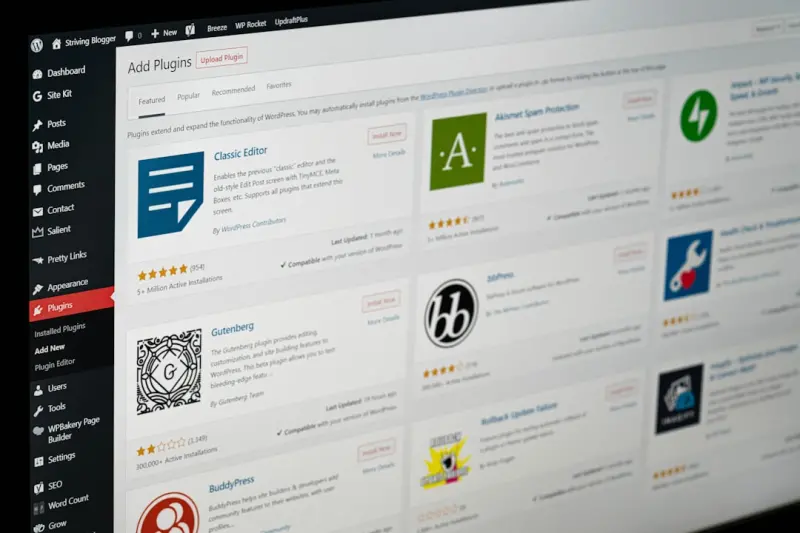
The Product Page Playbook: On‑Page SEO Tactics That Turn SaaS Demos into Traffic Magnets
A step‑by‑step guide that transforms SaaS product pages into high‑ranking, conversion‑optimi... Read More

Conversion‑First On‑Page SEO: Turning Rankings into Revenue
Discover a conversion‑first framework that aligns headlines, meta tags, hero sections, and interna... Read More
Top Posts
Semantic Page Architecture: The Next SEO Frontier
Learn how to build a Semantic Page Architecture that weaves intent, context, and structured data into every on‑page element, delivering higher relevance and r...Read More
The Evolution of Technical SEO: A Comprehensive Guide
Technical SEO is a critical component of a comprehensive SEO strategy. Learn how to optimize your website's technical aspects to improve search engine rankings ...Read More

The Community‑Centric Playbook: Turning Social Platforms into Growth Engines
A fresh, community‑first approach to social media transforms followers into co‑creators, using real‑time signals, micro‑influencers, and adaptive conten...Read More

The Future of SEO: How to Stay Ahead in a Changing Landscape
Stay ahead in SEO with expert tips on Google algorithms, technical SEO, and social media optimization. Learn how to adapt to changes in the SEO landscape and ma...Read More
0 Comments
Post Comment
You will need to Login or Register to comment on this post!