
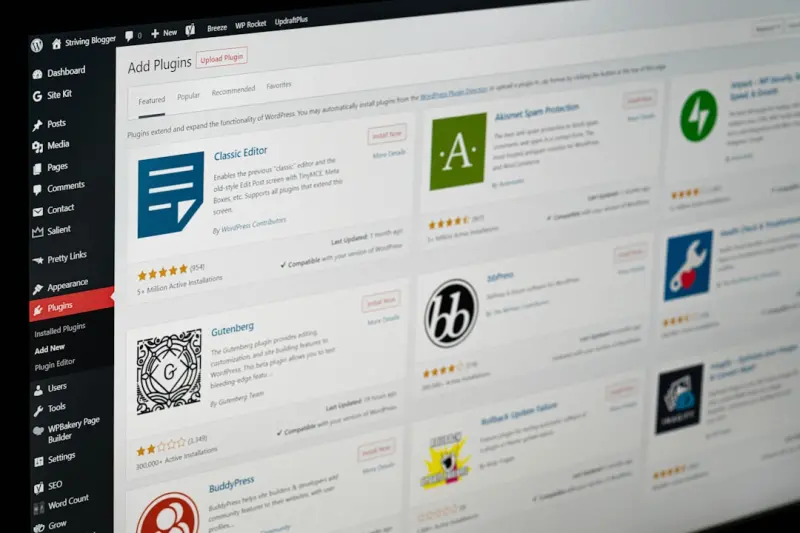
Why WordPress SEO Needs a Structural Overhaul
When I first migrated a legacy WordPress blog to a modern stack, I expected the usual suspects—keyword research, backlink building, and a handful of plugins—to do the heavy lifting. What I discovered instead was a fragile foundation: thin category pages, orphaned posts, and a theme that throttled page speed. In the world of SaaS, where every click can mean a trial or a churn, those structural cracks become revenue leaks.
That realization sparked a new obsession: treating WordPress not as a “blog platform” but as an architectural engine for SEO. The goal isn’t just to rank for a handful of keywords; it’s to build a site that consistently earns authority, distributes link equity, and scales with new product messaging without breaking the user experience.
Rethinking Site Architecture: From Flat Posts to Intent‑Driven Silos
Most WordPress sites start with a simple Posts → Categories → Tags hierarchy. It’s convenient, but it rarely reflects how search engines understand topic relevance. Instead of thinking in terms of “pages,” think in terms of search intent clusters—groups of pages that collectively answer a broader question.
For example, a SaaS company that offers a project‑management tool might create a “Project Planning” silo that includes:
- A pillar page titled “The Ultimate Guide to Project Planning”
- Supporting articles such as “How to Set Realistic Milestones,” “Choosing the Right Gantt Chart Software,” and “Risk Management Best Practices.”
Each supporting article links back to the pillar, and the pillar links out to each child. This semantic hub methodology signals to Google that your site owns the entire topic, not just isolated keywords.
Leveraging Custom Taxonomies for Precise Grouping
WordPress’s native categories and tags are limited to a single hierarchical level (categories) and a flat list (tags). When you need multi‑dimensional silos—say, grouping content by “buyer persona,” “product feature,” and “use case”—custom taxonomies become indispensable.
Here’s a quick roadmap to implement them without a developer nightmare:
- Register the taxonomies. Add the following to your theme’s
functions.php(or a site‑specific plugin):function my_seo_taxonomies() { register_taxonomy('persona', 'post', array( 'label' => 'Buyer Persona', 'hierarchical' => true, 'rewrite' => array('slug' => 'persona') )); register_taxonomy('feature', 'post', array( 'label' => 'Product Feature', 'hierarchical' => false, 'rewrite' => array('slug' => 'feature') )); } add_action('init', 'my_seo_taxonomies'); - Assign terms strategically. Every piece of content should have at least one “persona” and one “feature” term, ensuring a web of contextual relevance.
- Generate archive pages. Use a page builder or a simple template to display all posts for a given term—these become natural hub pages.
Because these taxonomies are built into the WordPress core, they won’t bloat your site with extra plugins, and they give you fine‑grained control over URL structures (e.g., /persona/marketing-managers/).
Schema Markup Without the Plugin Overload
Structured data is the language that search engines use to understand the “type” of content you’re presenting. While many marketers reach for a plugin that auto‑injects JSON‑LD, you can achieve the same results with a lightweight approach that keeps your page speed intact.
Insert a small snippet into your header.php or a site‑wide hook:
<script type="application/ld+json">
{
  "@context": "https://schema.org",
  "@type": "Article",
  "headline": "<?php the_title(); ?>",
  "author": {
    "@type": "Person",
    "name": "<?php echo get_the_author_meta('display_name'); ?>"
  },
  "datePublished": "<?php echo get_the_date('c'); ?>",
  "image": "<?php echo get_the_post_thumbnail_url(null, 'full'); ?>",
  "publisher": {
    "@type": "Organization",
    "name": "Your SaaS Brand",
    "logo": {
      "@type": "ImageObject",
      "url": "https://example.com/logo.png"
    }
  }
}
</script>
This code automatically pulls the relevant WordPress fields, ensuring each article is marked up without the overhead of a third‑party plugin. If you need more complex types—FAQs, How‑To steps, or Product schema—extend the JSON‑LD conditionally based on the custom taxonomy you defined earlier.
Performance as a Ranking Pillar
Google has repeatedly confirmed that page speed is a direct ranking factor. WordPress sites often suffer from “theme bloat” and unoptimized media. Here’s a concise performance checklist that fits into any SaaS marketing budget:
- Host on a modern, edge‑enabled platform. Providers that offer built‑in caching and CDN integration shave 1–2 seconds off Time to First Byte (TTFB).
- Enable lazy loading for images and iframes. Since WordPress 5.5, the
loading="lazy"attribute is native, but you can enforce it across older content with a simple filter. - Serve WebP images. Use a server‑side conversion tool (e.g.,
cwebp) or a one‑time plugin that rewrites image URLs to WebP equivalents. - Minify and combine CSS/JS. Tools like Autoptimize do a decent job, but for ultimate control, add a build step with
npm run buildand serve the compiled assets. - Leverage HTTP/2 multiplexing. Modern hosts automatically enable HTTP/2; confirm that your TLS certificate is active.
When you pair these performance gains with the structural upgrades described earlier, you’re not just ticking boxes—you’re creating a site that delivers value to both users and crawlers.
The Role of Internal Linking: A Strategic Blueprint
Internal links are the circulatory system of your SEO architecture. They pass PageRank, guide crawlers, and reinforce topical relevance. However, indiscriminate linking can dilute authority. Adopt a tiered linking strategy:
- Pillar-to-Child Links. Every supporting article links upward to its pillar with anchor text that reflects the broader query (e.g., “project planning best practices”).
- Child-to-Child Links. Within the same silo, reference sibling articles when they naturally complement the content (e.g., “If you’re interested in risk management, see our checklist”).
- Cross‑Silo Bridges. Only when a genuine semantic connection exists—such as a feature that spans multiple personas—should you link across silos, using precise anchor text to avoid keyword cannibalization.
Implement this at scale using a simple wp_insert_post hook that automatically appends a “Related Articles” section based on shared taxonomy terms. This automates consistency while freeing your content team to focus on creation.
Monitoring, Auditing, and Iterating
Even the best‑planned architecture needs regular health checks. Here’s a streamlined audit routine you can embed into your monthly SEO calendar:
- Coverage Report in Google Search Console. Look for “Submitted URL not indexed” errors that often indicate orphaned pages.
- Core Web Vitals Dashboard. Track LCP, FID, and CLS across key silo pages. A spike in CLS on a pillar page can erode trust.
- Internal Link Equity Map. Tools like Screaming Frog or Ahrefs let you export a link graph; verify that each pillar maintains a high “inbound internal link” count relative to its children.
- Schema Validation. Use Google’s Rich Results Test on a random sample of pages each month to catch broken JSON‑LD.
When you spot gaps—say, a new product feature that isn’t represented in any silo—create a quick “feature‑spotlight” post, assign it the appropriate taxonomy terms, and weave it into the existing internal link structure. This proactive habit ensures your SEO architecture evolves alongside your product roadmap.
Putting It All Together: A Sample Workflow
Below is a high‑level checklist you can hand to your content ops team:
- Keyword & Intent Research. Identify a primary query (e.g., “project management software for remote teams”).
- Define the Silo. Create a pillar page outline that answers the macro‑question.
- Map Supporting Articles. Draft a list of sub‑topics, each assigned a custom taxonomy term for “persona” and “feature.”
- Write & Optimize. Include schema via the JSON‑LD snippet, embed relevant internal links, and optimize images for WebP.
- Publish & Automate. Use a custom post status workflow that triggers the “Related Articles” block based on shared taxonomy.
- Audit. Run the monthly health check and adjust the internal linking graph as needed.
Following this repeatable loop turns WordPress into a growth‑centric platform—one that not only ranks but also adapts as your SaaS product evolves.
Final Thoughts: From Plugin‑Heavy to Architecture‑First
It’s tempting to chase the next shiny SEO plugin, but lasting authority comes from a solid foundation: a well‑structured site, purposeful taxonomy, lean schema, and lightning‑fast performance. When you treat WordPress as an engineered system rather than a collection of posts, you give search engines a clear, navigable map of your expertise—and you give prospects a frictionless path to conversion.
If you’re ready to shift from “SEO hacks” to “SEO architecture,” start with one silo today. Build the taxonomy, lay the internal links, and watch how Google’s crawlers begin to treat your WordPress site as a single, authoritative source rather than a scatter of disconnected articles.
Need inspiration on how to weave conversion‑focused on‑page tactics into your new silos? The principles are identical—just replace the sales‑centric CTA with a clear, intent‑aligned call to action that guides the reader deeper into the funnel.

Related Posts

Supercharging WordPress SEO: Gutenberg, Structured Data, and Headless Strategies
Learn a fresh WordPress SEO framework that leverages Gutenberg, schema blocks, headless setups, and ... Read More

Unlocking WordPress SEO: A Human‑Centric Playbook for Modern Marketers
Discover a human‑centric WordPress SEO roadmap that blends technical mastery, compelling storytell... Read More

Empathy‑First WordPress SEO: A Human‑Centric Blueprint for Rankings
Learn the human‑centric tactics that make WordPress SEO thrive— from site architecture and conte... Read More
Top Posts

Shoppable Stories: Turning Social Feeds into Instant Checkout Zones
Learn why shoppable stories are the future of social media advertising, from platform‑specific tactics to dynamic product feeds and emerging AR checkout solut...Read More

Turning Customer Success Signals into a Self‑Fueling Content Engine
Discover a practical six‑step framework that transforms customer success data into high‑impact content, aligns teams, and builds a self‑optimizing content...Read More

From Data to Relationships: The New Era of Intent‑First Link Building
Learn why modern link building focuses on user intent, data insights, and genuine collaborations to earn high‑quality backlinks that drive real traffic and gr...Read More

Why B2B SaaS Teams Need a Social Media Governance Framework (And How to Build One)
A practical guide for B2B SaaS marketers on establishing a social media governance framework that safeguards brand integrity, ensures compliance, and enables ag...Read More
0 Comments
Post Comment
You will need to Login or Register to comment on this post!