
Why User Experience Has Become the New SEO Frontier for WordPress
When I first started optimizing WordPress sites, the conversation revolved around keyword density, backlinks, and meta tags, but today the search engines are whispering a different story—one that places user experience front and center. Google’s algorithms now reward sites that load in a flash, stay stable as users scroll, and keep visitors engaged long enough to signal real value; in other words, the technical health of your site is no longer a behind‑the‑scenes concern, it is a ranking signal that can eclipse traditional tactics. For WordPress owners this means we must look beyond plugins and start treating theme selection, code hygiene, and front‑end performance as core SEO levers. The shift feels like moving from a sprint to a marathon, where each step you take for your readers—whether it’s a smoother navigation menu or a faster‑loading image—adds up to measurable SERP gains.
Core Web Vitals: The Metric Suite That Translates Experience Into Rankings
Core Web Vitals, a trio of metrics that gauge loading speed, interactivity, and visual stability, have become the most transparent way to see how user experience impacts your rankings; the three pillars—Largest Contentful Paint (LCP), First Input Delay (FID), and Cumulative Layout Shift (CLS)—each have specific thresholds that, when met, earn you the coveted “good” badge in Google Search Console. In practice, an LCP under 2.5 seconds tells visitors that the main headline or hero image appears almost instantly, while a sub‑second FID assures that clicking a button feels responsive, and a CLS below 0.1 guarantees that layout shifts don’t surprise readers mid‑read. To hit these targets on WordPress you need a combination of server‑side tweaks, such as enabling HTTP/2 and leveraging a reliable CDN, and front‑end strategies like lazy‑loading off‑screen images, minifying CSS, and deferring non‑critical JavaScript. The good news is that many of these changes are built into modern themes, but they require conscious configuration—otherwise you risk squandering the SEO advantage that a fast, stable experience offers.
Accessibility and Semantic Structure: Hidden SEO Gold Mines
While speed is a headline metric, accessibility often hides in plain sight, yet it sends powerful relevance signals to search engines; using proper heading hierarchy, descriptive alt text, and ARIA attributes not only helps screen‑reader users but also gives crawlers clearer context about the page’s content. A WordPress site that consistently applies <h1> for the primary title, follows with <h2> and <h3> for subsections, and tags images with concise, keyword‑rich alt attributes creates a semantic map that search bots love to traverse, improving both indexing depth and topical authority. Moreover, when you pair these practices with an internal linking strategy—such as linking related posts within the same topic cluster—you amplify the contextual relevance, a tactic I’ve detailed in my guide on unlock the hidden power of internal links for SEO success. The result is a site that feels inclusive to human visitors while simultaneously presenting a tidy, well‑structured data set for search engines to digest.
Selecting a Performance‑First Theme: The Foundation of a Healthy WordPress Site
Choosing the right theme is akin to picking a solid foundation for a house; a bloated, feature‑rich theme can add unnecessary CSS, JavaScript, and PHP overhead that drags down LCP and inflates CLS, while a lightweight, performance‑first theme gives you a clean canvas to build upon without sacrificing design flexibility. When evaluating themes, look for those that advertise “minimal CSS,” “native lazy loading,” and “built‑in schema markup,” as these built‑in features reduce the need for additional plugins that often conflict or duplicate functionality. I recommend testing any candidate with tools like PageSpeed Insights or GTmetrix before committing, because a theme that scores 90+ on mobile performance typically translates into faster load times, lower bounce rates, and higher rankings. Remember, the theme is the backbone of your WordPress SEO, and a solid, optimized theme can shave off crucial seconds that make the difference between a user staying on the page or bouncing to a competitor.
Custom CSS vs. Plugin Overload: Streamlining Code for Better Rankings
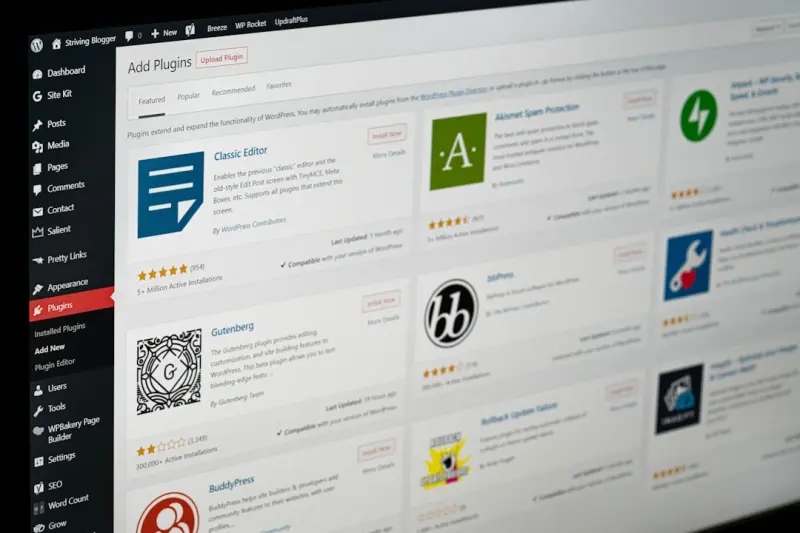
WordPress offers a dizzying array of plugins that promise to solve every visual or functional problem, but each active plugin adds HTTP requests, PHP processing time, and potential security vulnerabilities that can sabotage your Core Web Vitals scores. A more sustainable approach is to rely on custom CSS and a handful of well‑coded, essential plugins, especially when it comes to styling elements that could otherwise be handled by the theme’s built‑in options. By consolidating styles into a single stylesheet and using a CSS pre‑processor like Sass, you can minify and combine files, reducing round‑trip times and improving FID. Additionally, leveraging WordPress’s built‑in block editor (Gutenberg) to create reusable patterns eliminates the need for page‑builder plugins that often inject heavy JavaScript payloads. This minimalist mindset not only keeps the codebase lean but also aligns with Google’s preference for sites that deliver content without unnecessary bloat, thereby giving you a measurable SEO edge.
Image Optimization: Balancing Visual Appeal with Page Speed
Images are the visual soul of most WordPress blogs, yet they are also the biggest culprits behind sluggish load times if not handled correctly; an uncompressed JPEG can be ten times larger than necessary, inflating LCP and causing users to abandon the page before the main content appears. The modern solution is a three‑step workflow: first, resize images to the exact dimensions needed for your layout; second, compress them using tools like TinyPNG or the built‑in WordPress image optimizer; and third, serve them in next‑gen formats such as WebP, which offers superior compression without sacrificing quality. Many premium themes now include native support for responsive images, automatically generating srcset attributes that deliver the appropriate file size based on the visitor’s device. When combined with lazy loading—either through native HTML attributes or a lightweight script—you ensure that images load only when they enter the viewport, dramatically improving both LCP and perceived page speed.
Internal Linking Synergy: Connecting Content for SEO and User Flow
While external backlinks still carry weight, the internal linking architecture of a WordPress site is a powerful, underutilized lever for both SEO and user experience; thoughtful linking creates pathways that guide visitors through related topics, increasing time on site and reducing bounce rates, which Google interprets as signals of relevance. To build this synergy, start by mapping out pillar content—comprehensive guides that cover a core topic in depth—and then interlink related, narrower posts as supporting clusters. Using WordPress’s block editor, you can embed contextual links directly within the content, ensuring they appear natural and add value. For larger sites, consider a plugin that automatically suggests internal links based on keyword relevance, but always review suggestions to avoid over‑optimization. By marrying internal linking with the accessibility practices mentioned earlier, you craft a web of content that is both easy for users to navigate and simple for crawlers to understand, boosting overall site authority.
Actionable Checklist: Turning Experience‑First Insights Into Rankings
To translate the concepts above into tangible results, I like to follow a simple checklist that can be executed in weekly sprints; first, audit your theme for unused CSS and JavaScript and disable or remove any that aren’t essential, then run a Core Web Vitals test and address any LCP or CLS issues by optimizing hero images and eliminating layout shifts. Next, run an accessibility audit—tools like axe or Lighthouse will flag missing alt text and heading order problems—while simultaneously weaving internal links into existing posts using the strategy from my technical playbook for WordPress SEO. Finally, set up automated image optimization with a plugin that converts uploads to WebP and enables lazy loading, and schedule quarterly reviews to ensure new content adheres to the same performance and accessibility standards. By treating user experience as an ongoing SEO discipline rather than a one‑off fix, you create a resilient WordPress site that not only climbs the rankings but also delights every visitor who lands on it.

Related Posts

Empathy‑First WordPress SEO: A Human‑Centric Blueprint for Rankings
Learn the human‑centric tactics that make WordPress SEO thrive— from site architecture and conte... Read More
WordPress SEO in 2024: A Human‑Centric Blueprint from Jessica Gills
Jessica Gills shares a 2024 WordPress SEO blueprint that blends technical fundamentals with human‑... Read More

Empathy‑First WordPress SEO: Turning Users into Loyal Fans
Learn why empathy, not just keywords, is the key to WordPress SEO success. Explore human‑first tac... Read More
Top Posts

Revolutionizing Your Social Media Strategy for Maximum Engagement
Revolutionizing your social media strategy requires a deep understanding of your target audience, content strategy, and social media platforms. Learn how to cre...Read More

From Data to Dollars: A Pragmatic Roadmap for Data‑Driven Link Building in SaaS
Discover a practical, data‑driven link building strategy that turns analytics into authority, enabling SaaS marketers to secure high‑quality backlinks and s...Read More

Why SaaS Brands Should Make Audio the Core of Their Content Strategy
An audio‑first content strategy unlocks new engagement pathways for SaaS businesses. Learn practical steps, distribution tactics, and measurement methods to t...Read More

Prompt‑First Content Factories: Scaling B2B Assets with Generative AI
Discover a repeatable, data‑driven workflow that uses modular AI prompts to turn research, product insights, and customer data into high‑quality B2B content...Read More
0 Comments
Post Comment
You will need to Login or Register to comment on this post!