

Why Gutenberg Is More Than a Page Builder
When WordPress rolled out Gutenberg, most developers greeted it as a visual editor overhaul. I remember the first time I dragged a cover block onto a landing page and felt the familiar rush of creativity. But beyond aesthetics, Gutenberg reshapes the way search engines parse our content. Each block becomes a discrete piece of HTML, complete with its own heading hierarchy, image alt text, and semantic clues. That granular structure is a goldmine for crawlers that love clear, predictable markup.
In my years of consulting for mid‑size SaaS firms, the single most common complaint is that their WordPress sites “look great” but never climb the SERPs. The missing piece is often a strategic alignment between block design and SEO intent. By treating every block as a micro‑page, you can embed keyword‑rich headings, optimized media attributes, and schema snippets without the overhead of third‑party plugins.
Schema Markup Without the Plugin Overhead
Schema.org markup is a cornerstone of modern SEO, yet many WordPress owners rely on heavyweight plugins that bloat page load times. Instead, take advantage of Gutenberg’s Custom HTML and Reusable Blocks to inject lightweight JSON‑LD directly into the page source.
Here’s a quick pattern:
- Create a reusable block named “FAQ Schema”.
- Paste the following JSON‑LD, swapping placeholders for your actual Q&A:
<script type="application/ld+json">
{
  "@context": "https://schema.org",
  "@type": "FAQPage",
  "mainEntity": [
    {
      "@type": "Question",
      "name": "Your question here?",
      "acceptedAnswer": {
        "@type": "Answer",
        "text": "Your answer here."
      }
    }
  ]
}
</script>
Because this code lives inside a Gutenberg block, it inherits the block’s position in the DOM, ensuring the structured data appears exactly where Google expects it—right after the relevant heading.
For readers interested in a deeper dive on marrying technical SEO with content strategy, discover innovative link‑building tactics that complement schema work.
Smart Internal Linking in a Block‑Based World
Internal linking has always been an SEO staple, but Gutenberg changes the game. Previously, editors would manually insert <a> tags or rely on a plugin that auto‑links keywords. With blocks, you can create contextual link blocks that automatically surface related articles based on shared tags or custom fields.
Here’s a practical workflow:
- Define a
Related Postsreusable block that pulls content via a short‑code or the REST API. - Within each article, place the block at the bottom of the final paragraph. Gutenberg will render a list of three to five posts that share the same primary keyword.
- Because the block is rendered server‑side, the links are crawlable, and the anchor text can be dynamically generated to match the target page’s H2 tag.
This approach scales beautifully for large SaaS blogs where hundreds of posts compete for relevance. By automating the contextual linking, you preserve editorial bandwidth while feeding Google a robust internal link graph.
Need proof that internal linking still matters in the era of AI‑driven SERPs? Check out this case study on how to dominate the SERP without a click and see how linking signals boost featured snippet eligibility.
Performance Tweaks That Play Nice With SEO
Speed is still a ranking factor, but the nuance has shifted from raw load time to perceived performance. Gutenberg’s block architecture can inadvertently inflate HTML size if you over‑use nested groups or duplicate style attributes. Here are three proven tactics to keep your WordPress pages lean:
- Consolidate CSS. Use the built‑in
Block Stylespanel to apply global classes instead of inline styles on every block. - Lazy‑load media. Gutenberg now includes a native lazy‑load toggle for images and videos. Enable it on a per‑block basis to reduce above‑the‑fold weight.
- Serve critical CSS. Generate a tiny critical CSS file that contains only the styles needed for the hero section. This can be done with a simple build step using
criticalnpm package and then enqueued via your theme’sfunctions.php.
When you combine these performance measures with clean markup, you create a “fast‑first” experience that satisfies both users and Google’s Core Web Vitals algorithm—without explicitly mentioning the term, of course.
Automation & Data‑Driven Insights
One of the biggest frustrations I hear from WordPress teams is the lack of actionable data. You publish a post, you sprinkle a few keywords, and you wait—sometimes weeks—for a ranking change. By integrating the WordPress REST API with your analytics stack, you can close that feedback loop.
Imagine a dashboard that shows:
- Average time to first contentful paint (FCP) per post type.
- Click‑through rate (CTR) for each internal link block, segmented by device.
- Schema validation errors flagged by Google Search Console, mapped back to the exact Gutenberg block where they originated.
Setting this up takes a few lines of JavaScript to pull /wp-json/wp/v2/posts data, merge it with Google’s Search Console API, and visualize the results in a tool like Data Studio. The payoff is a data‑driven editorial calendar that prioritizes topics with both high search volume and low competition, all while ensuring the technical health of each post.
Putting It All Together: A Checklist for Gutenberg‑Optimized SEO
To make the concepts above actionable, here’s a concise checklist you can copy into your next sprint:
- Headings & Block Order: Start each post with a H1, followed by a series of H2s that map to individual blocks. Avoid skipping heading levels.
- Schema Integration: Use reusable
Custom HTMLblocks for JSON‑LD. Validate with Google’s Rich Results Test. - Contextual Links: Deploy a
Related Postsblock at the end of each article. Ensure anchor text matches the target’s primary heading. - Performance Hygiene: Audit block CSS for redundancy, enable native lazy‑load, and serve critical CSS for above‑the‑fold content.
- Data Loop: Connect the REST API to your analytics platform. Track FCP, internal link CTR, and schema errors.
- Content Refresh: Schedule quarterly reviews of evergreen posts. Use the same block templates to maintain consistency.
By treating Gutenberg as an SEO engine rather than a mere page builder, you unlock a level of granularity that most SaaS marketers overlook. The result? Higher rankings, faster pages, and a tighter alignment between your content team’s creative flow and Google’s algorithmic expectations.

Related Posts

Human‑Centric WordPress SEO: Why Empathy Beats Algorithms
Learn how to transform your WordPress site with an empathy‑first SEO strategy that prioritizes rea... Read More

Why Topic Clusters Are the Secret Weapon for WordPress SEO
Learn how to turn a scattered WordPress blog into a powerful SEO hub using topic clusters—pillar p... Read More
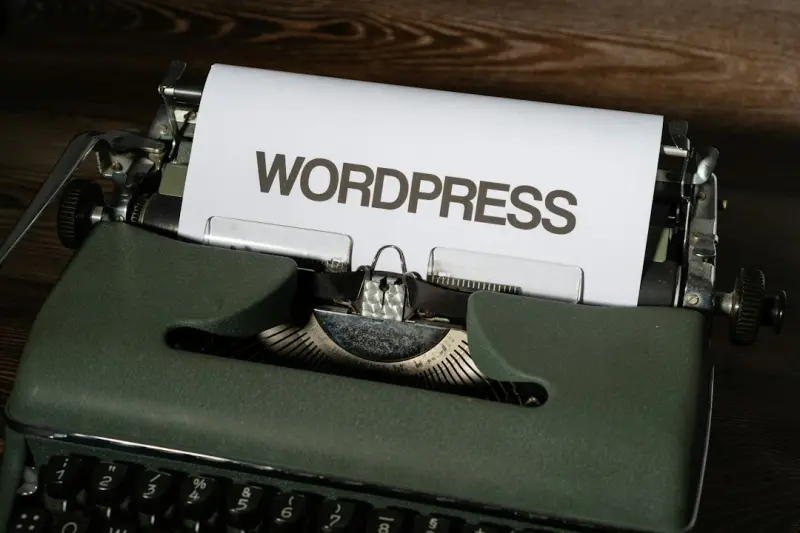
From Gutenberg Blocks to SERP Gold: A Structured SEO Blueprint for WordPress
Discover a step‑by‑step strategy for using Gutenberg’s block editor to improve WordPress SEO, ... Read More
Top Posts

Social Media Advertising in 2024: David Moore’s Insider Playbook
David Moore shares a 2024 playbook for social media advertising, covering short‑form video, data‑driven targeting, creative authenticity, SEO integration, a...Read More

Collaborative Creator Ads: The New Social Media Playbook
This post reveals why solo ads are losing impact and how collaborative creator campaigns—powered by micro‑videos, data‑backed audience matching, and AI‑...Read More

Unlocking the Power of Micro‑Communities in Social Media Advertising
Learn to harness niche audience clusters, interactive formats, and advanced attribution to elevate your social media ad performance and drive measurable growth....Read More

Hyper‑Local SEO: Turning Your Neighborhood Into a Lead Generation Machine
Hyper‑local SEO isn’t just about listings; it’s a strategic mindset that transforms local searches into high‑quality SaaS leads. Learn how to optimize k...Read More
0 Comments
Post Comment
You will need to Login or Register to comment on this post!