

When I first audited a SaaS dashboard for a client, the most glaring issue wasn’t a missing meta tag or a thin keyword list – it was the site’s accessibility gaps. The navigation was keyboard‑unfriendly, images lacked descriptive alt attributes, and form fields were invisible to screen readers. The irony? Those very gaps were also the silent killers of on‑page SEO performance. In this post I’ll walk you through why accessibility isn’t just a compliance checkbox; it’s a hidden lever that can amplify your on‑page SEO, boost user engagement, and ultimately drive more qualified leads.
Why Accessibility and SEO Are Two Sides of the Same Coin
Search engines strive to deliver the best possible experience to users, and they’ve become increasingly adept at interpreting signals that reflect that experience. Accessibility signals – such as proper heading hierarchy, meaningful alt text, and ARIA attributes – help crawlers understand page structure just as a human reader would. When you close the accessibility gap, you automatically provide clearer cues for search engines, which can translate into higher relevance scores, richer snippets, and better rankings.
Think of it as a conversation: if your site speaks in a language that both humans and machines can understand, the dialogue becomes smoother and more persuasive. The From Keywords to Context: A Pragmatic On‑Page SEO Playbook for SaaS guide touched on contextual relevance, but it didn’t dive deep into how accessibility can be the conduit that carries that context from page to SERP.
Start with the Basics: WCAG Principles That Influence SEO
The Web Content Accessibility Guidelines (WCAG) are organized around four core principles – Perceivable, Operable, Understandable, and Robust (POUR). Each of these pillars aligns with fundamental SEO best practices:
- Perceivable: Provide text alternatives for non‑text content. Search engines can’t “see” images, but they can read alt attributes. Well‑crafted alt text not only satisfies screen readers but also offers valuable keyword context for image search.
- Operable: Ensure all functionality is available via keyboard. A site that’s easy to navigate keeps users longer, lowering bounce rates – a metric search engines monitor closely.
- Understandable: Write clear, concise content and use consistent navigation. This reduces cognitive load, encouraging users to explore more pages, which boosts internal linking strength.
- Robust: Use clean, standards‑compliant HTML so that both browsers and crawlers can parse your markup reliably.
When you audit your site through the POUR lens, you’ll uncover opportunities to tighten both the user experience and the SEO foundation.
Headings and Semantic Structure: The Blueprint for Both Readers and Robots
Headings are the scaffolding of any page. Search engines use <h1> through <h6> tags to map the hierarchy of content, while assistive technologies rely on the same hierarchy to let users jump between sections. A common mistake is to use visual styles (big fonts, bold text) without the proper heading tags. The result? A page that looks organized to the eye but appears chaotic to a crawler.
Here’s a quick sanity check:
- Only one
<h1>per page, usually the primary value proposition. - Use
<h2>for major sections (features, benefits, FAQs). - Sub‑sections become
<h3>and so on, preserving a logical flow.
When you pair this structure with clear, descriptive anchor text for internal links, you create a breadcrumb trail that both users and Google love.
Alt Text: The Unsung Hero of Image SEO and Accessibility
Images are a double‑edged sword. They enrich the user experience but become invisible to search bots without proper description. Craft alt text that answers two questions:
- What is the image showing?
- Why does it matter to the page’s topic?
For example, instead of “screenshot1.png”, write “Dashboard view showing real‑time churn analytics for SaaS subscription plans”. Notice how the alt text naturally includes relevant keywords while describing the image’s purpose. This practice not only helps visually impaired users understand the content but also boosts relevance for image search queries.
ARIA Labels and Roles: Giving Context Where HTML Falls Short
When native HTML elements can’t convey the required meaning, ARIA (Accessible Rich Internet Applications) attributes step in. For instance, a custom modal that’s built with <div> tags needs role="dialog" and aria‑label to inform both screen readers and crawlers that it’s a dialog box.
From an SEO perspective, ARIA helps prevent content from being orphaned. Search engines that parse the DOM will recognize the modal’s purpose, reducing the chance of it being flagged as hidden or irrelevant content. However, use ARIA sparingly – over‑annotation can confuse both users and bots.
Keyboard Navigation: A Hidden Metric That Influences Dwell Time
Pages that are fully operable via keyboard often see higher dwell times because users can move through content without friction. Longer dwell times signal to Google that the page satisfies user intent, a factor that indirectly influences rankings.
Test your site with the Tab key alone. If you encounter dead‑ends, focus traps, or invisible focus outlines, you’ve identified a usability issue that likely hurts SEO as well. Implement visible focus states (e.g., a subtle border or background change) and ensure logical tab order.
Form Accessibility: Turning Leads into Conversions
Forms are the heart of SaaS lead capture. An inaccessible form not only alienates a segment of users but also leads to higher abandonment rates. Here’s a checklist to make your forms both accessible and SEO‑friendly:
- Label every input with a
<label>element and associate it via theforattribute. - Provide descriptive
placeholdertext, but never rely on it as the sole label. - Use
aria‑required="true"for mandatory fields, and clearly indicate required status in the UI. - Validate inputs on the client side and surface error messages in a way that screen readers can announce them (e.g.,
role="alert").
By reducing friction, you improve form completion rates, which in turn signals to search engines that the page delivers value – a positive SEO signal.
Core Web Vitals Meet Accessibility: The Synergy You Can’t Ignore
Google’s Core Web Vitals (Largest Contentful Paint, First Input Delay, Cumulative Layout Shift) are now core ranking factors. Accessibility enhancements often dovetail with performance improvements. For example, providing descriptive alt text reduces the need for large background images, which can improve LCP. Ensuring focus outlines are visible eliminates layout shifts that might otherwise trigger CLS warnings.
To see the practical side of this overlap, check out the Supercharge Your WordPress Site with Core Web Vitals and SEO Best Practices article – it details how performance tweaks can also benefit accessibility, creating a win‑win for SEO.
Case Study: Turning an Inaccessible SaaS Landing Page into an SEO Magnet
One of my recent clients, a B2B SaaS platform, had a landing page that ranked on the third page of Google for their primary keyword. The page’s bounce rate was a staggering 78%, and the conversion rate hovered around 1.2%.
After a thorough accessibility audit, we made the following changes:
- Rewrote all headings to follow a proper hierarchy.
- Added concise, keyword‑rich alt text to every image and illustration.
- Implemented ARIA labels for interactive charts and replaced generic
divelements with semanticsectiontags. - Ensured the “Get a Demo” form had fully labeled inputs and clear error messages.
- Optimized focus states and removed any focus traps.
Within eight weeks, organic traffic to that page increased by 62%, the bounce rate dropped to 41%, and the conversion rate rose to 3.8%. The client attributed the lift not only to better SEO but also to an inclusive user experience that resonated with a broader audience.
Actionable Checklist: Make Your SaaS Site Both Accessible and SEO‑Ready
Use this quick‑reference checklist during your next site audit:
- Heading Hierarchy: Verify a single
<h1>and logical<h2>‑<h6>flow. - Alt Text: Write descriptive, keyword‑aware alt attributes for all images.
- ARIA Usage: Apply ARIA roles only when native HTML can’t convey meaning.
- Keyboard Navigation: Test tab order, focus visibility, and avoid focus traps.
- Form Labels: Ensure every form field has an associated
<label>and clear error handling. - Semantic HTML: Use
<nav>,<section>,<article>, and other landmarks. - Performance: Minimize large images, compress assets, and monitor Core Web Vitals.
- Internal Linking: Use descriptive anchor text that reflects page topics.
- Testing Tools: Run Lighthouse, axe, and Google Search Console to catch issues.
Regularly revisit this list – accessibility is an ongoing commitment, and search engine algorithms evolve constantly.
Conclusion: Accessibility as a Competitive SEO Advantage
In a crowded SaaS market, every marginal gain matters. By weaving accessibility into the fabric of your on‑page SEO strategy, you’re not only future‑proofing your site against regulatory changes but also unlocking a potent source of ranking signals, user satisfaction, and conversion power. The next time you sit down to write a meta description or tweak a heading, ask yourself: “Is this also helping a user with a screen reader or a keyboard‑only navigation style?” If the answer is yes, you’ve hit the sweet spot where inclusivity meets optimization.

Related Posts

Internal Linking Blueprint for SaaS On‑Page SEO
A deep dive into building a purposeful internal linking system for SaaS sites, covering hierarchy, a... Read More

Semantic HTML & Structured Data: A Fresh Playbook for On‑Page SEO
Learn a practical, future‑proof strategy that uses semantic HTML, structured data, and content pru... Read More

Personalized On‑Page SEO: Serving the Right Content to the Right Searcher
Discover how to move beyond static SEO tactics by using data‑driven content variations that match ... Read More
Top Posts
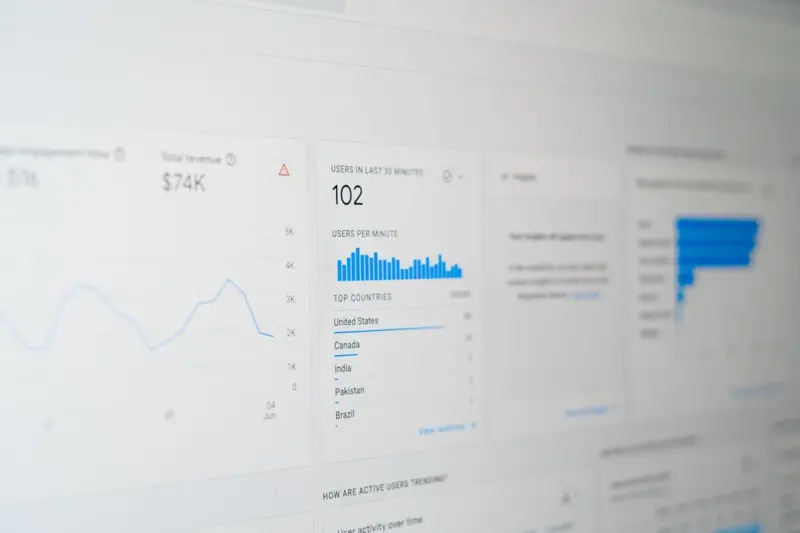
Local SEO Beyond Listings: Turning Real‑World Relationships into Search Power
Learn a fresh, relationship‑first approach to local SEO for SaaS, using offline events, community partnerships, and structured data to turn real‑world inter...Read More
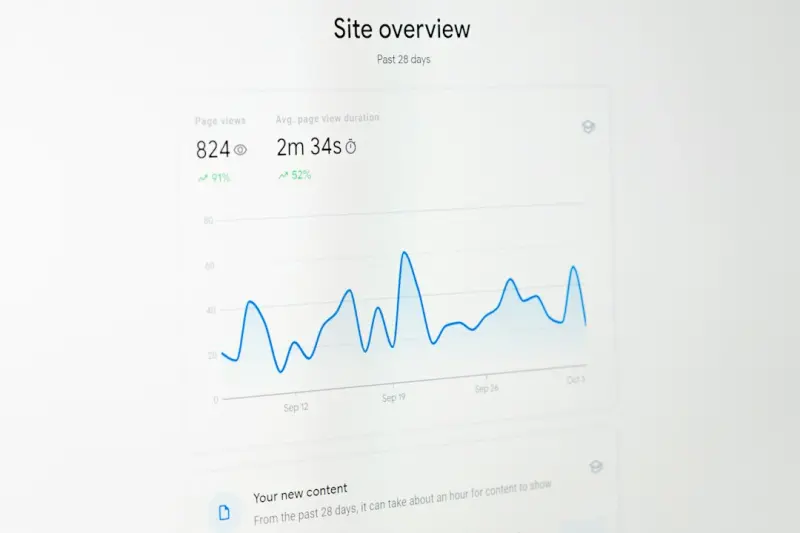
Predictive SEO: Forecasting Search Trends to Stay Ahead in SaaS
Discover a data‑driven approach to SEO that uses predictive modeling, trend analysis, and rapid content execution to anticipate emerging queries, boost organi...Read More

The Evolution of Content Marketing: Navigating the Shifting Landscape
Content marketing is evolving rapidly. Stay ahead with insights on trends, strategies, and best practices for navigating the shifting landscape....Read More

From Data to Rankings: A Blueprint for Intent‑First SEO
Learn how to turn raw user intent data into a powerful SEO strategy, leveraging semantic clusters, structured data, and crawl‑budget tactics for lasting searc...Read More
0 Comments
Post Comment
You will need to Login or Register to comment on this post!