

Why Your SaaS Knowledge Base Is the Secret SEO Weapon You’ve Ignored
When I first joined the product marketing team at a mid‑stage SaaS startup, my to‑do list was a blur of landing‑page audits, backlink campaigns, and keyword research. Yet, every time a prospect landed on our support portal, they seemed to slip away. The solution, I discovered, wasn’t more backlinks—it was the untapped SEO potential of our own documentation.
Most SaaS marketers treat help articles, API references, and onboarding guides as afterthoughts: “they’re for users, not for Google.” In reality, these assets sit at the intersection of high‑intent queries and low‑competition keywords. When optimized correctly, they become perpetual traffic magnets, nurturing prospects right where they’re looking for answers.
Mapping User Intent Inside Your Docs
Before you sprinkle keywords onto a page, you need to understand the why behind each search. Users landing on a SaaS doc are usually in one of three states:
- Discovery: “What does X platform do for project management?”
- Evaluation: “How does Feature A compare to Feature B?”
- Implementation: “How do I set up webhooks in the API?”
By categorizing these intents, you can align each piece of documentation with the appropriate stage of the buyer’s journey. This approach not only satisfies the user but also signals to search engines that your content is the most relevant answer.
Structuring Content for Search Engines (and Humans)
Search engines love clear, hierarchical content. Here’s a quick checklist I use when I audit a doc page:
- Title Tag: Include the primary keyword and the product name, e.g., “Webhooks Setup – MyApp API Documentation”.
- Meta Description: Summarize the solution in 150 characters, using a call‑to‑action like “Learn how to integrate webhooks in minutes.”
- Header Hierarchy: H1 for the page title, H2 for major sections, H3 for sub‑steps. This not only aids skimming but also gives Google a semantic map.
- Answer First: Start each section with a concise answer (one‑sentence summary) before diving into details. This satisfies voice‑search snippets and featured‑snippet algorithms.
When you combine this structure with structured data, you give search engines a rich context that can elevate your docs straight into answer boxes.
Leveraging Schema & Structured Data for Docs
Google’s Article and Q&A schema types are perfect for SaaS documentation. Here’s how I implement them:
- FAQ Schema for Common Errors: Turn “Why is my API key invalid?” into a FAQ block. The markup looks like a simple JSON‑LD snippet that Google can pull directly into search results.
- How‑To Schema for Step‑by‑Step Guides: Use the
HowTotype for onboarding flows. Each step gets its ownnameandurl, making the guide appear as a carousel in SERPs. - SoftwareSourceCode Schema for Code Samples: When you publish code snippets, wrap them in
SoftwareSourceCodemarkup. This helps developers find your example directly from search.
These snippets not only boost click‑through rates but also position your brand as the authoritative source for technical answers.
Internal Linking & Semantic Topic Clustering
One mistake I see time and again is treating each doc page as an isolated island. The power of internal linking lies in creating a web of relevance. Here’s my three‑step method:
- Cluster by Core Topic: Identify pillar topics (e.g., “Integrations”, “Security”, “Reporting”) and group related docs under them.
- Use Descriptive Anchor Text: Instead of “click here”, write “OAuth 2.0 authentication guide”. This tells Google exactly what the linked page is about.
- Cross‑Reference Frequently: When a doc mentions a related feature, embed a link to the corresponding article. This not only improves crawl depth but also keeps users engaged longer.
When done right, clusters become mini‑authority sites within your domain, reinforcing topical relevance and boosting rankings across the entire group.
Turning Docs Into Snippet‑Ready Content
Featured snippets are the holy grail of zero‑click traffic. Docs naturally lend themselves to snippet format because they answer questions succinctly. Follow these tactics:
- Use Tables for Comparison Queries: “Feature A vs. Feature B” tables often surface as “Comparison” snippets.
- Bullet Lists for “How to” Steps: Google loves ordered lists for “How do I…?” queries.
- Bold Key Phrases: Highlight the exact phrase users search for; it signals relevance to crawlers.
After publishing, monitor the Performance report in Google Search Console for “position 0” impressions. Adjust the copy until you see the snippet appear.
Repurposing Documentation for Blog & Social Channels
Don’t let your docs sit behind a login wall if they’re meant to be discoverable. Consider these repurposing strategies:
- Extract “Quick Tips”: Turn a long troubleshooting guide into a series of tweetable tips.
- Blog Summaries: Write a blog post that narrates a common use‑case and links back to the full doc for details.
- Video Walkthroughs: Record a short video of a step‑by‑step guide and embed it on the doc page, adding video schema.
This not only drives external backlinks to your docs but also expands the keyword footprint across multiple content types.
Measuring the Impact: KPIs That Matter
SEO for documentation isn’t just about rankings; it’s about business outcomes. Track these metrics:
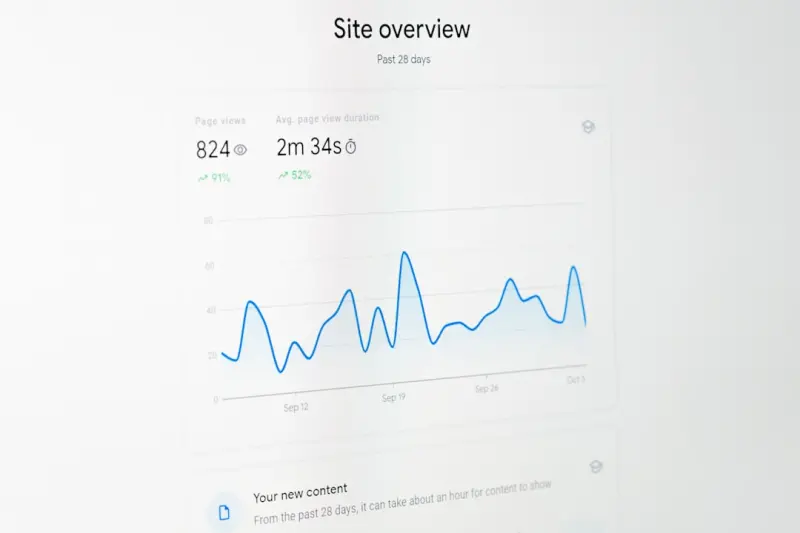
- Organic Sessions to Docs: Use a segment in Google Analytics to isolate traffic to /help/ or /docs/.
- Conversion Path Length: See if users who land on a doc page convert faster than those who start on a landing page.
- Search Console Click‑Through Rate (CTR): High CTR on a doc indicates the snippet is compelling.
- Support Ticket Deflection Rate: A drop in tickets for topics with optimized docs shows you’re solving problems pre‑emptively.
When you can tie improved SEO performance to reduced support costs or increased trial sign‑ups, the ROI becomes crystal clear.
Common Pitfalls & How to Avoid Them
Even with a solid strategy, it’s easy to stumble. Here are the traps I’ve watched teams fall into:
- Duplicate Content: Many SaaS platforms have separate “Getting Started” pages for web, mobile, and API. Consolidate them with canonical tags to avoid dilution.
- Over‑Optimization: Stuffing the same keyword into every heading looks spammy. Aim for natural variations.
- Neglecting Mobile: Docs must be fully responsive. Google’s mobile‑first indexing will penalize clunky layouts.
- Ignoring User Feedback: If users repeatedly search for a term that isn’t covered, create a doc for it. The data is a goldmine for new keyword opportunities.
Final Thoughts: Turn Documentation Into a Growth Engine
SEO is often portrayed as a battle of backlinks and content farms, but for SaaS companies, the most valuable asset is already in your own backyard: the knowledge base. By aligning documentation with user intent, structuring it for search, leveraging schema, and weaving it into a semantic cluster, you turn static help articles into dynamic acquisition channels.
Next time you schedule a content brainstorming session, put a doc page on the agenda. You’ll be surprised how many high‑value keywords are just waiting to be surfaced in your existing content. And when you finally see that “position 0” snippet for a complex API question, you’ll know you’ve turned a support page into a top‑of‑the‑funnel magnet.

Related Posts

Rethinking SEO Strategy in 2024: From Mobile‑First to Human‑Centric Authority
Mei Chen shares a 2024 SEO playbook that blends mobile‑first performance, authority‑driven conte... Read More
Zero-Click Search Optimization: Turning SERP Visibility into Conversions
Learn to harness zero‑click search, from intent mapping to structured data, and transform SERP vis... Read More

SEO Experiments: A Scientist’s Playbook for Ranking Breakthroughs
Treat SEO like a lab. Learn how to craft hypotheses, run controlled tests, analyze results, and scal... Read More
Top Posts
Turn Frontline Employees Into Your SaaS Brand Amplifiers
A fresh take on social media strategy: empower support engineers, product managers, and sales reps to share real stories, create a brand‑amplifier program, an...Read More

Building Hyper‑Focused Social Micro‑Communities for SaaS Growth
Micro‑communities are the secret sauce for SaaS growth—small, purpose‑driven groups where prospects discuss real challenges. This post outlines a step‑b...Read More

Why Empathy Is the New Currency in Content Marketing
Empathy is reshaping content marketing. Learn why listening, storytelling, and human‑first SEO are the keys to turning casual readers into loyal customers....Read More

Adaptive Content Strategy: Turning Your Asset Library into a Living Engine
Discover a fresh approach to SaaS content strategy that treats assets as modular, continuously updated nodes in a living system—complete with AI‑assisted cr...Read More
0 Comments
Post Comment
You will need to Login or Register to comment on this post!