
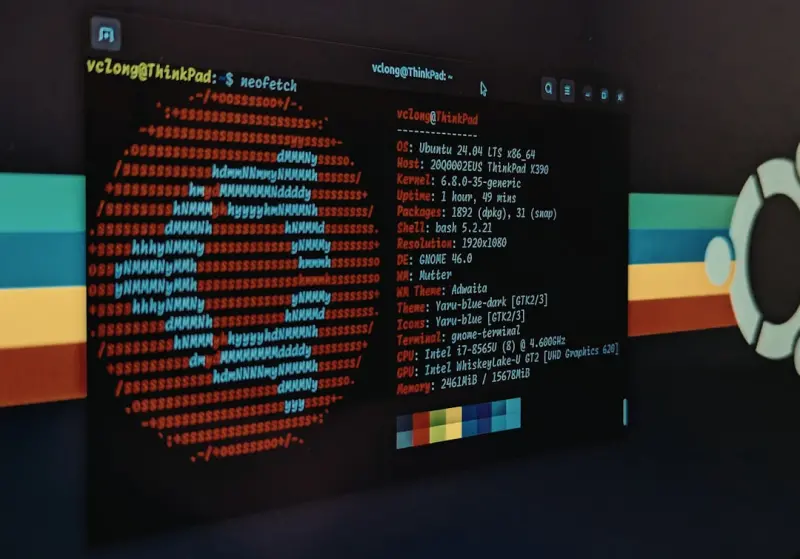
Why Your Server Logs Are the Secret Weapon You’ve Ignored
When most SaaS marketers talk technical SEO, the conversation stalls at crawl budgets, schema markup, or page speed. Rarely do we dig into the raw, unfiltered truth that lives in our server logs. I’ve spent the last decade watching Google’s crawlers evolve, and I’ve learned that the most reliable signal about how search engines view your site isn’t found in a dashboard widget – it’s buried in the .log files your server dutifully writes every second.
What Server Logs Actually Contain
A server log is essentially a chronological diary of every request your web server receives. Each line tells you:
- Timestamp – when the request happened.
- IP address – who (or what) made the request.
- Request method – GET, POST, HEAD, etc.
- Requested URL – the exact path Googlebot or a user asked for.
- Status code – 200, 301, 404, 500… the health indicator of that request.
- User‑agent string – “Googlebot/2.1” or a browser fingerprint.
- Response size – how much data was transferred.
When you aggregate this data, patterns emerge that no third‑party tool can guess. You’ll discover which pages are truly being crawled, how often, and whether Google is stumbling over redirects, duplicate content, or slow server responses.
Why SaaS Companies Need Log Analysis More Than Ever
SaaS platforms are often built on complex architectures: API gateways, micro‑services, dynamic routing, and sometimes a mix of server‑side rendered (SSR) and client‑side rendered (CSR) pages. This complexity creates a fertile ground for hidden SEO pitfalls:
- Orphaned product pages that never get crawled because internal linking is generated by JavaScript.
- Stale API endpoints that return 404s, draining crawl budget.
- Authentication walls that block bots from the docs you actually want indexed.
- Dynamic parameters that produce endless URL variations, causing duplicate content warnings.
Without a clear view of how Googlebot navigates this maze, you’re essentially flying blind. That’s where log analysis becomes a strategic advantage.
Setting Up a Log Collection Pipeline
Before you can extract insights, you need to reliably collect the logs. Here’s a pragmatic, step‑by‑step approach that works for most SaaS stacks:
- Choose a storage destination. Whether you prefer AWS S3, Google Cloud Storage, or an on‑premises ELK stack, the key is durability and easy access.
- Standardize the format. Most web servers (Apache, Nginx, IIS) support the Combined Log Format. Stick to it so downstream parsers won’t choke.
- Rotate logs daily. Large SaaS apps generate gigabytes of logs per day. Automated rotation prevents disk‑space exhaustion and keeps processing times manageable.
- Mask sensitive data. Strip out authentication tokens or personal identifiers to stay compliant with GDPR and CCPA.
- Stream to a processing engine. Tools like Filebeat → Logstash → Kibana or Google Cloud Logging let you run queries in near real‑time.
Once the pipeline is humming, you can start asking the right questions.
Key Queries Every SaaS SEO Analyst Should Run
Below are the five most valuable queries you can run against your log data. They’re ordered from “quick win” to “deep dive”.
1. Identify Which Pages Googlebot Actually Visits
SELECT request_url, COUNT(*) AS hits
FROM logs
WHERE user_agent LIKE '%Googlebot%'
GROUP BY request_url
ORDER BY hits DESC
LIMIT 100;
This list reveals the top‑ranked URLs in Google’s eyes. Compare it with your sitemap – any high‑traffic page missing from the sitemap is a missed indexing opportunity.
2. Spot Crawl Budget Waste
SELECT request_url, COUNT(*) AS hits, AVG(response_time) AS avg_ms
FROM logs
WHERE user_agent LIKE '%Googlebot%'
  AND status_code = 404
GROUP BY request_url
HAVING hits > 5
ORDER BY hits DESC;
Pages that return 404 repeatedly are burning crawl budget for no reason. In a SaaS environment where you often retire features, this query helps you clean up legacy URLs or set up proper 301 redirects.
3. Detect Slow Server Responses for Bot Traffic
SELECT request_url, AVG(response_time) AS avg_ms
FROM logs
WHERE user_agent LIKE '%Googlebot%'
GROUP BY request_url
HAVING avg_ms > 3000
ORDER BY avg_ms DESC
LIMIT 20;
If Google’s crawler experiences timeouts or >3‑second responses, it may reduce the crawl frequency for that section. Address these latency issues – often they’re caused by heavy database queries behind feature‑heavy pages.
4. Uncover Duplicate URL Variants
SELECT request_url, COUNT(*) AS hits
FROM logs
WHERE user_agent LIKE '%Googlebot%'
  AND request_url LIKE '%?%'
GROUP BY request_url
HAVING hits > 10
ORDER BY hits DESC;
Parameters like ?session= or ?ref= can create endless URL permutations. Consolidate them with canonical tags or URL rewrites to preserve link equity.
5. Verify Access to Your Documentation Hub
SELECT COUNT(DISTINCT ip) AS unique_bots, COUNT(*) AS total_requests
FROM logs
WHERE request_url LIKE '/docs/%'
  AND user_agent LIKE '%Googlebot%';
Documentation is often the lifeblood of a SaaS product. If Googlebot isn’t reaching those pages, your knowledge base won’t rank, and users will bounce to competitor sites.
Turning Insights Into Action: A Real‑World Workflow
Let’s walk through a concrete scenario. Imagine you run a SaaS analytics platform with a public /features page that’s rendered via a JavaScript SPA. After a month of log collection, you notice:
- Googlebot is only hitting
/featuresonce per week. - Average response time for that endpoint is 4.2 seconds.
- Several URLs like
/features?utm_source=mailare being crawled and returning 200.
Here’s how you’d fix it:
- Server‑Side Render (SSR) the core feature list. This gives Google a static HTML snapshot, dramatically reducing load time.
- Implement
rel="canonical"on all parameterized URLs. Point them back to the clean/featuresURL. - Introduce a lightweight JSON‑LD schema. Mark up each feature as a
SoftwareApplicationitem, giving Google explicit context. - Update your
robots.txtto allow crawling of/featuresbut block the parameterized variants. This preserves crawl budget. - Monitor the next log cycle. You should see an increase in crawl frequency and a drop in average response time as the SSR cache kicks in.
This loop of “log → insight → fix → re‑log” is the essence of a data‑driven SEO operation. It’s a habit that, once ingrained, pays dividends across all product pages, help centers, and even your sustainable WordPress architecture.
Integrating Log Analysis With Existing SEO Processes
Many SaaS teams already have a solid technical SEO foundation: they’ve tackled crawl budget hygiene, they’ve implemented structured data, and they monitor Core Web Vitals. Adding log analysis doesn’t replace these practices; it enriches them.
Here’s a quick matrix to illustrate where log insights fit:
| SEO Pillar | Log Insight Contribution |
|---|---|
| Crawl Budget | Identify wasteful 404s and parameter sprawl. |
| Indexation | Confirm bots reach key landing and docs pages. |
| Performance | Spot server‑side latency that only bots encounter. |
| Content Strategy | Validate that new blog posts are being crawled within 24 hrs. |
| International SEO | Detect missing hreflang signals by analyzing regional bot traffic. |
Common Pitfalls and How to Avoid Them
Even seasoned SEO pros can stumble when first working with logs. Keep these warnings in mind:
- Over‑filtering bot traffic. Googlebot isn’t the only crawler that matters. Bingbot, Yandex, and even niche industry bots can bring valuable referral traffic. Include them in broader analyses.
- Ignoring status code nuances. A 301 isn’t always a win; too many redirects can slow down crawl. Look for redirect chains longer than three hops.
- Relying on raw counts alone. A page with a thousand hits might be a high‑traffic blog post that’s already indexed. Focus on unique URLs that lack indexation signals.
- Neglecting privacy compliance. Logs can contain IP addresses and query strings that may be personally identifiable. Mask or anonymize before sharing with external teams.
Tools of the Trade: From DIY Scripts to Enterprise Platforms
Choosing the right tooling depends on your organization’s scale and budget:
- Open‑source stack: Filebeat → Logstash → Kibana. Great for custom dashboards and cost‑effectiveness.
- Cloud‑native services: AWS Athena + S3, Google BigQuery + Cloud Logging. These let you run SQL‑style queries without managing servers.
- Specialized SEO log analyzers: Screaming Frog Log File Analyzer, Botify, or DeepCrawl. They offer pre‑built SEO reports but come at a premium.
- Python scripts: For quick, ad‑hoc investigations, the
pandaslibrary can parse gzipped logs and produce CSV exports in minutes.
My personal favorite for a fast‑feedback loop is a simple Python notebook that pulls the latest log slice from S3, runs the five core queries above, and visualizes the results in Plotly. It’s low‑maintenance, highly customizable, and keeps the whole team in the loop.
Future‑Proofing Your Technical SEO With Logs
Search engine bots are evolving. Google’s “Mobile‑First Indexing” means that the mobile version of your site is now the primary source of truth. As you adopt server‑side rendering, edge computing, or even AI‑generated content, new log patterns will emerge. By embedding log analysis into your regular SEO cadence (monthly or quarterly), you’ll always be ahead of the curve.
Think of server logs as your SEO’s health monitor. Just as a SaaS product needs continuous observability to catch performance regressions, your SEO strategy needs the same vigilance. When you pair log‑driven insights with the fundamentals of crawl budget hygiene, you create a resilient, data‑first SEO engine that scales with your product roadmap.
Take the First Step Today
If you’re still manually scanning Google Search Console for crawl errors, you’re leaving a treasure trove on the table. Set up a minimal log collection pipeline this week, run the top‑five queries, and you’ll immediately spot at least three actionable items. In the SaaS world, where every millisecond and every indexed feature page can affect trial conversion, that’s a competitive advantage you can’t afford to ignore.

Related Posts

Technical SEO for Headless Sites: A Pragmatic Playbook
Discover a fresh approach to technical SEO tailored for headless architectures, covering SSR vs. SSG... Read More

The Evolution of Technical SEO: A Comprehensive Guide to Optimizing Your Website
Learn the fundamentals of technical SEO and how to optimize your website for better search engine ra... Read More

Micro‑Frontends Meet Technical SEO: Scaling SaaS Sites for Search Engines
A deep‑dive into aligning micro‑frontend architectures with technical SEO best practices—cover... Read More
Top Posts
The Future of Technical SEO: Trends to Watch
The future of technical SEO is rapidly evolving. Learn how to optimize your website for AI-driven search engines, voice search, and more to stay ahead of the co...Read More

The On‑Page SEO Playbook for SaaS: From Intent Mapping to Content Pruning
A step‑by‑step guide that helps SaaS teams align every page with user intent, prune outdated assets, and build a smart internal linking system—turning onâ...Read More

Human‑Centric SEO: A Modern Playbook for Sustainable Rankings
A human‑centric SEO playbook that balances technical foundations, narrative content, and community engagement to drive sustainable rankings and real business ...Read More

Turning Local Listings into a Competitive Edge for SaaS Companies
Learn a systematic approach to boost your SaaS business through local SEO—clean citation management, review engineering, and geo‑targeted content that turn ...Read More
0 Comments
Post Comment
You will need to Login or Register to comment on this post!