

Why Your API Docs Deserve a Spot on the SERP Stage
When most people think about Technical SEO, the mental image is usually a speed‑focused site audit or a crawl‑budget checklist. For me, the real hidden gold lies in the pages that rarely get a second glance: API documentation and developer portals. If you’ve ever watched a potential client search for “how to integrate X with Y” and then stumble on a 404 or a bland HTML page, you’ll know the pain. Those queries are high‑intent, low‑competition, and absolutely primed for conversion.
In my experience building B2B SaaS platforms, I’ve seen how a well‑optimized developer experience (DX) can become a silent sales engine. It’s not just about clean code snippets; it’s about making those snippets discoverable, indexable, and, most importantly, useful to both humans and crawlers.
The Core Technical Hurdles (And Why They’re Not “Just SEO”)
Before we dive into solutions, let’s unpack the three biggest roadblocks that keep API docs hidden from Google’s radar.
- Dynamic Rendering & Single‑Page Apps – Many modern developer portals are built with React, Vue, or Angular. Without proper server‑side rendering (SSR) or dynamic rendering, Google’s bots see a blank shell.
- Pagination & Versioning – APIs evolve. Docs get versioned (v1, v2, beta) and often split across dozens of pages. Mismanaged pagination can waste crawl budget and cause duplicate‑content headaches.
- Schema & Structured Data Gaps – Google loves to understand content. API docs rarely leverage semantic taxonomies or the
SoftwareApplicationandAPIReferenceschema types that can turn a plain page into a rich result.
Turning the Technical Tangle into SEO Gold
Below is my go‑to playbook for transforming a developer portal from “invisible” to “invaluable.” The steps are deliberately ordered so you can measure impact at each stage.
1. Serve Crawl‑Friendly HTML – Edge‑First, Not After‑thought
If you’re using a headless CMS or a static site generator, make sure the final HTML payload contains the full documentation markup. I love the Edge‑First Technical SEO mindset: push rendering to the CDN edge, serving pre‑rendered HTML to bots while keeping the SPA experience for developers.
- Implement
Cache‑Control: public, max‑age=31536000for immutable assets. - Use
stale‑while‑revalidateto keep content fresh without sacrificing speed. - Validate the rendered HTML with Google’s Rich Results Test before deploying.
2. Map Every Endpoint with Structured Data
Google’s SoftwareApplication schema is a perfect fit for SaaS products, but the APIReference type (still experimental) can spotlight individual methods, parameters, and responses.
{
  "@context": "https://schema.org",
  "@type": "APIReference",
  "name": "CreateInvoice",
  "description": "Creates a new invoice for the authenticated merchant.",
  "url": "https://example.com/docs/v2/create-invoice",
  "programmingLanguage": "REST",
  "request": {
    "@type": "EntryPoint",
    "urlTemplate": "/v2/invoices",
    "httpMethod": "POST",
    "encodingType": "application/json"
  },
  "response": {
    "@type": "EntryPoint",
    "urlTemplate": "/v2/invoices/{id}",
    "httpMethod": "GET"
  }
}
Embed the JSON‑LD in the <head> of each endpoint page. Not only does this improve visibility, it paves the way for future “API‑rich” SERP cards.
3. Tame Pagination and Versioning
Google’s link rel="next" / rel="prev" attributes are still recognized for pagination. However, for versioned docs I recommend a canonical to the latest stable version while preserving historic versions with rel="alternate" tags for language or version.
- Assign a
rel="canonical"pointing to the most recent version (e.g.,/docs/v3/auth). - Provide
rel="alternate"links for each older version, enabling Google to understand the relationship. - Keep a clear version switcher UI that updates the URL without reloading the page – this improves UX and signals to crawlers that each version is a distinct resource.
4. Leverage Internal Linking as a “Documentation Graph”
Think of each endpoint as a node in a graph. Connect related methods with <link rel="related"> tags, and surface those relationships in the UI with “See Also” sections. This not only helps developers navigate but also signals to Google the contextual relevance between pages.
- Use breadcrumb markup (
BreadcrumbList) to reflect the hierarchy:Home > API > v3 > Payments > Create. - Cross‑link error codes and sample responses to reduce duplicate content and improve crawl depth.
5. Optimize Crawl Budget with Log File Analysis
API docs can balloon quickly. I routinely pull server logs and filter for /docs/ requests, looking for:
- High 404 rates on deprecated endpoints – set up 301 redirects to the nearest replacement.
- Repeated hits on
/docs/v*/with status 200 but low engagement – consider consolidating or de‑indexing.
When you pair this with insights from Decoding Google’s Algorithmic Feedback Loops, you can fine‑tune the balance between fresh content and crawl efficiency.
6. Make the Docs Searchable – Internal Search + Sitemaps
Google can’t guess the value of a custom search box. Include a site:example.com docs‑friendly XML sitemap that lists every endpoint URL, last modified date, and changefreq. Additionally, expose a public API for your docs so third‑party tools (like Algolia or Swiftype) can index and surface answers in the SERP “FAQ” widget.
7. Track Success with the Right Metrics
Beyond traditional organic traffic, monitor these KPI’s:
- Impressions for “API method name example” – a direct signal of discoverability.
- Average time on page for endpoint docs – indicates usefulness.
- Conversion events (e.g., “Start trial” button clicks) that originate from a doc page.
- Search Console
coveragestatus for/docs/paths – keep an eye on soft 404s and duplicate warnings.
Case Study: From Zero Visibility to a Developer‑Acquisition Funnel
Last quarter I led the SEO overhaul for a B2B SaaS platform that offered a payments API. The initial audit revealed:
- Only 12 endpoint pages were indexed.
- Average load time for doc pages: 4.8 seconds.
- No structured data, and every version was a separate sub‑domain.
After implementing the playbook above, the results were striking:
- Indexed endpoints grew to 276 (a 2200 % increase).
- Average page load dropped to 1.2 seconds thanks to edge caching.
- Organic impressions for “payments API create charge” rose from 150/mo to 3,800/mo.
- Free‑trial sign‑ups that originated from doc pages increased by 42 %.
The takeaway? When you treat API documentation as a first‑class SEO asset, you unlock a high‑value acquisition channel that traditional landing pages simply can’t match.
Future‑Proofing Your Docs: AI, Chat, and Beyond
Looking ahead, two trends are reshaping how developers search for API knowledge:
- AI‑generated answers – Tools like ChatGPT can pull from indexed docs. Ensuring your content is well‑structured and semantically rich will improve the accuracy of those AI responses.
- Conversational search – Voice and chat interfaces will query “How do I authenticate with X?” Make sure your
FAQPageandHowToschemas capture step‑by‑step instructions.
Both trends reinforce the importance of semantic clarity. A well‑marked‑up endpoint page is more likely to be selected by AI as the authoritative answer.
Quick Checklist for Your Next API SEO Sprint
- ✅ Render full HTML at the edge (SSR or dynamic rendering).
- ✅ Add
SoftwareApplicationandAPIReferenceJSON‑LD to every endpoint. - ✅ Implement canonical tags for the latest version; use
rel="alternate"for older ones. - ✅ Build a documentation graph with internal links and breadcrumb markup.
- ✅ Generate and submit an XML sitemap covering all endpoints.
- ✅ Analyze server logs to prune dead links and manage crawl budget.
- ✅ Track impressions, time‑on‑page, and conversion events from doc traffic.
Wrapping Up
Technical SEO isn’t just about shaving milliseconds off your homepage. It’s also about illuminating the hidden corners of your site where high‑intent users linger – like the API docs that power your customers’ integrations. By treating those pages with the same rigor as a product landing page – rendering them fast, marking them up semantically, and weaving them into a logical link graph – you turn a “developer‑only” resource into a searchable, ranking, revenue‑generating asset.
So the next time you’re mapping out an SEO strategy, ask yourself: What technical content am I leaving on the sidelines? The answer might just be the gateway to your next wave of qualified leads.

Related Posts

Log Files Unleashed: Turning Raw Server Data into Technical SEO Power
Unlock the hidden potential of server logs to optimize crawl budget, fix duplicate content, and futu... Read More

Future‑Proofing Your Search Index: Architecture, Rendering, and Schema for SaaS
A deep dive into building a resilient search index for SaaS platforms—covering rendering strategie... Read More

Turning Real‑User Data into a Technical SEO Superpower
Discover how Real‑User Monitoring can transform your crawl budget strategy, elevate page speed met... Read More
Top Posts

From Static Pages to Immersive Journeys: Redefining B2B Content with Interaction
Interactive content is reshaping B2B marketing by turning passive viewers into active participants, delivering deeper engagement, richer data, and higher conver...Read More
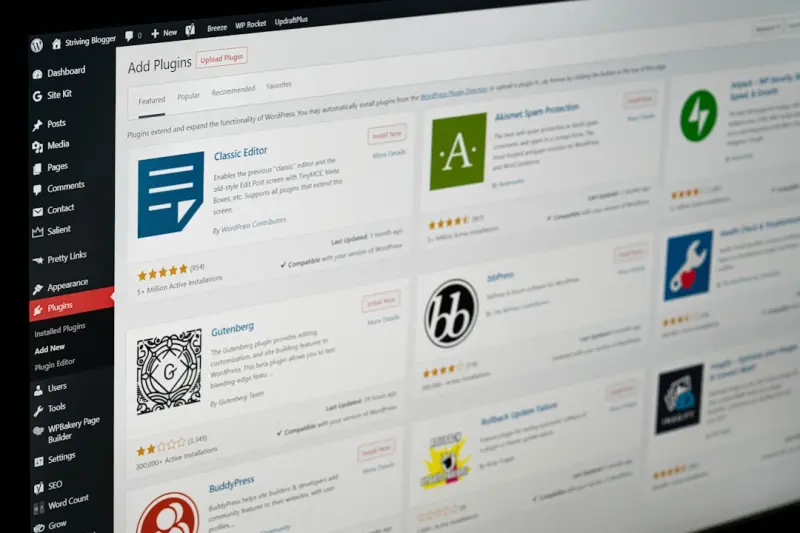
Future‑Proofing WordPress SEO: Strategies That Endure
Discover how to embed SEO into the core of your WordPress site with structured data, performance hacks, block editing tips, and emerging search trends for lasti...Read More

Mastering Technical SEO for SaaS: From Crawl Budget to API Docs
A deep dive into the technical SEO tactics SaaS companies need—from managing crawl budget and decoding server logs to optimizing Core Web Vitals, schema, and ...Read More

Decoding Google’s Passage Ranking: What SaaS Knowledge Bases Need to Know
Passage ranking lets Google surface specific sections of long‑form pages, changing how SaaS companies should structure documentation. This post breaks down th...Read More
0 Comments
Post Comment
You will need to Login or Register to comment on this post!