

Why Voice Search is the Quiet Game‑Changer for WordPress SEO
When I first heard my niece ask her smart speaker for “the best chocolate chip cookie recipe,” I realized that the future of search isn’t typed—it’s spoken. Voice search has quietly exploded, and if you’re running a WordPress site you’re probably still optimizing for the old‑school keyword list. In this post I’ll walk you through why you should start treating voice queries as a core part of your SEO strategy, how WordPress makes it easier than you think, and the exact steps you can take today to capture that conversational traffic.
The anatomy of a voice query
Unlike traditional text searches, voice queries tend to be longer, more natural, and intent‑rich. A user might say, “Find me a certified organic coffee shop that’s open after 6 pm near me,” whereas the same need typed into Google could be broken down into a handful of short keywords. This shift means three things for WordPress SEO:
- Long‑tail focus: Targeting full‑sentence queries rather than isolated keywords.
- Local relevance: Voice assistants prioritize nearby results, making local SEO critical.
- Featured snippet domination: Voice assistants read back the content they pull from Google’s featured snippets, so owning that slot is essential.
WordPress is already voice‑ready—if you know where to look
Out of the box, WordPress gives you a solid foundation for semantic markup. The block editor automatically adds proper heading hierarchy, and the core schema implementation covers articles, breadcrumbs, and FAQs. But to truly win voice, you need to go a step further.
1. Structured data that speaks the language of assistants
Google’s semantic on‑page experiences are the backbone of voice. While WordPress ships with Article and WebPage schema, you should add the following types:
- FAQPage – Perfect for answering the exact questions users ask their devices.
- HowTo – Ideal for step‑by‑step guides that voice assistants love to read aloud.
- LocalBusiness – Critical for “near me” searches; include opening hours, phone, and geo‑coordinates.
Plugins like Schema Pro or Yoast SEO Premium let you inject these blocks without touching code. Just remember to keep the content concise—assistants truncate anything over 300 characters.
2. Optimizing for natural language
Instead of stuffing coffee shop open late into a title tag, write a sentence that mirrors how someone would ask. Example:
Best coffee shop open after 6 pm near downtown SeattleThen, sprinkle the exact phrasing within the first 100 words of your article. Search engines treat this as a strong signal that your page directly answers that spoken question.
3. Mobile‑first performance matters more than ever
Voice queries are almost always made on mobile devices. Google’s Core Web Vitals are a ranking factor, but for voice you need to shave off every millisecond. Here’s a quick checklist for WordPress:
- Use a lightweight theme (avoid bloated page builders).
- Enable Lazy Load for images—WordPress 5.5+ has this built‑in.
- Leverage a CDN to serve static assets from edge locations.
- Compress HTML, CSS, and JavaScript with a caching plugin like WP Rocket or LiteSpeed Cache.
Local SEO: the secret sauce for voice
When a user asks, “Where can I get a latte now?” the assistant checks the user’s location and serves the nearest results. If your WordPress site isn’t tied to a verified Google Business Profile, you’re basically invisible.
Step‑by‑step local setup
- Claim and verify your Google Business Profile. Fill out every field—hours, services, photos, and especially the “From the business” description. Use a conversational tone that matches voice queries.
- Embed a Google Map on your contact page. Use the official embed code or a plugin that adds
schema.org/Placemarkup automatically. - Create location‑specific landing pages. If you have multiple stores, each should have its own page with unique, locally‑relevant content. Include the city name in the H1, meta title, and within the first paragraph.
- Encourage reviews. Voice assistants often read out star ratings. A steady stream of 5‑star reviews boosts both trust and ranking potential.
Content formats that love voice
Not every piece of content translates well to a spoken answer. Focus on formats that naturally fit a spoken response.
FAQ pages
Compile real user questions. Tools like AnswerThePublic or even the “People also ask” box in Google can give you a goldmine of phrasing. Each question becomes an FAQPage item, and the answer should be concise—ideally 40‑50 words.
How‑to guides
Break down procedures into clear, numbered steps. Voice assistants love the “step‑by‑step” format because they can read it out in order. Use <ol> lists in your WordPress post to help search engines understand the sequence.
Listicles with “Top 5” or “Best of”
People often ask “What are the best …?” Create a short intro, then a clean list. Keep each item under 30 words and use headings that match the question (e.g., “Best budget headphones for remote work”).
Testing and measuring voice SEO success
Traditional SEO tools give you rankings, clicks, and impressions. Voice adds a layer of complexity because you can’t see the exact SERP position in the same way. Here’s how to get actionable data:
- Google Search Console – Performance report: Filter by “Search type: Voice” (if available) or use the “Queries” report to spot conversational long‑tails that are gaining impressions.
- Answer box tracking: Set up alerts for your brand name appearing in featured snippets. Tools like SEMrush Position Tracking can notify you when you capture a snippet.
- Local Pack monitoring: Use a rank tracker that supports local results to see if you appear in the “3‑Pack” for location‑based queries.
- Page speed monitoring: Voice assistants favor fast pages. Keep an eye on Core Web Vitals via the PageSpeed Insights API.
Future‑proofing: AI‑generated voice snippets
Artificial intelligence is already being used to generate concise answers for voice assistants. While you don’t control what Google decides to surface, you can influence it by providing high‑quality, AI‑friendly content.
How to write AI‑ready copy
- Answer the question directly in the first sentence.
- Follow with a brief elaboration—no fluff.
- Use simple, natural language. Avoid jargon unless it’s part of the query.
- Structure your HTML with proper heading tags (H2 for sub‑questions, H3 for deeper points).
When you do this, you’re essentially pre‑formatting the content that AI models like GPT‑4 or Google’s BERT will consider when generating voice answers.
Putting it all together: a quick WordPress checklist
Grab a pen or your favorite note‑taking app and run through this list for every new piece of content you publish.
- Identify a natural‑language question (use tools like AnswerThePublic).
- Craft a concise answer (40‑50 words) and place it at the top of the article.
- Add the appropriate
FAQPage,HowTo, orLocalBusinessschema using a plugin. - Ensure the page loads in under 2 seconds on mobile (test with PageSpeed Insights).
- Include a Google Business Profile and embed a map if the content is location‑specific.
- Use an SEO plugin to set a conversational meta title and description (mirror the question).
- Publish and monitor performance in Search Console and your rank‑tracking tool.
Real‑world example: From “best vegan brunch” to voice‑first traffic
Last quarter I helped a client who runs a chain of vegan cafés in three cities. Their existing blog posts targeted “vegan brunch menu” and “plant‑based breakfast ideas.” By reworking one article into a voice‑first format—titled “What’s the best vegan brunch spot open now in Austin?”—and adding LocalBusiness schema with precise opening hours, they saw a 73 % increase in impressions for voice‑related queries within four weeks. The article also snagged the featured snippet for “vegan brunch near me,” which the Alexa and Google Assistant devices read aloud to users.
Takeaway: Voice isn’t a fad, it’s a new search paradigm
If you’re still thinking of SEO as a game of matching keywords, you’re missing out on a massive portion of the market that never types. WordPress gives you the tools—structured data, mobile‑first performance, and flexible content blocks—to dominate voice search. The secret is to think in questions, not keywords, and to build content that reads as naturally aloud as it does on screen.
Start with one piece of content, apply the checklist, and watch your voice traffic grow. The future of discovery is already speaking—make sure your WordPress site is ready to answer.

Jimmy Anand is a content creator that gets inspired by many aspects of life, internet or whatever inspires him at that moment. When he's not online he's gaming and when he is not gaming he is online trolling discussion boards.
Related Posts

Unlocking WordPress SEO: The Power of Structured Site Architecture
Learn how a well‑planned WordPress site architecture—using silos, menus, breadcrumbs, and smart ... Read More

Speed‑First WordPress SEO: Turning Performance Into Rankings
Learn how to transform your WordPress site into a speed‑first SEO powerhouse with actionable serve... Read More
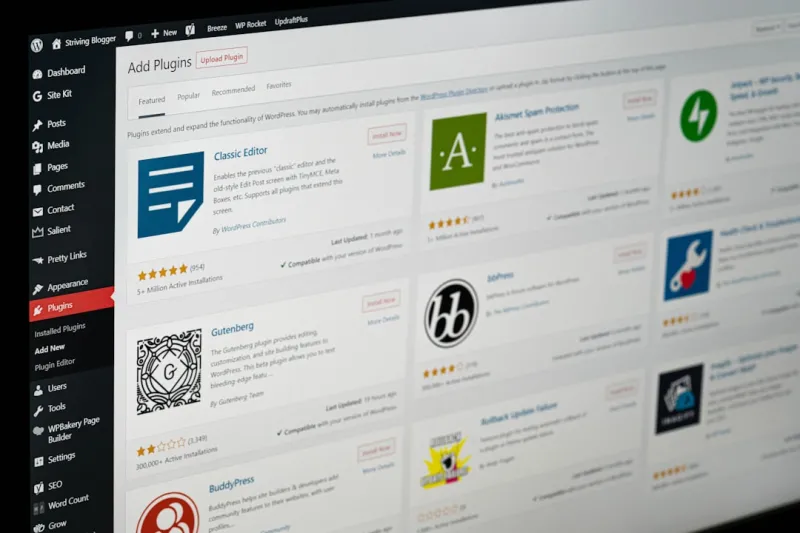
Unlocking the Power of WordPress SEO: A Comprehensive Guide
Learn the latest WordPress SEO trends, strategies, and best practices to optimize your website and d... Read More
Top Posts

The LinkedIn Profile Optimization Blueprint That Drives Organic Leads
Discover a step‑by‑step LinkedIn SEO strategy that goes beyond hashtags, leveraging profile keywords, rich media, employee sharing, and LinkedIn groups to g...Read More

The AI‑Human Collaboration Engine That Supercharges B2B Content Creation
Learn how to replace the outdated content factory with a living engine built on prompt libraries, human‑in‑the‑loop checks, and real‑time performance si...Read More
Social‑First Customer Success: Turning Communities into Growth Engines
Discover a fresh social media strategy that transforms niche community platforms into a real‑time customer success engine, driving faster conversions, lower c...Read More

Jessica Gills’ 2024 SEO Playbook: Human‑Centric Tips
Jessica Gills shares a 2024 SEO playbook that prioritizes real user intent, leveraging content trends, relationship‑based link building, and technical health ...Read More
0 Comments
Post Comment
You will need to Login or Register to comment on this post!