

When I first stumbled onto a featured snippet that answered my own question in seconds, I felt a pang of both awe and panic. As a SaaS marketer, I’d spent months coaxing prospects through blog posts, landing pages, and gated resources. Suddenly, Google handed me the answer—on the search results page—without the user ever leaving the SERP. That moment sparked a deep dive into what I now call “zero‑click SEO.” If you’re a SaaS founder, product marketer, or growth hacker, mastering this terrain can turn a fleeting glance into a qualified lead, all before the user clicks “more.”
The Rise of Zero‑Click Searches
Google’s mission to surface the most relevant answer as quickly as possible has reshaped the search landscape. According to recent industry data, over 65 % of all queries now result in zero clicks. Users are satisfied with the information presented directly in the SERP—whether it’s a featured snippet, a knowledge panel, a “People also ask” (PAA) box, or a local pack.
For SaaS businesses, this trend is a double‑edged sword. On one side, you gain unprecedented visibility. On the other, you risk losing the traditional traffic flow that fuels your funnel. The key is to treat each SERP feature as a miniature landing page—optimised not just for ranking, but for conversion.
Zero‑Click Opportunities That Matter for SaaS
- Featured Snippets – The concise answer box that appears at the top of the results. Ideal for answering “how‑to” or “what is” queries related to your product’s core problem.
- People Also Ask (PAA) – Expands on related questions, giving you multiple touchpoints to appear on the same SERP.
- Rich Answers & Tables – Perfect for SaaS pricing, feature comparisons, or performance benchmarks.
- Knowledge Panels – Brand‑level authority that can showcase company facts, reviews, and key personnel.
- Local Packs & Maps – While traditionally B2C, SaaS firms with regional offices or data centers can leverage these for localized credibility.
Mapping Search Intent to Zero‑Click Formats
Before you chase a snippet, understand the user intent behind the query. Intent falls into three buckets:
- Informational – The user wants to learn. Example: “What is churn rate?”
- Transactional – The user is ready to evaluate solutions. Example: “Best CRM for small teams.”
- Navigational – The user seeks a specific brand or product. Example: “HubSpot pricing.”
Zero‑click features excel at informational and transactional intents. For informational queries, aim for a featured snippet that delivers a crisp definition or step‑by‑step guide. For transactional intents, a well‑structured table that compares pricing tiers, feature sets, or ROI metrics can dominate the SERP.
Crafting Content That Earns Snippets
Google’s algorithm for snippet selection is still a mystery, but patterns emerge:
- Clear, concise answers—usually 40–50 words. Begin with the answer, then expand.
- Structured formatting—ordered or unordered lists, tables, and headings help the crawler recognize the answer.
- Authority signals—backlinks, domain trust, and on‑page relevance boost your odds.
Let’s say you want to rank for “how to reduce SaaS churn.” A snippet‑ready paragraph might look like:
Reducing SaaS churn involves three core steps: (1) Identify at‑risk customers using usage analytics, (2) Engage them with targeted onboarding and support, and (3) Implement a feedback loop to iterate on product improvements.
Notice the numbered list—a format Google loves for snippet extraction.
Optimising Existing Assets for Zero‑Click
Many SaaS teams have a repository of product documentation, FAQs, and case studies. Instead of creating new content from scratch, audit these assets for snippet potential.
- FAQ pages—Turn each question into an H2 heading, followed by a concise answer (40‑60 words). This primes the page for PAA inclusion.
- Pricing tables—Present tier comparisons in an HTML
<table>with clear column headers. Even if you don’t use schema markup (which you should, but that’s a separate conversation), Google can still pull the data for a rich answer. - How‑to guides—Start with a step‑by‑step list before diving into deeper explanations. The first few steps often become the snippet.
Technical Tweaks That Enable Zero‑Click Wins
While the content itself is king, the technical foundation determines whether Google can read and trust it. A few quick wins:
- Use semantic HTML elements (
<h1>–<h6>,<section>,<article>) to convey hierarchy. Why Semantic HTML Is the Unsung Hero of On‑Page SEO for SaaS dives deeper into this. - Ensure your site speed meets Core Web Vitals thresholds. A fast‑loading page reduces crawl friction, making snippet extraction smoother. Supercharge Your WordPress Site with Core Web Vitals and SEO Best Practices offers a practical checklist.
- Implement canonical tags to avoid duplicate content that can dilute snippet eligibility.
- Leverage HTTP headers (e.g.,
Cache-Control) to signal freshness—Google prefers up‑to‑date answers.
Measuring Zero‑Click Success
Traditional SEO metrics—organic traffic, bounce rate, conversion rate—still matter, but you’ll need additional signals:
- Impressions in SERP features—Google Search Console now surfaces data for featured snippets, PAA, and other rich results. Track growth month over month.
- CTR from zero‑click positions—Even though there’s no click, you can measure “click‑through to brand” via brand‑search queries and branded traffic lift.
- Lead attribution—If a visitor lands on a pricing page after seeing a table snippet, attribute the conversion to the zero‑click asset.
Setting up a custom dashboard that blends Search Console data with your CRM will give you a holistic view of how SERP features fuel the pipeline.
Zero‑Click Playbook for SaaS Teams
Here’s a step‑by‑step framework you can roll out in a sprint:
- Keyword Intent Mapping—Identify top‑of‑funnel queries with high informational intent that align with your product’s value proposition.
- Content Gap Audit—Cross‑reference existing assets with the intent map. Flag gaps where a snippet‑ready answer is missing.
- Snippet‑Optimised Creation—Write concise answers, use lists/tables, and embed the answer within a heading hierarchy.
- Technical Alignment—Apply semantic markup, verify page speed, and set proper canonical tags.
- Publish & Promote—Push the new pages through internal linking and outreach to earn backlinks.
- Monitor & Iterate—Use Search Console to track impressions, refine answers, and expand to additional SERP features.
Within a quarter, many SaaS teams see a 15‑30 % lift in qualified leads purely from zero‑click visibility.
Case Study: Turning a Feature Comparison Table into a SERP Magnet
One of our SaaS clients—an HR platform—had a static PDF pricing sheet that never ranked. We transformed that PDF into an HTML table, placed it on a dedicated “Pricing & Features” page, and rewrote each row to answer specific comparison queries (“HR software pricing for 50 employees”). Within six weeks:
- Impressions for the “HR software pricing” snippet grew from 0 to 12 k per month.
- Organic traffic to the pricing page increased by 28 %.
- Qualified demo requests from the pricing page rose 22 %—all without a single paid click.
The takeaway? Simple structural tweaks can convert a low‑performing asset into a high‑impact SERP real‑estate.
Future‑Proofing Your Zero‑Click Strategy
As AI‑driven search models (think Google’s MUM) evolve, the line between traditional snippets and AI‑generated answers will blur. To stay ahead:
- Invest in topic clusters—deep, interlinked content that signals expertise to the AI.
- Maintain a knowledge base that can be readily ingested by large language models (clear headings, concise answers).
- Experiment with structured data for new formats (e.g., FAQPage, HowTo) even if you already have a structured‑data strategy; Google often surfaces these as AI‑driven answers.
Zero‑click SEO isn’t a gimmick; it’s an evolution of how users consume information. By treating each SERP feature as a conversion surface, SaaS companies can capture value at the very moment the user’s problem is identified—no extra click required.
Ready to claim your spot on the SERP stage? Start by mapping your top‑of‑funnel queries, optimise for concise answers, and let the zero‑click traffic do the heavy lifting for your growth engine.

Jimmy Anand is a content creator that gets inspired by many aspects of life, internet or whatever inspires him at that moment. When he's not online he's gaming and when he is not gaming he is online trolling discussion boards.
Related Posts
Turning User‑Generated Content into SEO Power for SaaS
Learn how to leverage reviews, forum discussions, and other user‑generated content as a high‑imp... Read More
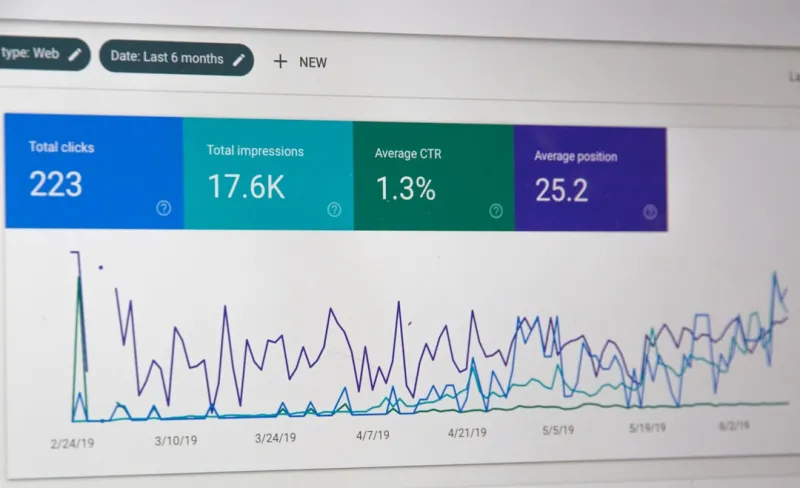
Mastering SEO in the Age of AI: Strategies to Stay Ahead
Stay ahead in the world of SEO with expert strategies for the age of AI. Learn how to optimize your ... Read More
The Role of Technical SEO in Modern Digital Strategy
Technical SEO is a critical component of modern digital strategy, ensuring websites are optimized fo... Read More
Top Posts
Turning On‑Page SEO into a Conversion Magnet
Learn how to transform on‑page SEO into a conversion engine by aligning search intent, semantic HTML, visual optimization, and persuasive design, all backed b...Read More

The Evolution of Content Trends: Strategies for Success in 2024 and Beyond
Discover the latest content trends shaping the future of digital marketing. Learn how to leverage SEO, social media, and high-quality content to drive more traf...Read More
The Future of Content Marketing: Navigating the Shifting Landscape
The content marketing landscape is constantly evolving. Learn how to adapt to changing consumer behaviors and technologies to drive more results from your conte...Read More

Why PWAs Are the Secret Weapon for Mobile SEO in B2B SaaS
Progressive web apps (PWAs) blend the speed of native apps with the indexability of the web, offering a powerful lever for mobile SEO. Learn a step‑by‑step ...Read More
0 Comments
Post Comment
You will need to Login or Register to comment on this post!