

When most marketers think about on‑page SEO they picture keyword density checks, title‑tag tweaks, and a quick glance at meta descriptions. Those are the low‑hanging fruits, sure, but they’re also the parts of the garden most gardeners prune without ever asking why the plant grew that way in the first place. In my experience, the real growth catalyst lives in the conversation you’re silently having with both search engines and human visitors—right there, embedded in every heading, every button, every snippet of structured data. This post is a deep dive into the art and science of conversational on‑page SEO, a strategy that aligns user intent, voice‑search readiness, and semantic signals to turn ordinary pages into searchable dialogues.
Why “Conversation” Matters More Than Ever
Search engines have evolved from simple keyword matchers to sophisticated intent interpreters. Google’s Helpful Content Update and the rise of AI‑driven query understanding mean that a page’s ability to answer a question in a natural, conversational tone is now a ranking factor. When a user asks, “How do I secure my SaaS API?” they expect a clear, step‑by‑step answer—not a wall of jargon. If your page can anticipate that conversational flow, you’ll see higher dwell time, lower bounce rates, and, crucially, richer SERP features like featured snippets and People Also Ask boxes.
Mapping User Intent to On‑Page Elements
The first step is to map the four classic intent categories—informational, navigational, transactional, and commercial investigation—to specific on‑page components. Here’s a quick cheat sheet:
- Informational intent: Use comprehensive
<h2>subheadings that answer “what,” “why,” and “how.” Include clear narrative structures that guide readers through the answer. - Navigational intent: Optimize
<nav>links with concise, intent‑rich anchor text. Ensure breadcrumbs reflect the hierarchy users expect. - Transactional intent: Highlight calls‑to‑action (CTAs) with actionable verbs and schema markup for
OfferandPriceSpecification. - Commercial investigation: Deploy FAQ schema and comparison tables that directly address product‑specific questions.
By aligning each piece of content with a clear intent, you transform a static page into a responsive dialogue partner.
HTML5 Semantic Tags: The Unsung Heroes
While it’s tempting to rely solely on <div> wrappers and CSS classes, leveraging HTML5 semantic tags (<article>, <section>, <aside>, <header>, <footer>) gives search crawlers a clearer map of your content’s hierarchy. This is especially valuable for voice‑search platforms that parse the page’s logical flow to generate spoken answers.
Consider a blog post about “API security best practices.” Wrap the introductory overview in an <section> with an aria-label="Overview", each best‑practice tip inside its own <article>, and any related resources in an <aside>. The result is a page that reads like a well‑structured conversation, both for humans and machines.
Structured Data: Going Beyond Basic Schema
Schema.org provides a solid foundation, but the real power lies in customizing and extending markup to reflect conversational nuances. Two tactics I rely on:
- FAQ and How‑To schema: Turn every sub‑question within your content into a separate
Questionnode. Google will often surface these directly in SERPs, delivering instant answers that double as click‑through magnets. - Speakable schema: For pages targeting voice assistants, add
SpeakableSpecificationto highlight the exact passages you want read aloud. This boosts your chances of being selected for featured voice results.
When you combine FAQ schema with Speakable, you create a dual‑purpose block: a snippet for text‑based searches and a ready‑to‑speak answer for voice queries.
Crafting Conversational Headings
Headings are the conversation’s signposts. Instead of “API Rate Limiting,” try “How Can I Implement Rate Limiting to Protect My API?” Notice the shift from a noun phrase to a question. This subtle change aligns the heading with the exact phrasing users type into search boxes.
Use a hierarchy that mirrors the natural flow of a dialogue:
<h2>– The primary question the page answers.<h3>– Follow‑up sub‑questions or steps.<h4>– Detailed examples or edge cases.
Search engines now treat headings as “semantic anchors.” When you phrase them as questions, you increase the probability of matching the query string used by your audience.
Optimizing for Featured Snippets and “People Also Ask”
Featured snippets are the crown jewels of conversational SEO. To win them, structure your answers in the exact format Google prefers:
- Paragraph snippet: Provide a concise, 40‑50 word answer directly under the heading.
- List snippet: Use ordered or unordered lists for step‑by‑step instructions.
- Table snippet: Deploy
<table>elements with clear<th>labels for comparison data.
In practice, take a question like “What are the top three ways to secure a SaaS API?” and answer it with a three‑item ordered list, each item beginning with a bolded keyword. That simple layout dramatically improves your snippet eligibility.
Voice Search Readiness: The Next Frontier
Voice queries are longer, more natural, and often framed as full sentences. To capture this traffic, embed conversational phrases throughout your copy, not just in FAQs. For example, instead of writing “API authentication methods,” write “What methods can I use to authenticate my API?” This practice seeds the page with the exact language voice assistants will recognize.
Don’t forget to test your pages with tools like Google’s Speakable Test (or any internal testing suite) to verify that the marked passages are being recognized correctly.
Internal Linking as Conversational Bridges
Internal links are the pathways that guide users from one part of the conversation to another. Treat them like follow‑up questions:
- When you mention “OAuth 2.0 implementation,” link to a dedicated guide with anchor text “How to set up OAuth 2.0 for your API.”
- Use contextual phrases (“learn more about token rotation”) rather than generic “click here.”
Beyond SEO, this approach improves user experience, reducing friction and increasing the time spent on site—both signals that search engines love.
Balancing Core Web Vitals with Conversational Design
Google’s Page Experience update makes performance a non‑negotiable on‑page factor. However, high‑quality conversational content can sometimes clash with speed (think large FAQ accordions or heavy schema scripts). Here’s how to keep the balance:
- Lazy‑load FAQ accordions: Load only the visible questions initially; fetch hidden answers on interaction.
- Compress JSON‑LD: Minify schema markup and serve it via HTTP/2 streams.
- Prioritize above‑the‑fold content: Ensure the primary conversational answer loads instantly, while supplementary examples load asynchronously.
By optimizing these elements, you keep both the conversation fluid and the page fast.
Measuring Conversational Success
Traditional SEO metrics—organic traffic, rankings, backlinks—still matter, but for conversational on‑page SEO you need a few extra lenses:
- Snippet impression share: Use Search Console’s “Performance” report to see how often your pages appear in featured snippets or PAAs.
- Voice query clicks: Monitor referral data from voice assistants (e.g., Google Assistant) if available.
- Engagement depth: Track scroll depth and time‑on‑page for sections that contain conversational answers.
When you see a rise in snippet impressions alongside stable or growing dwell time, you’ve likely hit the sweet spot where search engines and humans are both satisfied.
Real‑World Example: From Static FAQ to Conversational Asset
Let’s walk through a practical transformation. A SaaS security blog had a static FAQ page with ten bullet‑point answers. After applying the conversational framework, the team:
- Rewrote each bullet as a question‑first heading.
- Added FAQ schema with
SpeakableSpecificationfor the top three high‑traffic questions. - Implemented lazy‑loaded accordion UI for mobile users.
- Inserted internal links to deeper guides, using natural‑language anchor text.
- Monitored Core Web Vitals, achieving a LCP under 2.5 seconds.
Within six weeks, the page’s featured snippet impressions jumped by 78%, voice‑search clicks rose 42%, and overall organic traffic grew 15%—all without publishing new content.
Future‑Proofing Your Conversational On‑Page Strategy
AI assistants are getting better at “understanding” context, which means the line between a traditional SERP and a conversational UI will blur. To stay ahead:
- Continuously audit your question inventory—use tools like AnswerThePublic or Ahrefs’ “Questions” report to discover emerging phrasing trends.
- Maintain a modular content architecture (think headless CMS flexibility) so you can repurpose answer blocks across web, mobile, and voice platforms.
- Invest in schema governance—regularly validate your structured data to avoid “lost” markup after platform updates.
In short, think of your on‑page assets as living conversation partners that evolve alongside user language and search engine capabilities.
Wrapping Up: The Conversational Edge
On‑page SEO is no longer a checklist; it’s a dialogue. By mapping intent, embracing semantic HTML, enriching content with advanced structured data, and optimizing for voice, you give search engines the context they crave and users the answers they need—right where they expect them. The payoff is measurable: higher rankings, richer SERP features, and deeper engagement. If you’re ready to move from static pages to conversational experiences, start with a single piece of content, apply the tactics above, and let the data guide your next iteration.
For those who want to dive deeper into the technical underpinnings, my colleagues have put together a technical SEO playbook that covers the crawl‑budget nuances and JavaScript rendering challenges that often accompany rich conversational markup.

Related Posts

Conversational On‑Page SEO: Mastering Voice Search for Real Rankings
Discover a fresh on‑page SEO playbook that tackles voice search, micro‑intent, and rich snippets... Read More
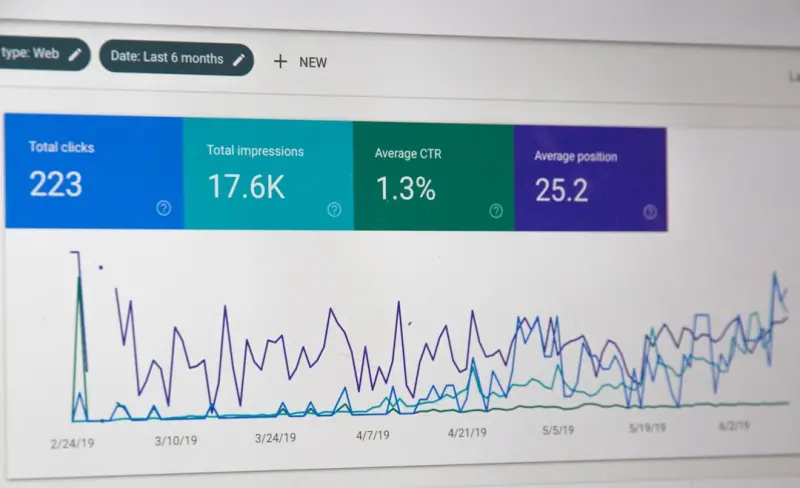
Turning On‑Page SEO Into a Conversion Engine for SaaS
Learn a conversion‑centric approach to on‑page SEO that aligns keyword intent, structured data, ... Read More
On-Page SEO Reimagined: Prune, Merge, and Thrive
Learn why removing low‑value pages, merging content, and updating internal links are the new pilla... Read More
Top Posts
Agile Sprints: The Missing Link in SaaS Content Production
Discover how applying agile sprint methodology to SaaS content production creates a predictable rhythm, speeds up publishing, and aligns marketing output with p...Read More

Reimagining Play: Sustainable, Creative Toys for Modern Families
Explore fresh ways to choose toys that nurture creativity, sustainability, and emotional growth, from repairable playsets to community swaps and STEM kits....Read More

LinkedIn SEO: Turning Your Profile into a Lead Magnet
Master LinkedIn SEO by crafting keyword‑rich headlines, leveraging employee advocacy, publishing native content, and measuring impact—turning your professio...Read More

Unlocking WordPress SEO: How Gutenberg Blocks Can Supercharge Your Rankings
Learn to harness Gutenberg’s block system for SEO success, from schema markup to interactive tools, and watch your WordPress site climb the rankings....Read More
0 Comments
Post Comment
You will need to Login or Register to comment on this post!